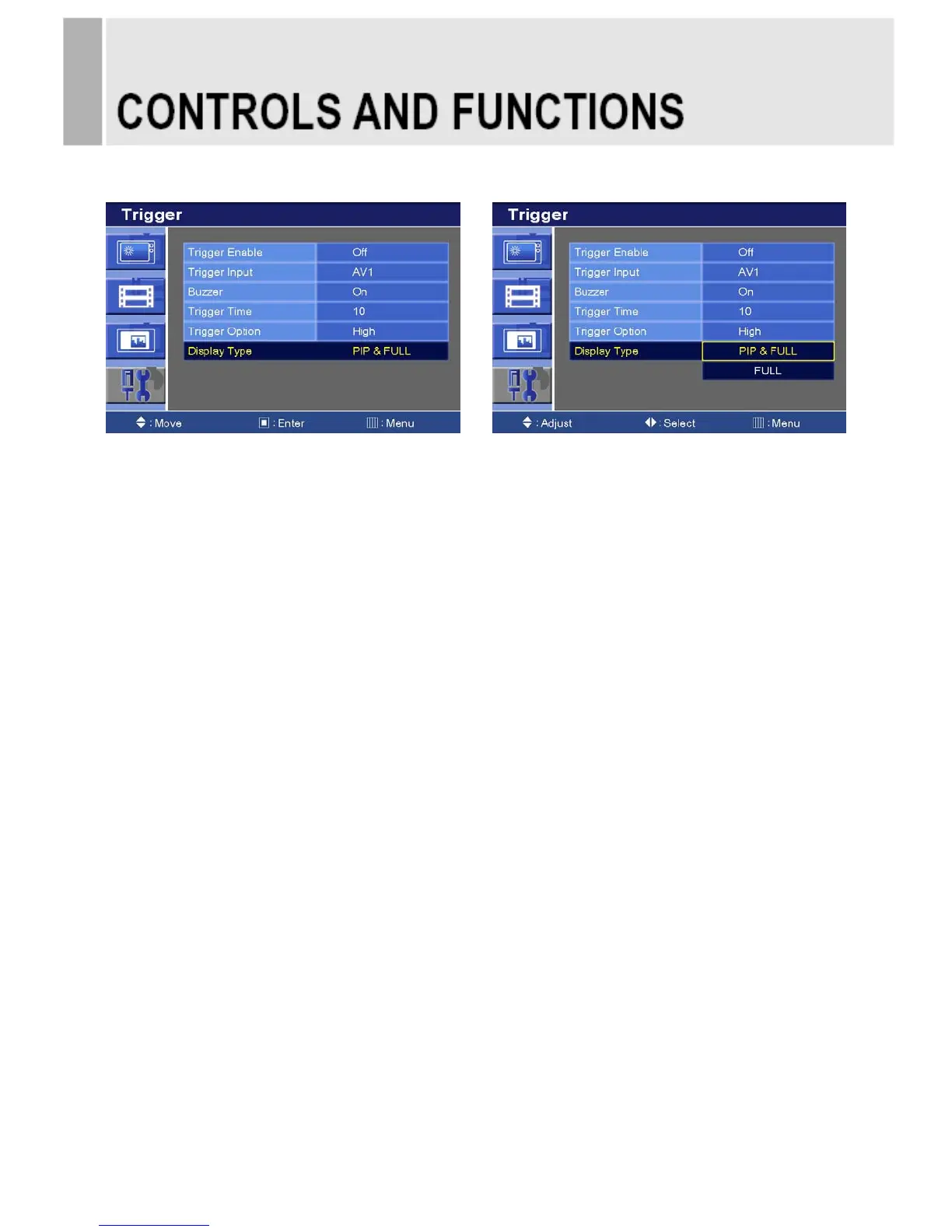
6-6. Display Type
1) Press the up(▲) or down(▼) button to select the Display Type.
2) Press the right() or SOURCE/SELECT button.
3) Press the up(▲) or down(▼) button to select the Display Type option.
4) Press the Menu button to save.
PIP & FULL :
If the type of image in the trigger input is different with we are watching, trigger image will be
displayed as a small screen at a corner which you selected in PIP menu.
Otherwise it will be displayed as a full screen.
FULL : Trigger image will be displayed as a full screen.
※ The Type of Image 1 : AV1, AV2 or S-Video.
The Type of Image 2 : Component, HDMI, DVI or PC.
INSTRUCTION MANUAL ……………………………………………………………………. 27







 To Next Page