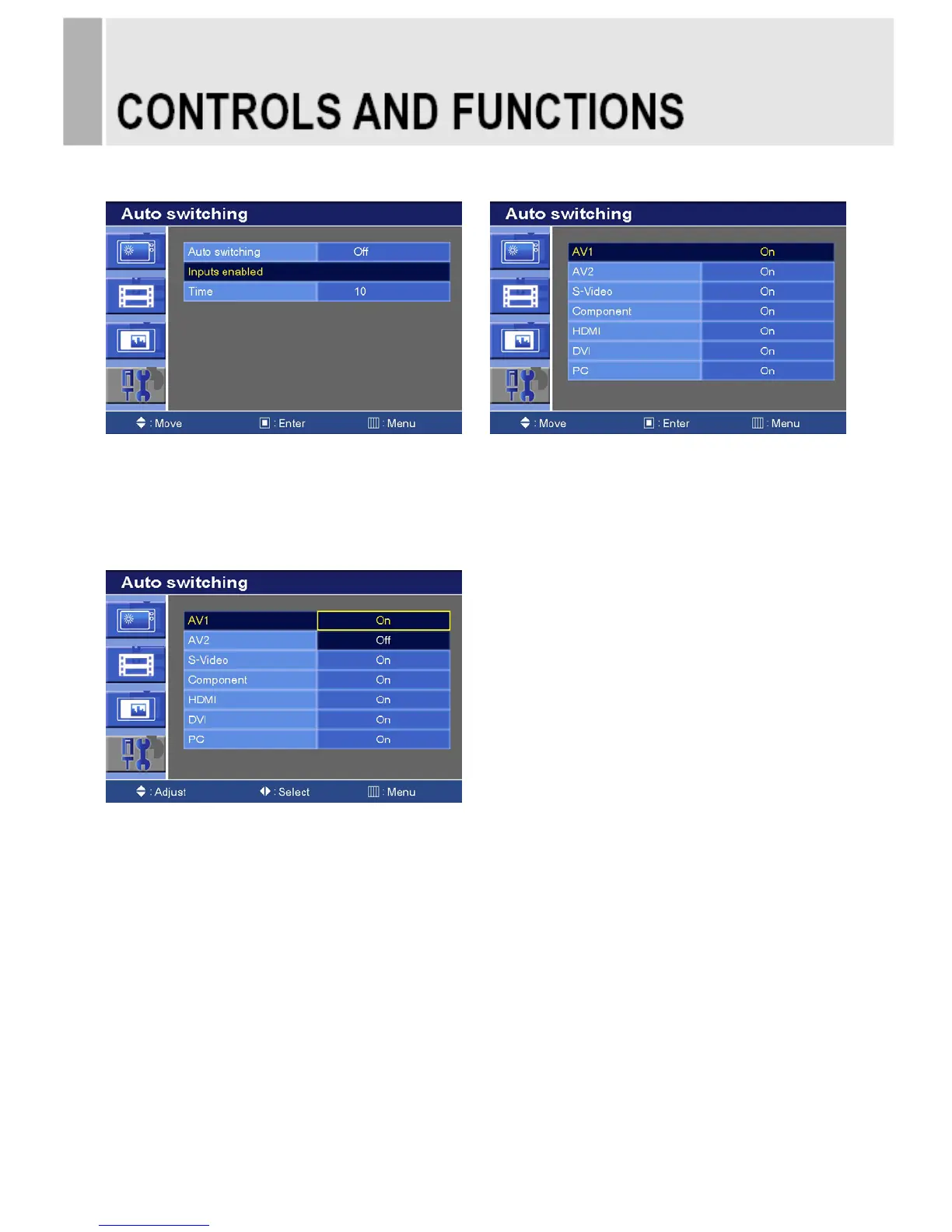
7-2. Auto switching Inputs enabled
1) Press the up(▲)or down(▼) button to select the Inputs enabled.
2) Press the right() or SOURCE/SELECT button.
3) Press the up(▲) or down(▼) button to select the Input.
4) Press the right() or SOURCE/SELECT button.
1) Press the up(▲) or down(▼) button to select the On or Off.
2) Press the Menu button to save.
INSTRUCTION MANUAL ……………………………………………………………………. 29










 To Next Page