29
VCR
R
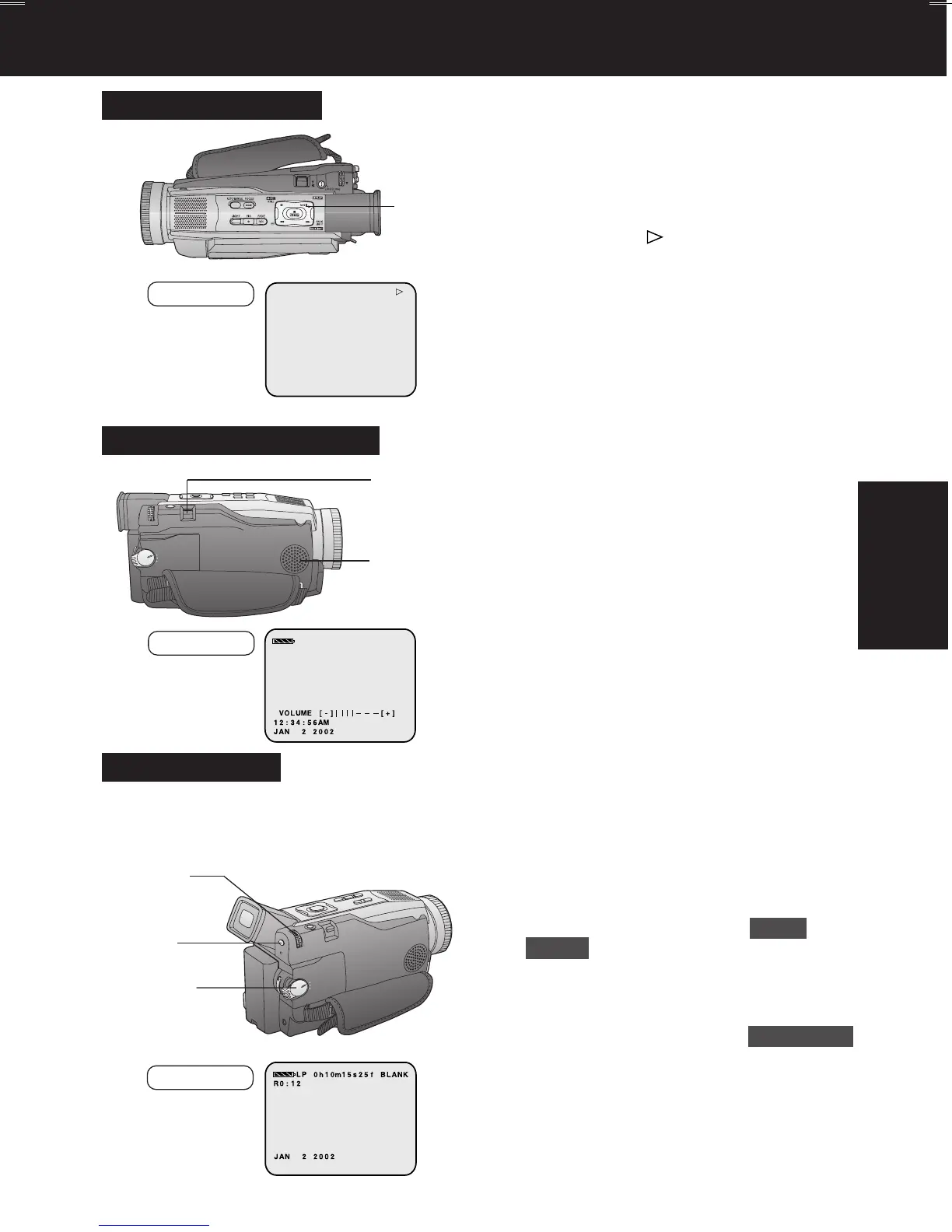
1 Press PLAY for more than 5 seconds
in STOP mode.
• The Palmcorder will go into Repeat
Playback mode when the tape
reaches its end.
• The letter “R
” will appear in the
EVF and LCD monitor.
2 Turn the Palmcorder OFF to exit the
Repeat Playback mode.
1PLAY
EVF/LCD
Playback Your Recordings
Built-in
Speaker
1, 2
VOLUME
1Set POWER to VCR.
2 Press MENU to display the VCR
mode menu screen.
3 Rotate JOG KEY to select PLAY
MODE , then press JOG KEY to
display the VCR PLAY MODE menu
screen.
4 Rotate JOG KEY to select B.SEARCH
in the VCR PLAY MODE menu.
(Menu OSD: p. 61)
5 Press JOG KEY to select ON.
•“BLANK” will appear on the screen.
3, 4, 5
JOG KEY
1POWER
Blank Search
You can go directly to a blank portion of
tape and start recording exactly where you
left off.
Repeat Playback
Adjusting the Volume
2MENU
1 Rotate VOLUME to adjust the volume
of the built-in speaker in PLAY mode.
• The volume setting screen appears.
2 Press “T” to increase the volume or
press “W” to decrease the volume.
EVF/LCD
EVF/LCD
DV52.p28-31.p65 02/05/28, 10:3629




 To Next Page