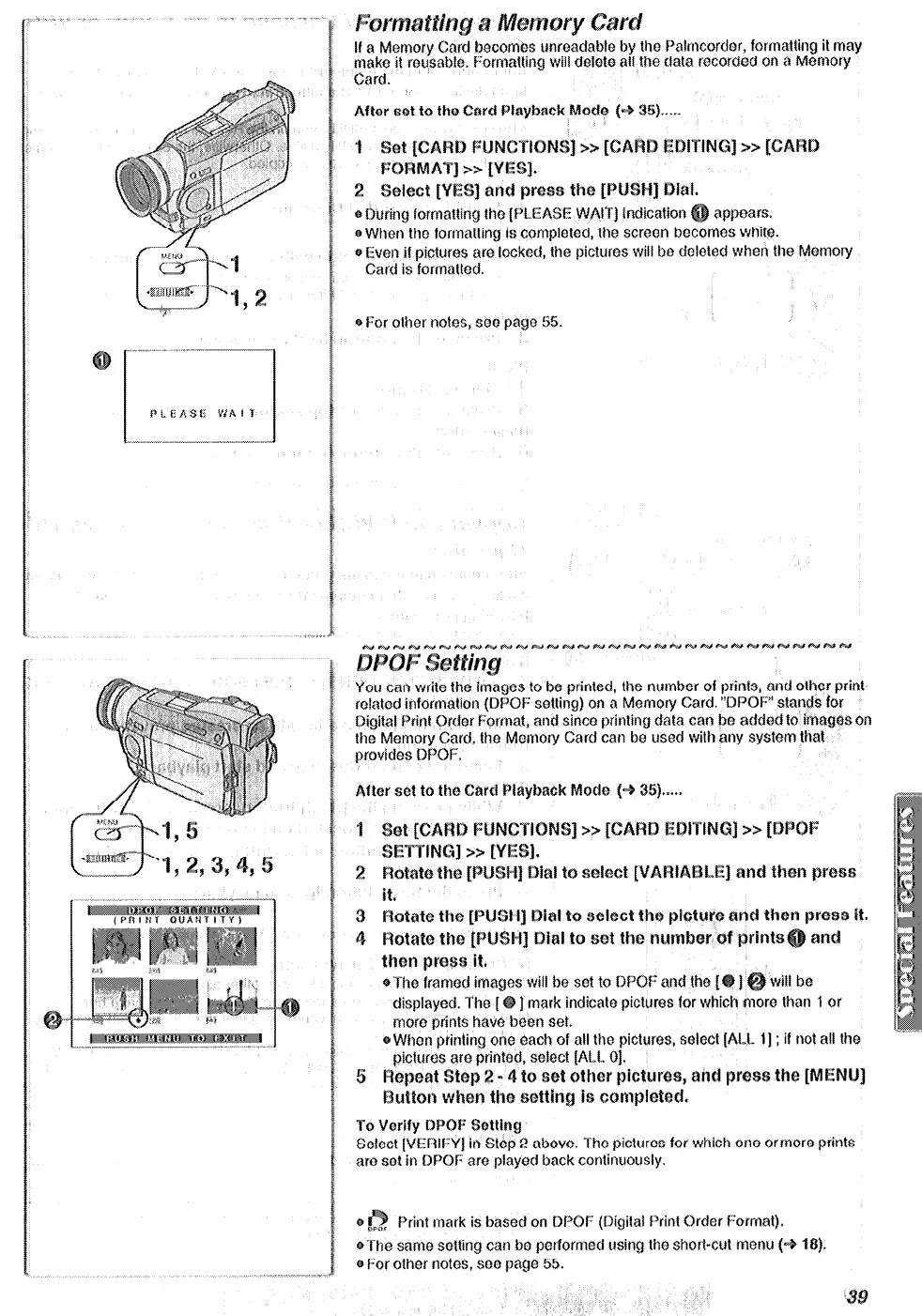
Card.
0 Palmcordar, fnrrnaflir~g it may
e data recorded on a Memory
After set to the CRrd ~i~yb~ck Mods (-P 36).....
1
8) &ring forn~~lting tha [PLEASE WAIT) indic~tiot~
appsaw.
B) When the for~n~f~ing is c~rn~l~t~d,
the
screxm becomes whit%
d) Even if picfuras are locked, the pictures will bo dolotcd when the
~etno~
Card is form~tt#d,
% Far other notes, Se0 pag0 55.
es to be printed, the numbar of prints, and other print-
r&ted information (DPCIF setting) on A Memory Card. “OPOF” stands for
Digital Print Qrder Format, and since pritiiing data can be added to irn~g~~ on
the Memory Card, tha Mamory Card can be used with any system that
provides DPOF.
After set to the Card ~l~yb~~k Mode (+ S).....
*The framed images will be set to DPBF and the [
wiii be
] mark indicate piclurss for which more than 1 or
more prints hava been set.
@ Whon printing one each of all the pictures, select [AU. i] ; if not ali the
pictirro
rinted, select [ALL 01.
5
Repeat
2 - 4 to set other pi~tu~~~~ a&l pmszl the [~~~~I
~WttQ~~
the3 setting ia ~~~~pl~t~~.
TQ Verify WQF:
Setting
Soicct [VERIfzY) in Step 2 above. The pictures for which one ormoro prints
am sot in DPOF are played back continuously.
%
w-or Print mark is based on QPOF (Digital Print order Format).
@The same setting can bo performed using the short-cut menu (-8 18).
@For other notos, son page 55.






 To Next Page