EasyManua.ls Logo

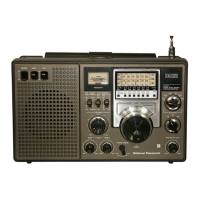
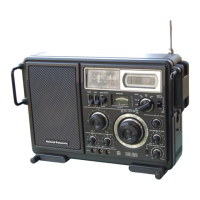
Panasonic RF-2200BS - Radio Disassembly Procedures; Front and Rear Cover Removal; Dial Drive Assembly Removal

Panasonic RF-2200BS
15 pages
Print Icon
To Next Page IconTo Next Page
To Previous Page IconTo Previous Page
Loading...
Hl
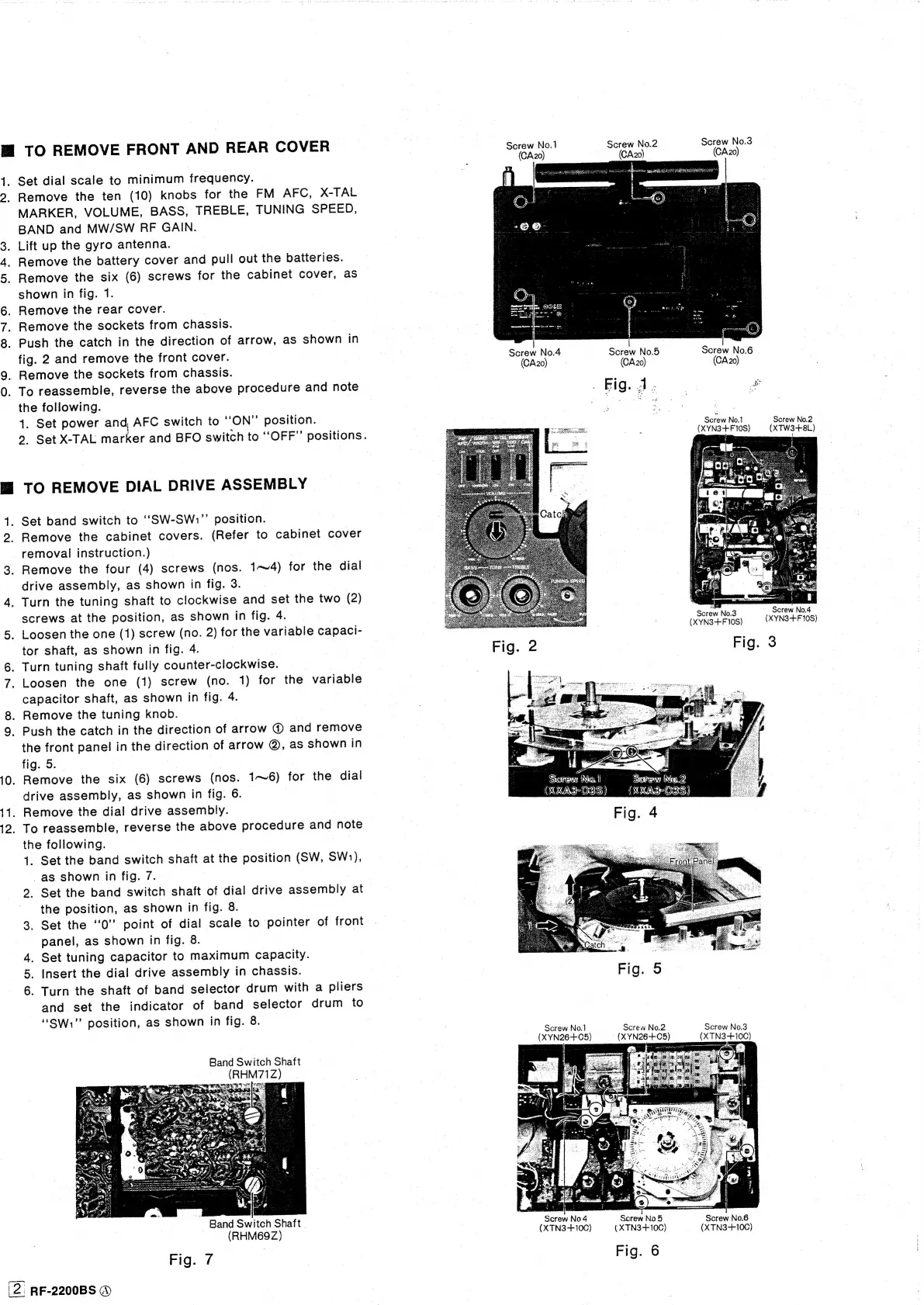
TO
REMOVE
FRONT
AND
REAR
COVER
1.
Set
dial
scale
to
minimum
frequency.
2.
Remove
the
ten
(10)
knobs
for
the
FM
AFC,
X-TAL
MARKER,
VOLUME,
BASS,
TREBLE,
TUNING
SPEED,
BAND
and
MW/SW
RF
GAIN.
3.
Lift
up
the
gyro
antenna.
4.
Remove
the
battery
cover
and
pull
out
the
batteries.
5.
Remove
the
six
(6)
screws
for
the
cabinet
cover,
as
shown
in
fig.
1.
6.
Remove
the
rear
cover.
|
Remove
the
sockets
from
chassis.
8.
Push
the
catch
in
the
direction
of
arrow,
as
shown
in
fig.
2
and
remove
the
front
cover.
.
Remove
the
sockets
from
chassis.
0.
To
reassemble,
reverse
the
above
procedure
and
note
the
following.
1.
Set
power
and,
AFC
switch
to
‘‘ON”
position.
a
co
2.
Set
X-TAL
marker
and
BFO
switch
to
‘‘OFF”’
positions.
TO
REMOVE
DIAL
DRIVE
ASSEMBLY
1.
Set
band
switch
to
‘‘“SW-SW:.”’
position.
2.
Remove
the
cabinet
covers.
(Refer
to
cabinet
cover
removal
instruction.)
3.
Remove
the
four
(4)
screws
(nos.
1~4)
for
the
dial
drive
assembly,
as
shown
in
fig.
3.
4.
Turn
the
tuning
shaft
to
clockwise
and
set
the
two
(2)
screws
at
the
position,
as
shown
in
fig.
4.
5.
Loosen
the
one
(1)
screw
(no.
2)
for
the
variable
capaci-
tor
shaft,
as
shown
in
fig.
4.
|
_
Turn
tuning
shaft
fully
counter-clockwise.
7.
Loosen
the
one
(1)
screw
(no.
1)
for
the
variable
capacitor
shaft,
as
shown
in
fig.
4.
Remove
the
tuning
knob.
9.
Push
the
catch
in
the
direction
of
arrow
@
and
remove
the
front
panel
in
the
direction
of
arrow
@,
as
shown
in
fig.
5.
|
10.
Remove
the
six
(6)
screws
(nos.
1~6)
for
the
dial
drive
assembly,
as
shown
in
fig.
6.
11.
Remove
the
dial
drive
assembly.
12.
To
reassemble,
reverse
the
above
procedure
and
note
the
following.
|
1.
Set
the
band
switch
shaft
at
the
position
(SW,
SW1),
_as
shown
in
fig.
7.
2.
Set
the
band
switch
shaft
of
dial
drive
assembly
at
the
position,
as
shown
in
fig.
8.
3.
Set
the
‘0
point
of
dial
scale
to
pointer
of
front
panel,
as
shown
in
fig.
8.
Set
tuning
capacitor
to
maximum
capacity.
Insert
the
dial
drive
assembly
in
chassis.
6.
Turn
the
shaft
of
band
selector
drum
with
a
pliers
and
set
the
indicator
of
band
selector
drum
to
“SW”
position,
as
shown
in
fig.
8.
oO)
&
>
Band
Switch
Shaft
(RHM71Z)
EGR
SE
ny
-
Band
Switch
Shaft
(RHM69Z)
Fig.
7
'2.
RF-2200BS
®
Screw
No.1
Screw
No.2
Screw
No.3
(CA20)
(CA20)
(CA20)
Screw
No.4
Screw
No.5
Screw
No.6
|
(CA20)
(CA20)
(CA20)
|
Screw
No.1
Screw
No.2
(XYN3-++F
10S)
(XTW3+8L)
Saraw
No.3
Screw
No.4
(XYN3+F
10S)
(XYN3-++F
10S)
Fig.
3
Sorew
Not
Sexreny
Nin.
ES
SS)
ECS)
Fig.
5
Screw
No.1
Screw
No.2
Screw
No.3
10C)
(XYN26+C5)
(XYN26+C5)
(XTN3+
Screw
No4
Screw
No
5
Screw
No.6
(XTN3+10C)
(XTN3-+10C)
(XTN3-+10C)
Fig.
6

Related product manuals