EasyManua.ls Logo

Panasonic RF-2200BS - Dial Cord Installation; Dial Scale Mounting; Switch Removal: Power, Light, BFO; Audio and RF Control Removal

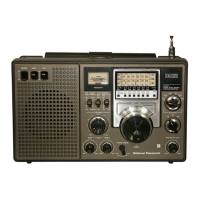
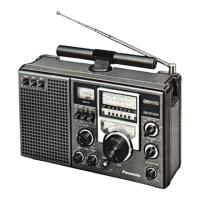
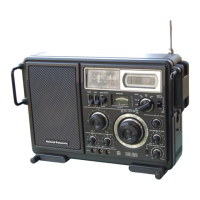
Panasonic RF-2200BS
15 pages
Print Icon
To Next Page IconTo Next Page
To Previous Page IconTo Previous Page
Loading...
M@
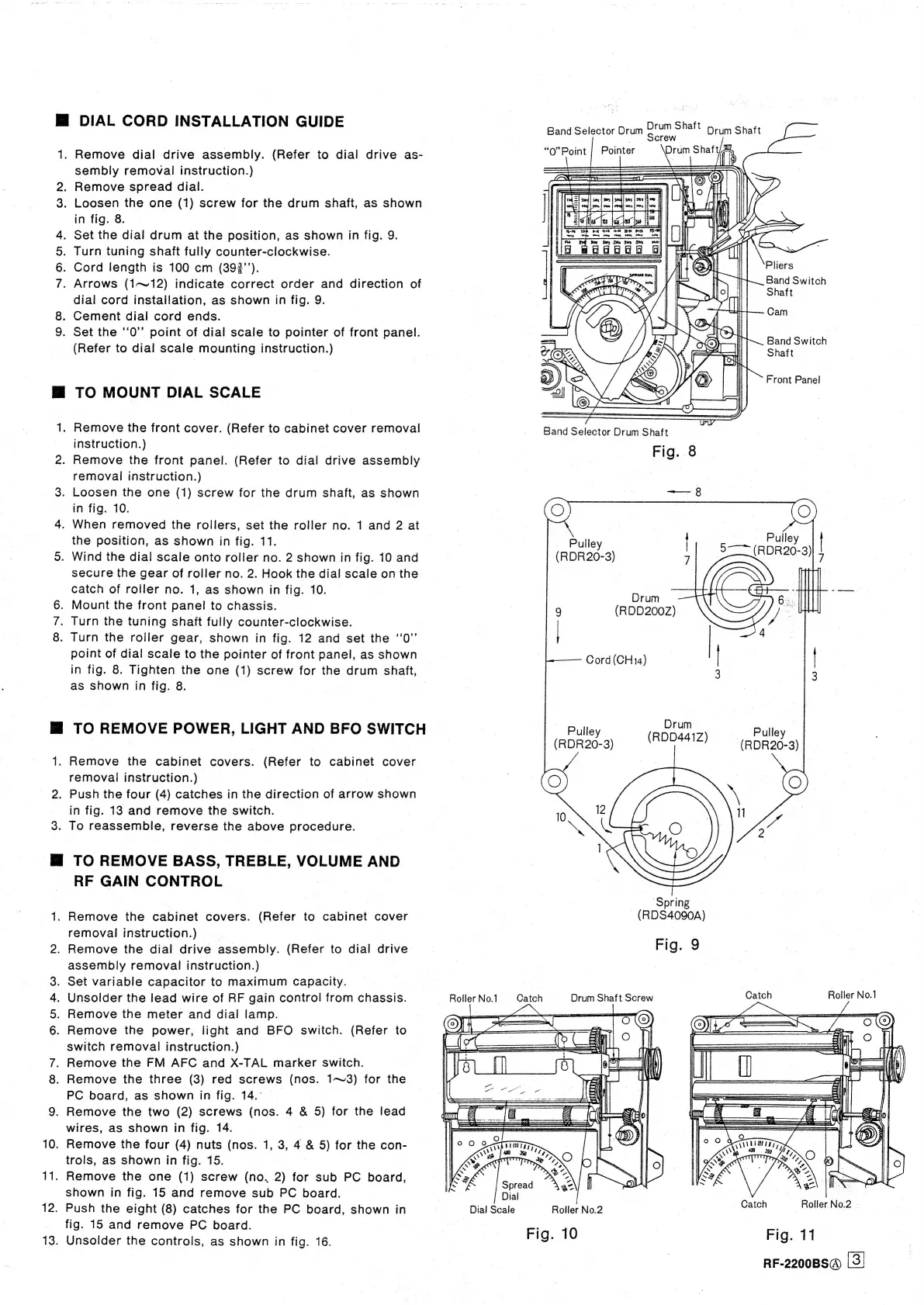
DIAL
CORD
INSTALLATION
GUIDE
1.
Remove
dial
drive
assembly.
(Refer
to
dial
drive
as-
sembly
removal
instruction.)
2.
Remove
spread
dial.
.
Loosen
the
one
(1)
screw
for
the
drum
shaft,
as
shown
in
fig.
8.
Set
the
dial
drum
at
the
position,
as
shown
in
fig.
9.
.
Turn
tuning
shaft
fully
counter-clockwise.
.
Cord
length
is
100
cm
(392’’).
.
Arrows
(1~12)
indicate
correct
order
and
direction
of
dial
cord
installation,
as
shown
in
fig.
9.
.
Cement
dial
cord
ends.
9.
Set
the
‘‘0”
point
of
dial
scale
to
pointer
of
front
panel.
(Refer
to
dial
scale
mounting
instruction.)
NOOR
oO
©o
Mi
TO
MOUNT
DIAL
SCALE
1.
Remove
the
front
cover.
(Refer
to
cabinet
cover
removal
instruction.)
2.
Remove
the
front
panel.
(Refer
to
dial
drive
assembly
removal
instruction.)
3.
Loosen
the
one
(1)
screw
for
the
drum
shaft,
as
shown
in
fig.
10.
4.
When
removed
the
rollers,
set
the
roller
no.
1
and
2
at
the
position,
as
shown
in
fig.
11.
5.
Wind
the
dial
scale
onto
roller
no.
2
shown
in
fig.
10
and
secure
the
gear
of
roller
no.
2.
Hook
the
dial
scale
on
the
catch
of
roller
no.
1,
as
shown
in
fig.
10.
6.
Mount
the
front
panel
to
chassis.
.
Turn
the
tuning
shaft
fully
counter-clockwise.
8.
Turn
the
roller
gear,
shown
in
fig.
12
and
set
the
‘'0”
point
of
dial
scale
to
the
pointer
of
front
panel,
as
shown
in
fig.
8.
Tighten
the
one
(1)
screw
for
the
drum
shaft,
as
shown
in
fig.
8.
“I
lM
TO
REMOVE
POWER,
LIGHT
AND
BFO
SWITCH
1.
Remove
the
cabinet
covers.
(Refer
to
cabinet
cover
removal
instruction.)
2.
Push
the
four
(4)
catches
in
the
direction
of
arrow
shown
in
fig.
13
and
remove
the
switch.
3.
To
reassemble,
reverse
the
above
procedure.
M@
TO
REMOVE
BASS,
TREBLE,
VOLUME
AND
RF
GAIN
CONTROL
,
1.
Remove
the
cabinet
covers.
(Refer
to
cabinet
cover
removal
instruction.)
|
2.
Remove
the
dial
drive
assembly.
(Refer
to
dial
drive
assembly
removal
instruction.)
.
Set
variable
capacitor
to
maximum
capacity.
Unsolder
the
lead
wire
of
RF
gain
control
from
chassis.
Remove
the
meter
and
dial
lamp.
Remove
the
power,
light
and
BFO
switch.
(Refer
to
switch
removal
instruction.)
.
Remove
the
FM
AFC
and
X-TAL
marker
switch.
8.
Remove
the
three
(3)
red
screws
(nos.
1~3)
for
the
PC
board,
as
shown
in
fig.
14.
9.
Remove
the
two
(2)
screws
(nos.
4
&
5)
for
the
lead
wires,
as
shown
in
fig.
14.
10.
Remove
the
four
(4)
nuts
(nos.
1,
3,
4
&
5)
for
the
con-
trols,
as
shown
in
fig.
15.
11.
Remove
the
one
(1)
screw
(no.
2)
for
sub
PC
board,
shown
in
fig.
15
and
remove
sub
PC
board.
12.
Push
the
eight
(8)
catches
for
the
PC
board,
shown
in
_
fig.
15
and
remove
PC
board.
13.
Unsolder
the
controls,
as
shown
in
fig.
16.
DAR
Ow
~
Roller
No.1
Dial
Scale
Drum
Shaft
prum
Shaft
Screw
“O”Point
|
Pointer
Drum
Shaft
ar.
Band
Selector
Drum
Pliers
Band
Switch
Shaft
Cam
Band
Switch
Shaft
Front
Panel
Band
Selector
Drum
Shaft
Fig.
8
O
=.
te)
4
=e
Pulley
Taare
(RDR20-3)
5
IL
9
(R0D2007)
Pall
Cord
(CH14)
|
|
3
3
Euley
(RDDAA1Z
Pulley
(RDR20-3)
)
(RDR20-3)
of
S)
12
:
10
Nee?
a
NG
és
‘Spring
-
(RDS4090A)
Fig.
9
Roller
No.1
Catch
Drum
Shaft
Screw
Catch
OS
Te
i
F
me,
an
;
NNR
\
Catch
Roller
No.2
-
Roller
No.2
Fig.
10
Fig.
11
|
RF-2200BS@
|3)

Related product manuals