EasyManua.ls Logo

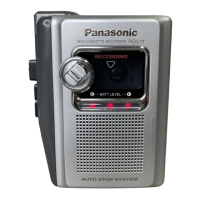
Panasonic RN-109 - Location of Controls and Components; Device Controls Identification; Voice Activated Recording Function

Panasonic RN-109
10 pages
Print Icon
To Next Page IconTo Next Page
To Previous Page IconTo Previous Page
Loading...
LOCATION
OF
CONTROLS
AND
COMPONENTS
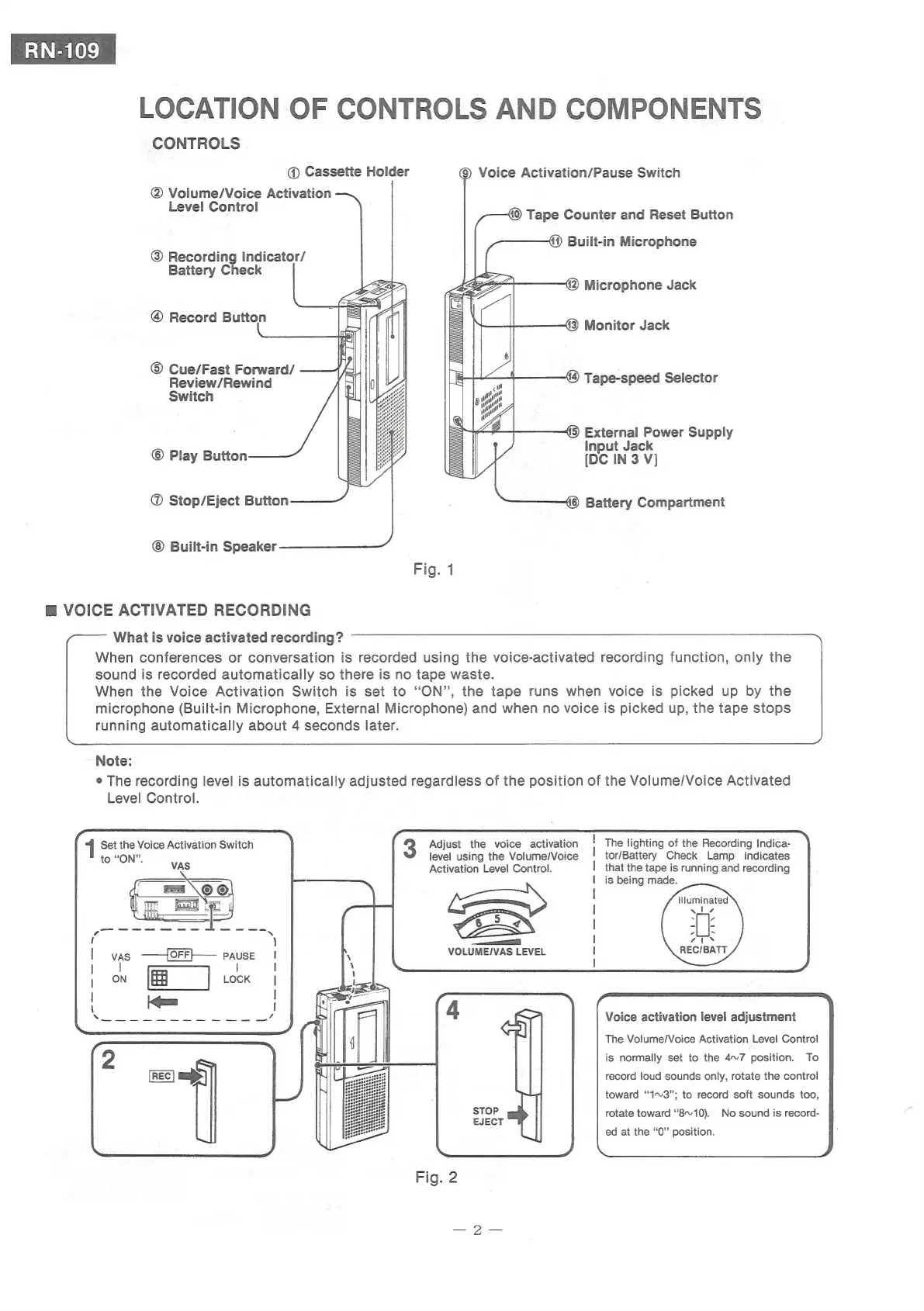
CONTROLS
@
Cassette
Holder
@
Volume/Voice
Activation
Level
Control
@
Recording
Indicator/
Battery
Check
®
Record
Button
©
Cue/Fast
Forward/
Review/Rewind
Switch
©
Play
Button
@
Stop/Eject
Button
Built-in
Speaker
@
VOICE
ACTIVATED
RECORDING
What
is
voice
activated
recording?
running
automatically
about
4
seconds
later.
Note:
°
The
recording
level
is
automatically
adjusted
regardless
of
the
position
of
the
Volume/Voice
Activated
Level
Control.
Set
the
Voice
Activation
Switch
to
“ON”.
VAS
vas
——{OFF}—
Pause
t
)
|
1
1
|
|
|
I
\
!
When
conferences
or
conversation
is
recorded
using
the
voice-activated
recording
function,
only
the
sound
is
recorded
automatically
so
there
is
no
tape
waste.
When
the
Voice
Activation
Switch
is
set
to
‘ON’,
the
tape
runs
when
voice
is
picked
up
by
the
microphone
(Built-in
Microphone,
External
Microphone)
and
when
no
voice
is
picked
up,
the
tape
stops
Adjust
the
voice
activation
level
using
the
Volume/Voice
Activation
Level
Control.
©
Voice
Activation/Pause
Switch
«0)
Tape
Counter
and
Reset
Button
@)
Built-in
Microphone
42)
Microphone
Jack
43)
Monitor
Jack
A
[Tiga]
44)
Tape-speed
Selector
45)
External
Power
Supply
Input
Jack
[DC
IN
3
V]
MES
é6—)
Battery
Compartment
Fig.
1
The
lighting
of
the
Recording
Indica-
tor/Battery
Check
Lamp
_
indicates
that
the
tape
is
running
and
recording
is
being
made.
Illuminated
“i
a4
REC/BATT
Voice
activation
level
adjustment
The
Volume/Voice
Activation
Level
Control
To
record
loud
sounds
only,
rotate
the
control
is
normally
set
to
the
4~7
position.
toward
“1~3”;
to
record
soft
sounds
too,
rotate
toward
“8~10).
No
sound
is
record-
ed
at
the
“0”
position.

Related product manuals