EasyManua.ls Logo

Panasonic RR-QR100 - User Manual

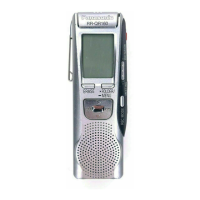
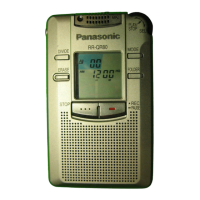
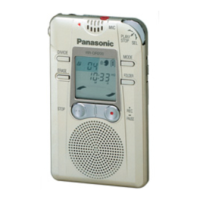
Panasonic RR-QR100
26 pages
Print Icon
To Next Page IconTo Next Page
Loading...
RQT5968-E
IC RECORDER
RR-QR400
RR-QR200
RR-QR100
Bedienungsanleitung
Istruzioni per l’uso
Mode d’emploi
Návod k obsluze
Instrukcja obsìugi
Operating Instructions
Instrucciones de funcionamiento
Nhctpykunr go ˙kcgjyataunn
DEUTSCH . . . . . . . Siehe Seite 249.
ITALIANO . . . . . . . Vedere alle
pagine 251.
FRANÇAIS. . . . . . . Voir pages 353.
ÇESKY . . . . . . . . . Patrz strony 3–55.
POLSKI. . . . . . . . . Viz str. 3–57.
ENGLISH. . . . . . . . See pages 58105.
ESPAÑOL . . . . . . . Consulte las
páginas 58107.
PYCCKNÆ R„SK . . . . . Cm. ctp.
59109.
Before connecting, operating or adjusting this product, please read
these instructions completely. Please keep this manual for future
reference.
Niniejsza instrukcja zostaìa opracowana na podstawie oryginalnej
publikacji firmy MATSUSHITA ELECTRIC INDUSTRIAL CO.,
LTD.
Matsushita Electric Industrial Co., Ltd.
Osaka 542-8588, Japan
tuvz{pry} |
Cn
E

Other manuals for Panasonic RR-QR100

Questions and Answers

  • S
    Sarah SimmonsAug 16, 2025
    Why does my Panasonic RR-QR100 keep stopping the recording?
    • A
      Austin HansenAug 16, 2025
      If your Panasonic Voice Recorder stops recording, it might be due to the VAS (Voice Activated System) function being activated. Check VAS settings.
  • S
    Shaun CareyAug 19, 2025
    What to do if “FULL” appears on my Panasonic RR-QR100 when trying to record?
    • C
      cynthia84Sep 12, 2025
      If the display shows “FULL” when you attempt to record, it might be due to reaching the maximum file limit of 99 files in the folder. Check the number of files. It could also mean you've reached the recording time limit. In this case, erase any files you no longer need.
  • J
    Jasmine WrightAug 22, 2025
    Why is there no sound coming from the speaker of my Panasonic Voice Recorder?
    • J
      Jessica WilliamsAug 22, 2025
      If your Panasonic Voice Recorder isn't producing any sound from the speaker, first ensure that earphones are not connected. Also, verify that the volume isn't turned all the way down.
  • K
    Kevin MaynardAug 25, 2025
    Why does the date of recording appear as “–– ––” on my Panasonic RR-QR100?
    • B
      Brandon WilliamsAug 26, 2025
      If the date of recording shows as “–– ––” on your Panasonic Voice Recorder, it's likely because the time hasn't been set yet. The recording date won't display until the time is set. Please, set the time.
  • C
    Connie HowardAug 28, 2025
    How to fix a Panasonic RR-QR100 Voice Recorder that doesn't operate?
    • L
      Leah HendersonAug 28, 2025
      If your Panasonic Voice Recorder isn't operating, check if the HOLD function is activated. Also, make sure the battery cover is properly closed.
  • K
    Katherine WilliamsonAug 31, 2025
    What to do if there is no sound or noise when using earphones with my Panasonic RR-QR100 Voice Recorder?
    • C
      Courtney MiddletonAug 31, 2025
      If, when using earphones with your Panasonic Voice Recorder, you experience no sound, difficulty hearing, or noise, ensure the earphone plug is fully inserted. Also, check the plug for any dirt and wipe it clean.
  • D
    danahamiltonSep 3, 2025
    Why is the clock flashing “12:00” on my Panasonic Voice Recorder?
    • E
      Evan BrownSep 3, 2025
      If the clock on your Panasonic Voice Recorder is flashing “12:00”, you need to set the clock.
  • W
    William DaviesSep 5, 2025
    What does “U01” mean on my Panasonic RR-QR100 and how to fix it?
    • A
      Alex SteinSep 6, 2025
      If you see “U01” on the display of your Panasonic Voice Recorder, check the batteries.
  • A
    Ann ClarkeSep 9, 2025
    Why can't I erase a folder or file on my Panasonic RR-QR100 Voice Recorder?
    • B
      Brian EspinozaSep 9, 2025
      If you're unable to erase a folder or file on your Panasonic Voice Recorder, it may be because you've selected an empty folder. Select a folder that contains files. Also, check if the file is locked, as locked files cannot be erased.
  • B
    Barbara McdonaldSep 12, 2025
    Why is the playback speed too fast or slow on my Panasonic RR-QR100 Voice Recorder?
    • A
      andersondavidSep 12, 2025
      If the playback speed on your Panasonic Voice Recorder is too fast or slow, it's possible that the playback speed setting has been altered. Reset it to your desired speed.

Summary

Inserting Batteries

Battery Indicator

Describes the battery status indicator and its behavior.

Hold Function

Setting the Time

Correcting Time Settings

Details how to modify previously set time or date values.

Recording

Playback

Erasing Files

Erasure Prevention

Timer Recording and Playback

Timer Recording

Explains how to set the device to record at a specific future time.

Troubleshooting Guide

Panasonic RR-QR100 Specifications

General IconGeneral
Recording FormatMP3
Storage Capacity4 GB
MicrophoneBuilt-in stereo microphone
Display TypeLCD
PC ConnectivityUSB
Battery TypeAAA battery
Playback FormatsMP3, WMA, WAV
Headphone Jack3.5 mm

Related product manuals