EasyManua.ls Logo

Panasonic RR-US490 - Essential Settings; Setting the System Time; Canceling Operation Beeps

Panasonic RR-US490
44 pages
Print Icon
To Next Page IconTo Next Page
To Previous Page IconTo Previous Page
Loading...
11
RQT8824
Preparation
*
The clock operates
with the monthly
error margin of
+/– 60 seconds at
room temperature.
*
The clock returns
to standby when
you perform no time
setting operation
for 60 seconds. If
this happens restart
setting the time.
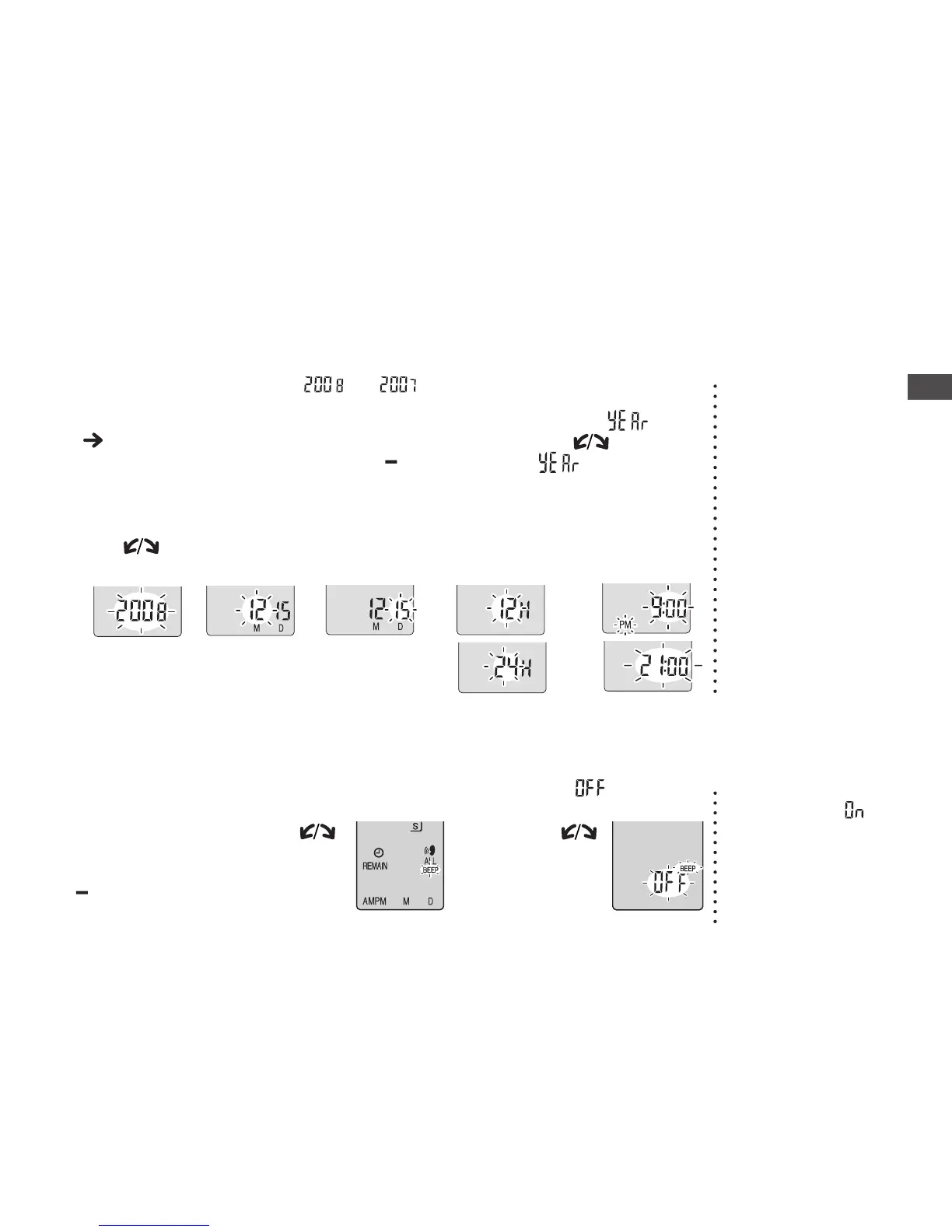
2
Display the menu
3
Select “
4
Set the time
1Year 2Month 3Day 4
Time display (12/24H)
5Time
Setting the time
1
Set Hold off
( page 5)
While stopped, press and
hold [
*
FOLDER/ MENU]
for 1 second or longer.
Tu r n [
] and
press
[
q
/
g
]
to confirm. (Press [STOP] after confirming
5
.)
1
Display
the menu
2
Select “BEEP”
3
Select “
While stopped,
press and hold
[
*
FOLDER/
MENU] for 1
second or longer.
Tu r n [ ]
and press
[
q
/
g
] to
confirm.
1 Tur n [
]
and
press
[
q
/
g
]
to
confirm.
2
Press [STOP].
Tu r n [ ] to select
and press
[
q
/
g
] to confirm.
Canceling the operation beep
*
To use the operation
beep, select
in
step 3.
→→
* When the year is flashing (e.g. or on the display), begin from step 4.

Table of Contents

Related product manuals