RQT9358
16
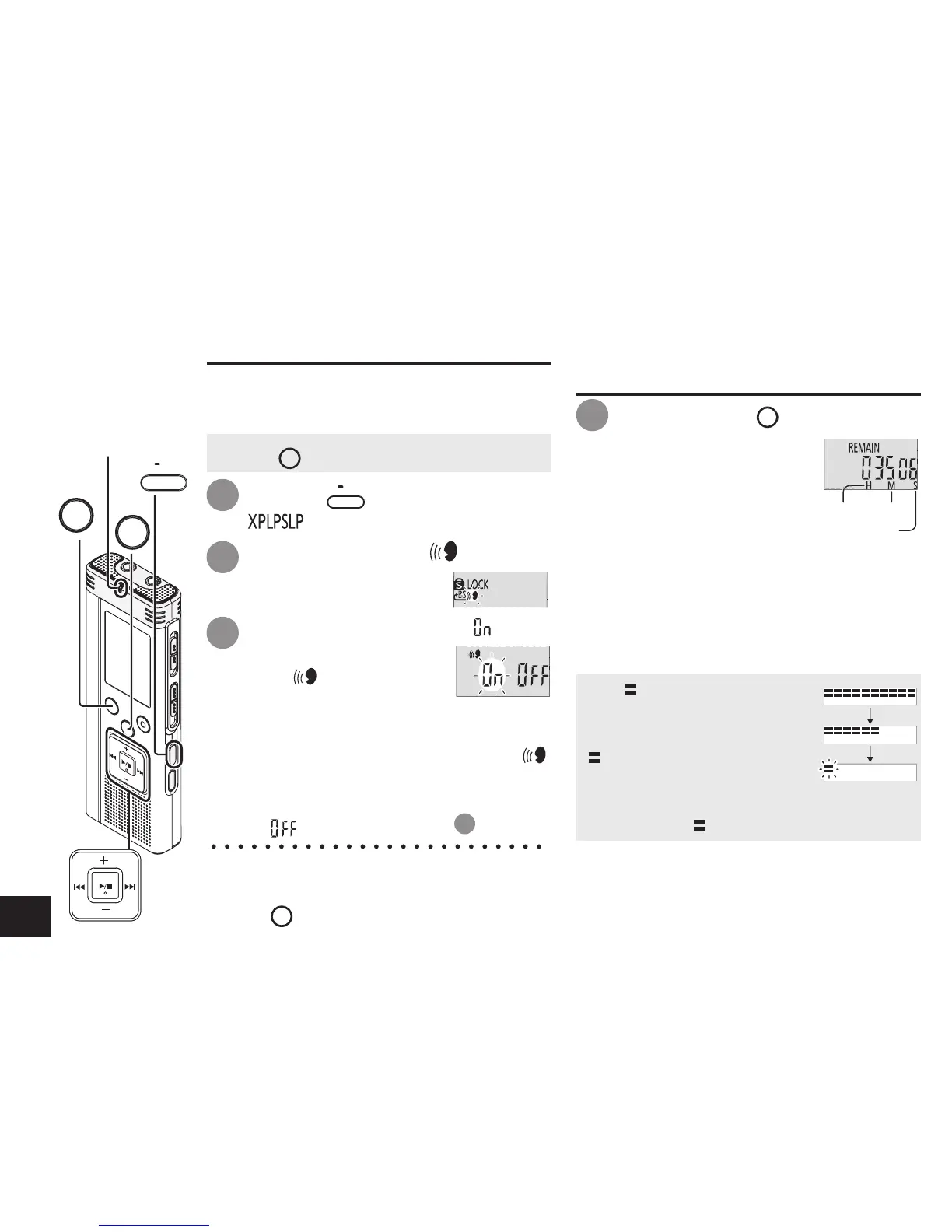
VAS (Voice Activated System) function
Recording stops automatically when silence
continues for about 3 seconds. If the unit
detects sound, the recording resumes.
Start recording to activate this function.
When the VAS function is active and the
recording is paused during recording, “ ”
and the recording indicator blink.
Canceling VAS function:
Select “ ” and enter in step
3
.
Press
u
,
i
to select “ ” and
press
q
/
g
to enter.
Then “ ” is displayed.
* T
urn the function off when recording
important matters.
*
Press
STOP
to stop the setting process midway.
1
2
3
Press +, – to select “ ” and
press
q
/
g
to enter.
Press
•
MENU/
REPEAT
.
“ ” (blinking) is displayed.
Confirming possible
(remaining) recording time
Press and hold
FOLDER
for 1 second or longer
while recording or
stopped.
Remaining recording time
is displayed for approx. 3
seconds.
When there is only a little
∗
remaining
memory left while recording, the display
is automatically changed to the remaining
recording time display.
STOP
FOLDER
Recording indicator
•
MENU/
REPEAT
• Press
STOP
to stop the unit.
Preventing unnecessary recording (VAS)/Confirming possible (remaining) recording time
Remaining
recording time
The “ ” display while
stopped shows approximate
remaining memory.
“ ” lights up in response to
the remaining time.
When there is only a little
∗
remaining
memory left, “ ” blinks.
∗ When the remaining recording time falls
below approx. 1 hour.
hour minute
second
1















 To Next Page