8. Self-Diagnostic Functions
8.1. Setting of the Self-Diagnostic Mode
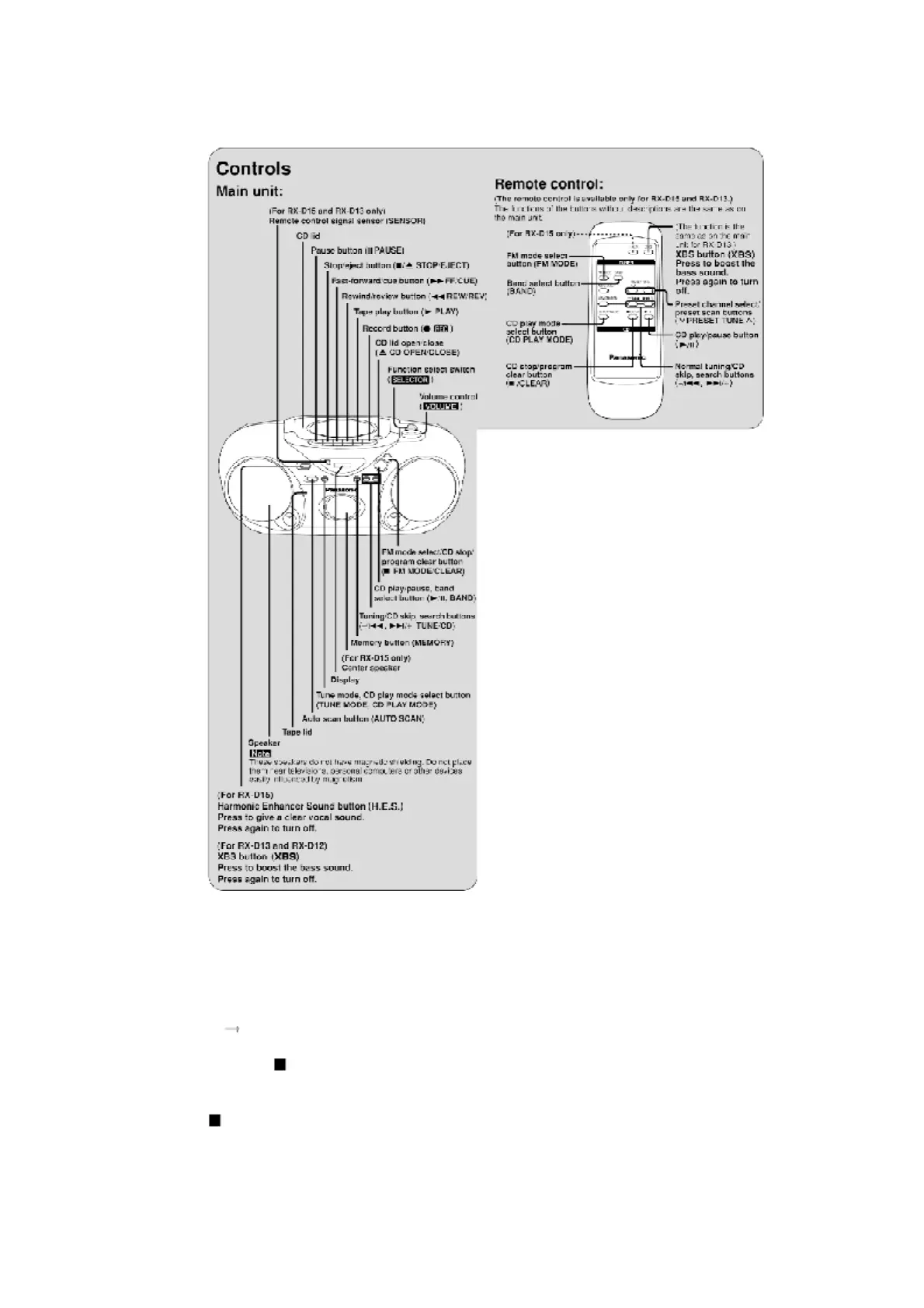
1. Switch the SELECTOR to CD and set to TAPE STOP state. (CD
PLAY STOP)
2. Press the /CLEAR for the first two seconds and followed by the
FAST FORWARD keys for another two seconds without releasing
the /CLEAR key, it shall enter into the Self-Diagnostic mode.



 To Next Page