EasyManua.ls Logo

Panasonic RX-E300 - Page 18

Panasonic RX-E300
36 pages
Print Icon
To Next Page IconTo Next Page
To Previous Page IconTo Previous Page
Loading...
Listening
to CD
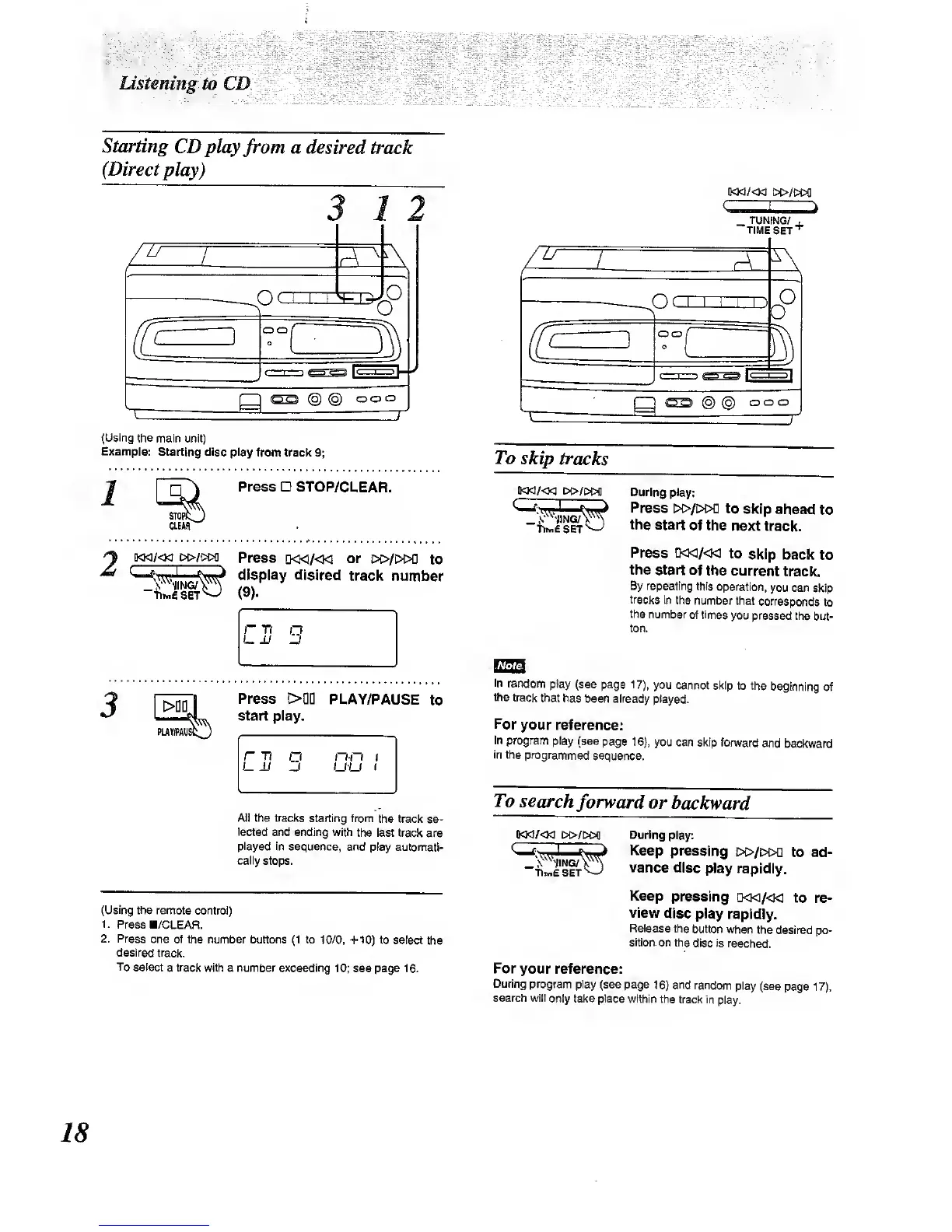
Starting
CDplay
from
a desired
track
(Direct play)
77
(Using
the main unit)
Example:
Starting disc play from
track
9;
Press
STOP/CLEAR.
siopi:
CLEM'
^
[KM/<M
M>/i>M
Press
[)<}<i/«i
or
£»/i>w]
to
(9).
^'
\-^^S
'
iNG/\^^
^
display
dislred track
number
r T( n
Press
>QD
start play.
PLAY/PAUSE
to
l~ T7
D
nn f
UU
1
All the tracks starting
from the
track
se-
lected
and ending with
the
last
track
are
played
in sequence, and
play automati-
cally
stops.
(Using
the remote
control)
1.
Press B/CLEAR.
2. Press
one of
the number buttons
(1
to
10/0, +10) to select
the
desired track.
To
select
a
track
with a number exceeding
10; see page 16.
C
TUNING/
TIME
SET'
To skip
tracks
ikM/<}g]
i»/i>t>fl
ISmE set^
During play:
Press
i>i>/i>oa
to
skip
ahead
to
the
start of
the next
track.
PiBss D<w/«i
to
skip
back
to
the
start
of
the current
track.
By repealing this
operation,
you can
skip
tracks
in
the number
that
corresponds
to
the
number
of times
you pressed
the
but-
ton.
In random
play
(see page
17),
you
cannot skip
to the
beginning
of
the track
that has
been already
played.
For
your reference:
In
program
play (see
page
16),
you can
skip forward
and
backward
In the
programmed
sequence.
To search
forward or
backward
During
play:
Keep
pressing
c>>/i»o
to ad-
vance
disc
play rapidly.
Keep
pressing
Q<i</<1<
to re-
view
disc play
rapidly.
Release
the
button when
the
desired po-
sitk)n.on
the
disc Is
reached.
For
your reference:
During program
play
(see page
16)
and random
play
(sea
page
17).
search will
only take place
within the
track in
play.
18

Other manuals for Panasonic RX-E300

Related product manuals