Recording
CD
Normal and
chrome
tapes can be used.
The
unrt automatlcalty identifies
the type of
tape.
Any change made to the volume
or equalizer
effect during recording
will not affect
the
recording.
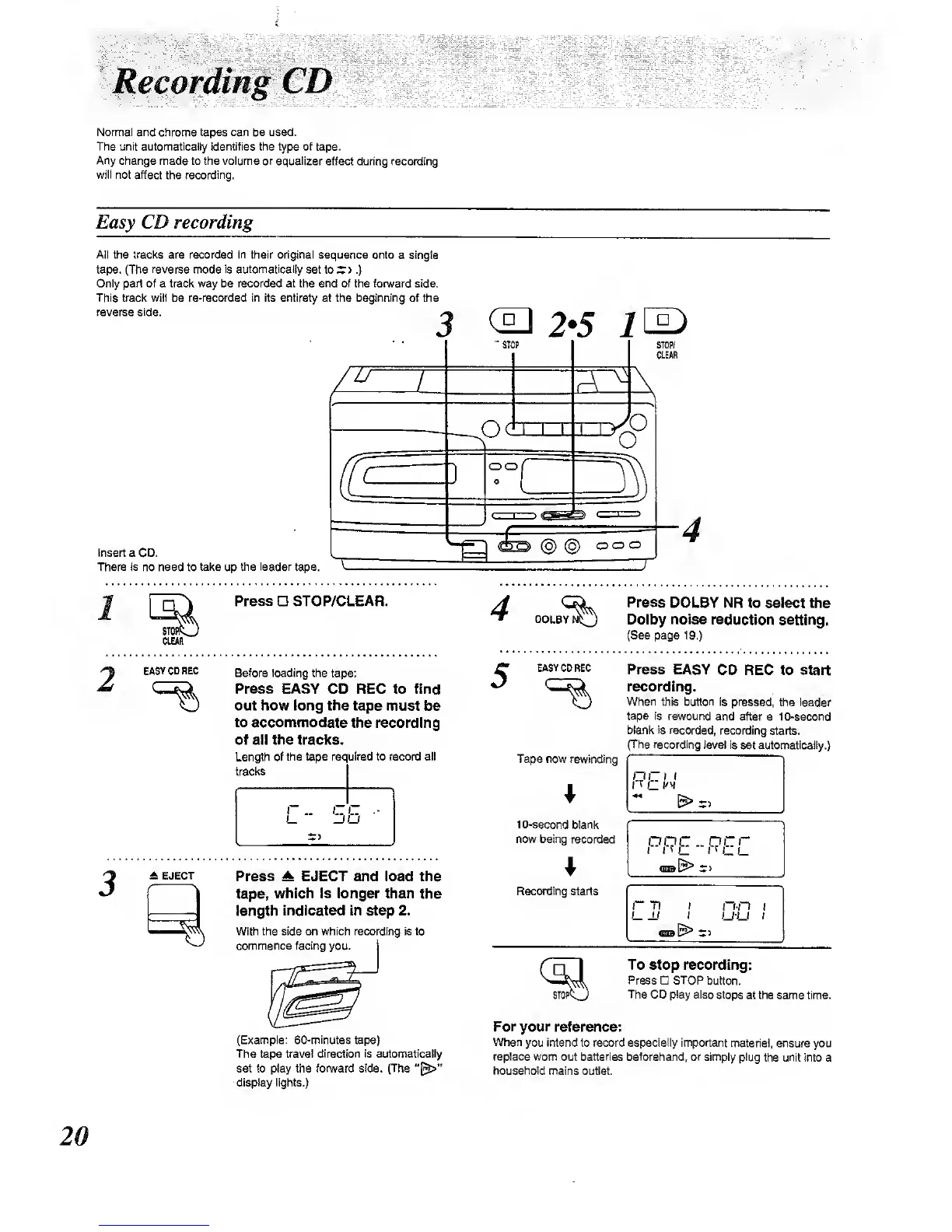
Easy CD recording
AN the tracks are recorded in their original sequence onto
a
single
tape. (The
reverse
mode
is automatically
set to
*
)
.)
Only part of a track way be recorded at the end of the forward side.
This tradt wilt be re-recorded in its entirety at the beginning of the
reverse side.
Insert
a
CD.
There is no need to tai<e up
the leader
tape.
~^
Press STOP/CLEAR.
DOLBY
STOPP
CLEAR
Press
DOLBY NR
to select the
Dolby noise reduction
setting.
(See
page 19.)
EASYCDREC
Before loading the
tape:
Press EASY CD REC to fmd
out how long the tape
must be
to accommodate
the recording
of all the tracks.
Length of the tape required to record all
tracks
A EJECT
Press A EJECT and load the
tape,
which Is longer than
the
length
Indicated In step 2.
With the side on which recording is to
commence facing
you.
EASYCDREC
Tape now rewinding
10-second
blank
now being
recoreled
Recording starts
Press EASY
CD REC to start
recording.
When this button
is pressed,
the
leader
tepe is rewound and after a
10-second
blank is recorded,
recording starts.
I The recording
level Is
set automatically.)
I
ML
rr
C i_
r
71
nn I
u-u
I
(Example:
60-minutes
tape)
The tape travel direction
is aut(»natlcally
set to play the forward side. (The
display lights.)
To stop recording:
Press STOP
button.
The CO ptay also stops
at the same time.
For
your reference:
When
you intend to record especially Important
material, ensure you
replace worn
out
batteries
beforehand, or simply plug
the unit into a
household
mains outlet.



 To Next Page