Radio Broadcasts
Normal
and chrome tapes
cari be
used.
The
unit automatically identifies ttie
type
of
tape.
The recording
level is
set
automatically.
Any
change
made to
the volume or equalizer
effect during
recording
will not affect
the recording.
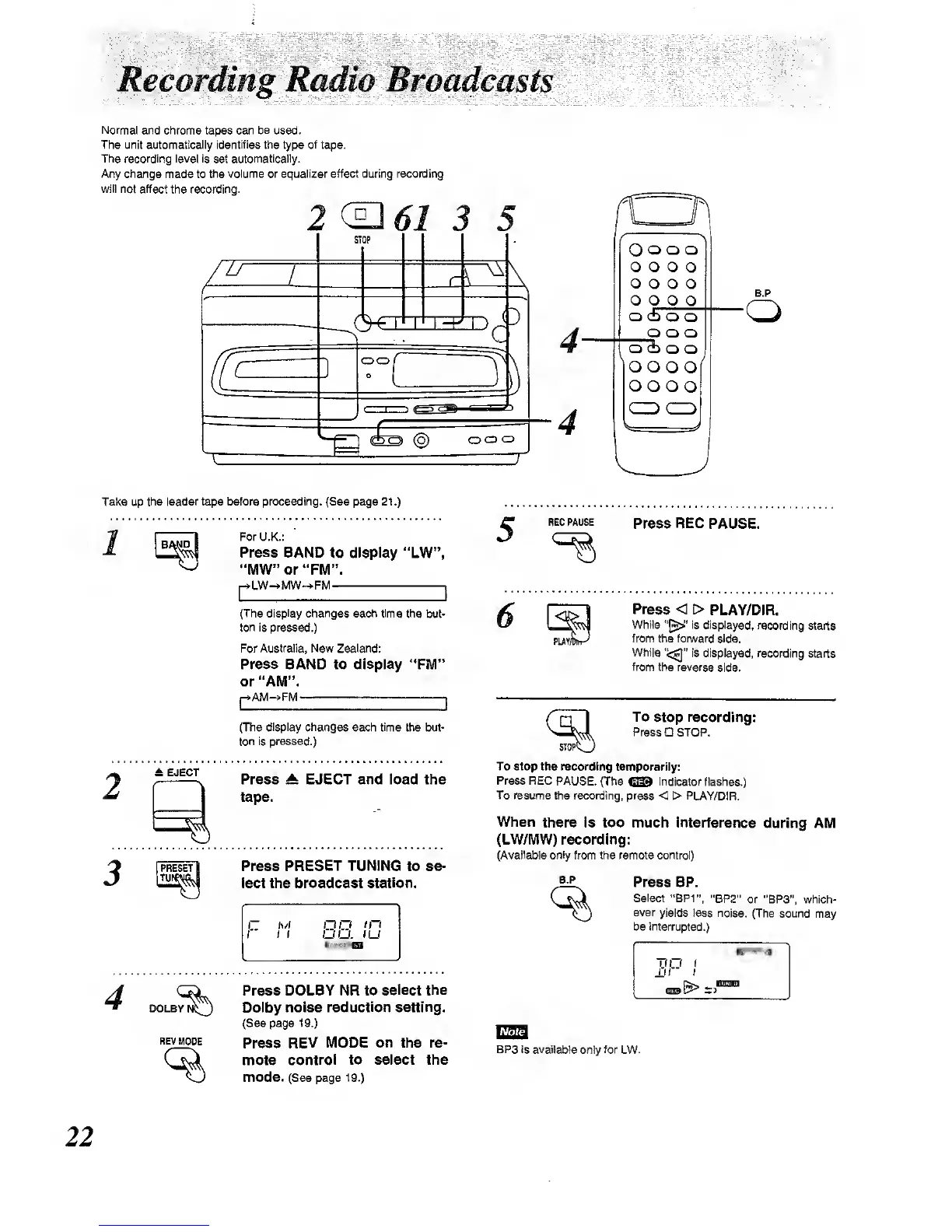
2(^61
O
o o o
o o o
o
o o o o
O Q Q
Q
o cb
o o
Q O
O
O
(±>
o
o
B.P
Take up the
leader
tape
before proceeding.
(See page 21.)
BAND
2
± EJECT
3
DOLBY
I
REV
MODE
For
U.K.:
Press
BAND to display "LW",
"MW" or "FM".
LW-».MW-»-FM ,
(The display changes each time
the but-
ton is pressed.)
For
Australia,
New Zealand:
Press BAND to display **FM"
or "AM".
j->AM-»FM
1
(The
display changes
each time the but-
ton is pressed.)
Press At EJECT and load the
tape.
Press
PRESET TUNING
to se-
lect the broadcast station.
I
(
DO. (U
Press DOLBY NR to
select the
Dolby noise
reduction
setting.
(See page
19.)
Press
REV MODE on the re-
mote
control to select the
mode. (See page
1
9.)
5
REG PAUSE
Press REC PAUSE.
Press
< > PLAY/DiR.
While
is
displayed, recording
starts
from the fonward
side.
While '<:^"
is displayed, recording
starts
from
the reverse
side.
r
To
stop
recording:
Press
STOP.
STOP'
To Stop the recording
temporarily:
Press REC
PAUSE. (The
CSS
indicator
flashes.)
To resume
the
recording,
press < > PI_AY/DIR,
When
there Is too much interference
during AM
(LW/MW) recording:
(Avall^le only from the remote control)
B.P
Press BP.
Select
"BP1",
"BPZ"
or "BP3", which-,
ever
yields less noise.
(The sound
may
be intemjpted.)
BP3 is available
only
for
LW.
22



 To Next Page