Using the
Wake-up Timer
VOLUME
8
TIMER
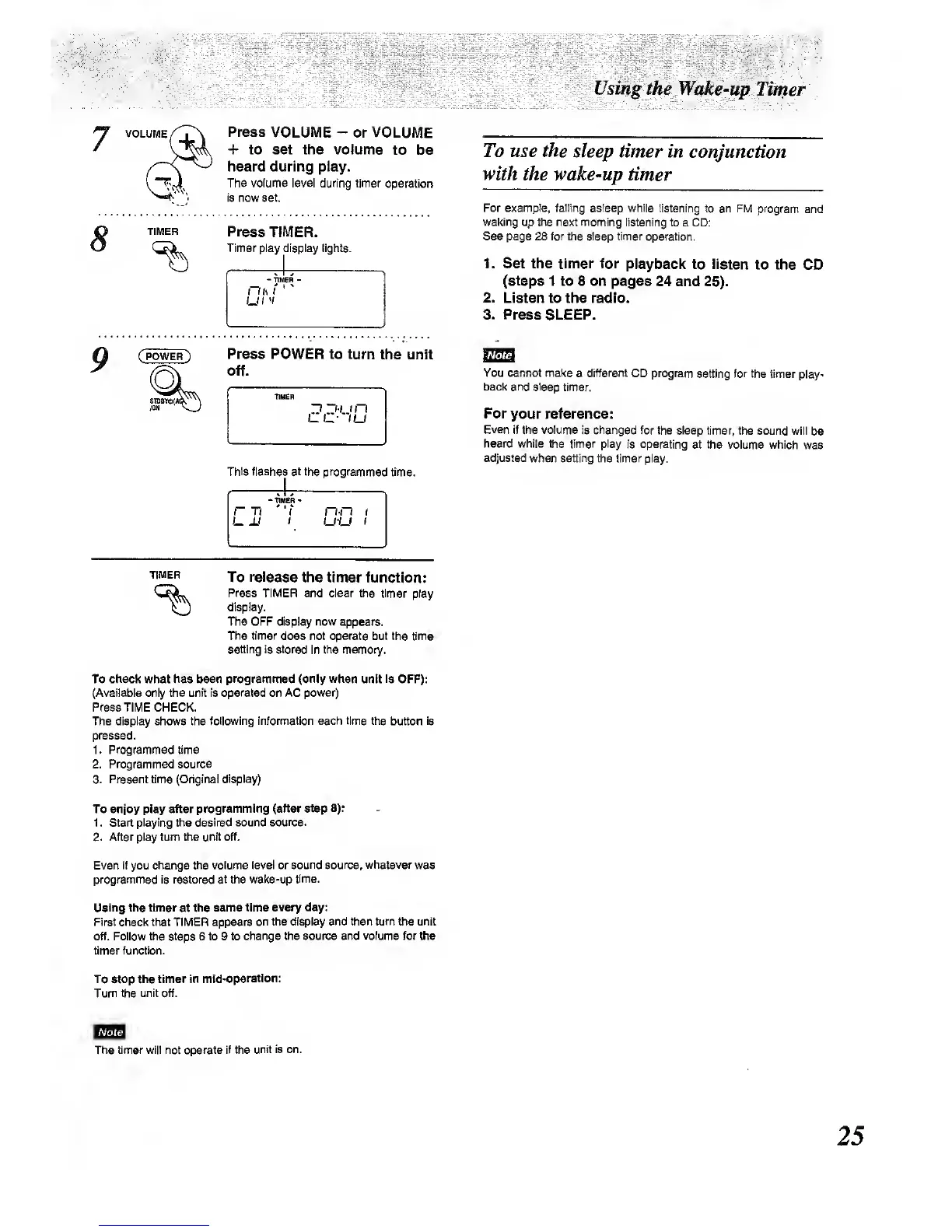
Press
VOLUME
-
or VOLUME
+ to set the volume
to be
heard during play.
The volume level during timer
operation
is now set.
Press
TIMER.
Timer play
display lights.
To use the
sleep timer in
conjunction
with
the wake-up timer
For
example,
falling asleep while
listening to an FM program
and
waking up the next morning
listening to a CD:
See page 28 for the sle^ timer
operation.
1. Set
the timer for
playback to listen
to the
CO
(steps
1 to 8 on pages
24 and
25).
2.
Listen to the radio.
3. Press
SLEEP.
9
Press POWER to turn
the
unit
off.
This flashes at the programmed
time.
r T)
U M
t
u-u
I
You
cannot make
a
different
CD program setting for
the timer
play-
back and sleep
timer.
For
your reference:
Even If the volume
is changed
for the sleep timer,
the sound will
be
heard while the timer play
Is operating
at the volume which
was
adjusted when setting the timer
play.
TIMER
To release the timer
function:
Press TIMER and clear
ttie timer play
display.
The OFF display now appears.
The timer
does not operate but the
time
setting Is stored
in the memory.
To
check what has been programmed (only when
unit Is OFF):
(Available only the unit is
operated
on AC power)
Press TIME CHECK.
The display shows the
tolbwing informatkm each time tiie
button
is
pressed.
1. Programmed time
2.
Pnjgrammed source
3. Present time (Original
dqsiay)
To enjoy play after
programming (after step 8):
1 . Start
playing the desired sound
source.
2. After play turn the unit off.
Even
if
you
change the volume level or
sound source, whatever
was
progrvnmed Is restored at Vne wake-up
time.
Using the timer
at
the same time
every day:
First check that TIMER appears
on the di^lay and then turn the unit
off. Follow the steps 6 to 9 to
change the source and
volume
for the
timer function.
To Stop the timer in
mid-operation:
Turn the unit off.
The timer will not operate if the
unit is on.



 To Next Page