11
RQT7967
ALL-REC [CD-DA]
Records the whole CD or selected tracks. When the tape
finishes before CD, recording and CD pauses for you to resume
recording on the opposite side.
[1] Press [∫ TAPE/CD] to switch to CD mode.
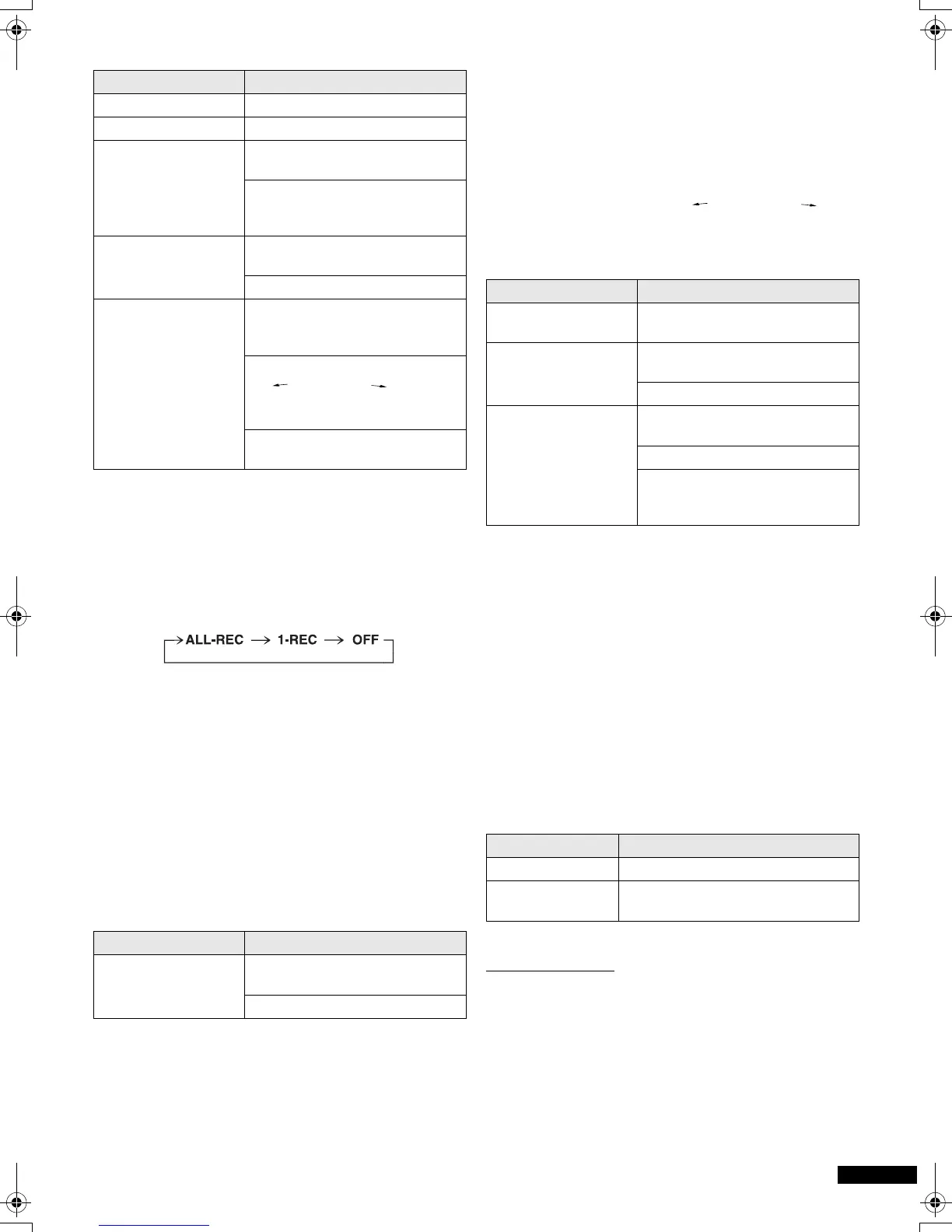
[2] Press [CD REC MODE] to display “ALL-REC”.
Each time you press the button:
The display shows the tape length needed.
“C – – – –” indicates the tape needed exceeds 100 minutes.
You can still record, but some tracks may not be recorded if
the tape is not long enough.
[3] Press [< DECK] to open the deck and load a
cassette with the side for recording facing up.
[4] Press [¥/;] to start recording.
The unit rewinds the tape, records 10 seconds of silence,
and then starts recording.
To stop recording, press [∫ TAPE/CD]. The CD also stops.
If a track is interrupted at the end of the side facing up,
Recording and CD pauses.
* The unit records 10 seconds of silence, and resumes
recording from the beginning of the cut-off track.
Note:
≥ Random play and repeat play cannot be used with
“ALL-REC”.
1-REC [CD-DA] [MP3]
Records a selected track from the CD and stops.
Preparation:
Wind on the tape to where you want to start recording.
[1] Press [∫ TAPE/CD] to switch to CD mode.
[2] Press [CD REC MODE] to display “1-REC”.
[3] Turn [TIME/PRESET TUNE TRACK SKIP ] to
select the track you want to record.
[4] Press [¥/;] to start recording.
CD play and recording start at the same time.
Note:
≥ Recording and CD will stop when the tape reaches its end,
even if the track has not finished.
Recording the Radio
Preparation:
To record from the beginning of the tape;
Wind on the leader tape.
To record from part or half way through the tape;
Wind on the tape to where you want to start recording.
[1] Load a cassette with the side for recording
facing up.
[2] Tune to the station.
[3] Press [¥/;] to start recording.
To reduce noise when recording AM (Beat Proof function)
Remote control only
1 Press [PLAY MODE] while recording.
Each time you press the button:
bP1 ,-. bP2
Choose the setting with the least noise.
To Operations
stop recording Press [∫ TAPE/CD].
pause recording Press [¥/;].
continue recording
from another CD on
the same cassette
1 Press [< CD] and replace
the CD.
2 Press [¥/;].
Press again to resume
recording.
record selected tracks 1 Do step [1] and [2], then
program the tracks. (l 9)
2 Press [¥/;].
skip unwanted tracks 1 Press [¥/;] to pause
recording. (The CD also
pauses.)
2 Turn [TIME/PRESET TUNE
TRACK SKIP ] so the
next track you want to record is
displayed.
3 Press [¥/;] to resume
recording.
To Operations
record the track again
on the opposite side
1 Press [< DECK], flip the
cassette, and insert it.
2 Press [¥/;]*.
To Operations
stop recording Press [∫ TAPE/CD].
(The CD also stops.)
continue recording
from another CD
1 Press [< CD] and replace the
CD.
2 Do steps [3] and [4].
record a track in play 1 Press [CD REC MODE] to
display “1-REC”.
2 Press [¥/;].
Recording starts from the
beginning of the track and stops
when the track finishes.
To Operations
stop recording Press [∫ TAPE/C D] .
pause recording Press [¥/;].
Press again to resume recording.
RX-ES29-ad.book 11 ページ 2005年1月28日 金曜日 午前10時7分



 To Next Page