5
RQT7967
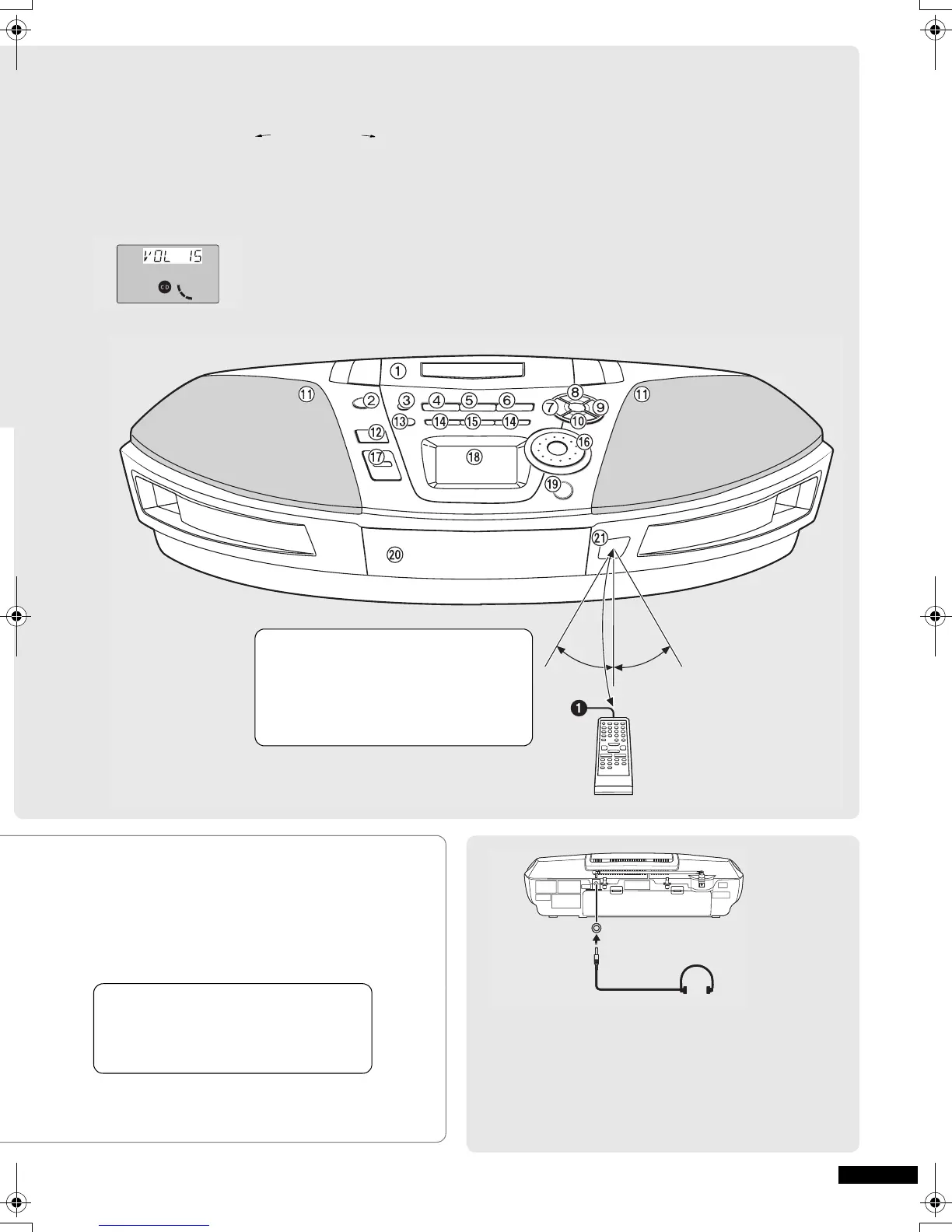
? Tape/CD mode select/stop button
(∫ TAPE/CD) ............................................. (l 8, 9, 10, 11)
• Press [∫ TAPE/CD] to stop play.
@ Time adjust, Preset channel select/CD track select dial
(TIME/PRESET TUNE TRACK SKIP )......................
............................................................... (l 7, 8, 9, 11, 12)
A Volume control buttons (+, – VOLUME)........ (l 7, 8, 10)
• Press [+, – VOLUME] to adjust to the desired volume
for CD, Tuner or Cassette.
B Display panel
C CD tray open/close button (< CD) ................... (l 8, 11)
• Press [< CD] to open the tray.
(The unit comes on.)
Load a CD and press [< CD] to close the tray.
D CD tray
E Remote control signal sensor (SENSOR)
30° 30°
7 m
Use
≥ Keep the transmission window and the
unit’s sensor free from dust.
≥ Operation can be affected by strong light
sources, such as direct sunlight, and the
glass doors of cabinets.
Batteries
Insert so the poles (+ and –) match those in the remote
control.
Remove if the remote control is not going to be used for a
long period of time. Store in a cool, dark place.
Replace if the unit does not respond to the remote control
even when held close to the front panel.
To Use Headphones (not included)
Reduce volume before connection.
Plug type: 3.5 mm (
1
/8 in.) stereo
Note:
≥ Avoid listening for prolonged periods of time to prevent
hearing damage.
PHONESPHONES
e.g. CD
Do not
≥ put heavy objects on the remote control.
≥ take the remote control apart.
≥ spill liquids onto the remote control.
RX-ES29-ad.book 5 ページ 2005年1月28日 金曜日 午前10時7分



 To Next Page