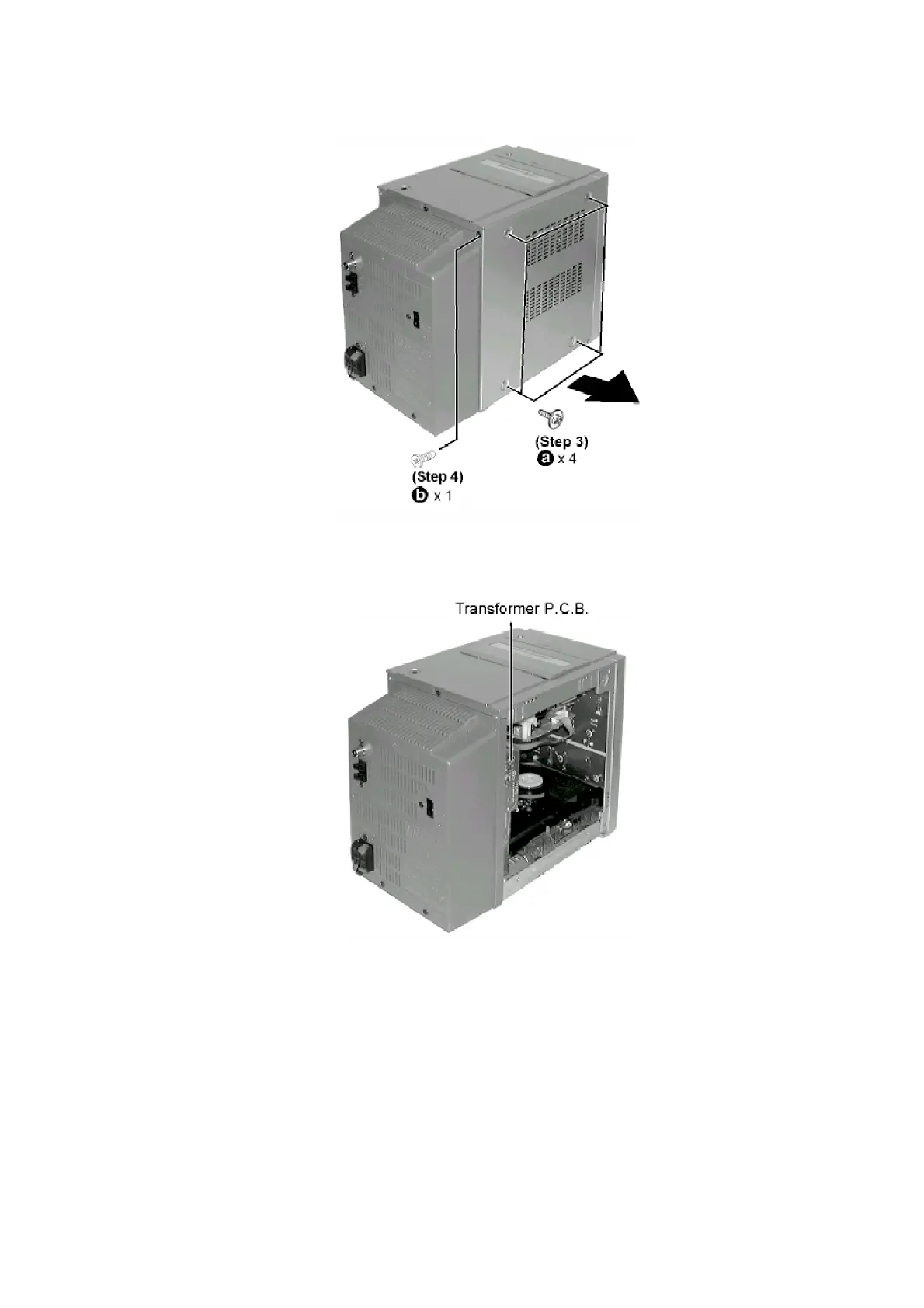
Step 3 Remove all the screws.
Step 4 Remove side panel.
- Checking for Transformer P.C.B.
8.1.2. Checking for the Deck P.C.B., Headphone P.C.B. and Tape Eject P.C.B.
- Follow the (Step 1) - (Step 4) of Item 8.1.1.
Step 1 Remove one screw at the rear chassis.
Step 2 Release claws at both ends.
11





 To Next Page