10.1.3. Adjustment Procedure
1. Enter “1” using numeric pad on the remote control with no MD
loaded.
FL display “ROUGH ADJ”.
(Read power adjustment mode)
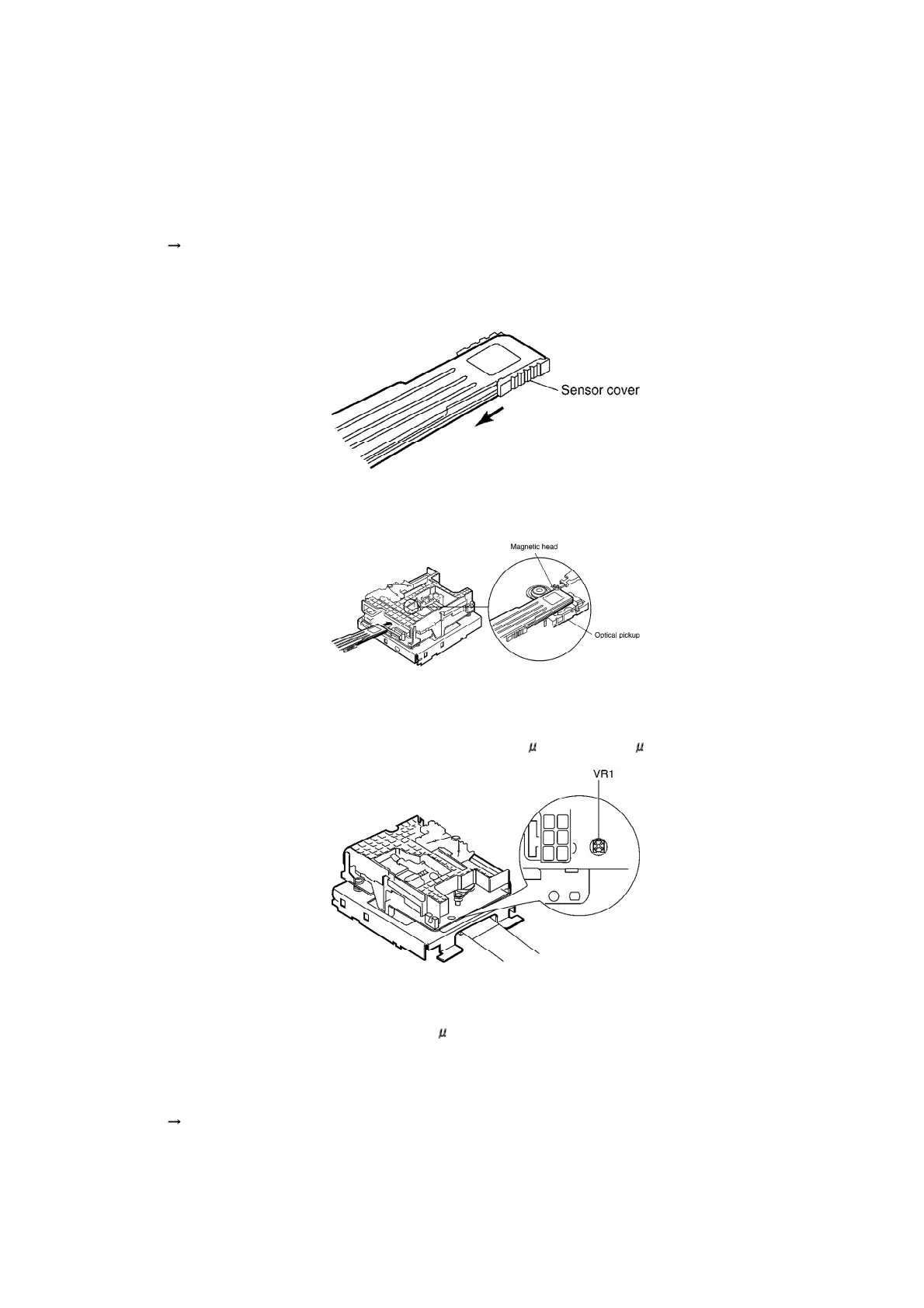
2. Slide sensor cover on the laser power meter. (Fig. 1)
3. Place the sensor on the laser power meter right on top of the
optical pickup. (Fig. 2)
4. Confirm that the reading of the laser power meter is within the
standard value. If the value is out of the range, adjust VR1. (Fig. 3)
[Standard value (read power) : 600 W ~ 650 W]
Cautions
Proceeding on to the subsequent adjustment procedure with the
read power exceeding 650 W will result in damage to the optical
pickup.
5. Press “ENTER” button on the unit.
FL display “ROUGH ADJ” flash for 3 times and display the next
indication.
35









 To Next Page