EasyManua.ls Logo

Panasonic SC-AK250 - User Manual

Panasonic SC-AK250
20 pages
Print Icon
To Next Page IconTo Next Page
Loading...
Operating Instructions
CD Stereo System
Model No. SC-AK350
SC-AK250
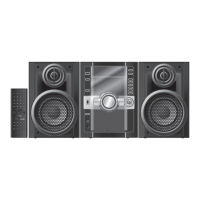
The illustrations show SC-AK350.
RQTV0196-1B
EEBGN
Table of contents
Caution for AC Mains Lead .....................4
Safety precautions ..................................4
Handling of the disc trays and discs .....5
Placement of speakers ............................5
Getting started .........................................6
Overview of controls ...............................8
Discs .........................................................9
Cassette tape – Play and record ..........12
FM/AM radio ...........................................13
Timer .......................................................14
Sound adjustment .................................15
External unit ...........................................15
Troubleshooting guide ..........................17
Maintenance ...........................................18
When moving the unit ...........................18
Specifi cations ........................................19
Dear customer
Thank you for purchasing this product.
For optimum performance and safety, please read these
instructions carefully.
These operating instructions are applicable to the following
systems.
AK350
: indicates features applicable to SC-AK350 only.
AK250
: SC-AK250 only.
System
SC-AK350 SC-AK250
Main unit
SA-AK350 SA-AK250
Speakers
SB-AK350 SB-AK250
Before connecting, operating or adjusting this product,
please read these instructions completely.
Please keep this manual for future reference.
Note:
“EB” on the packaging indicates the United Kingdom.
Operations in these instructions are described mainly using
remote control, but you can perform the operations on the
main unit if the controls are the same.
Unless otherwise indicated, illustrations in these operating
instructions are of SC-AK350 for the United Kingdom and
Continental Europe.
Your unit may not look exactly the same as illustrated.

SUPPLIED ACCESSORIES
Please check and identify the supplied accessories.
Use numbers indicated in parentheses when asking for
replacement parts. (As of January 2007)
1 x AC mains lead
For the United Kingdom
(K2CT3CA00004)
For Continental Europe
(K2CQ2CA00006)
For Australia and N.Z.
(K2CJ2DA00008)
1 x Remote Control
For Europe
(N2QAYB000143)
For Australia and N.Z.
(N2QAYB000144)
2 x Remote control
batteries
1 x FM indoor antenna
For Europe
(RSA0007-L)
For Australia and N.Z.
(RSA0006-L)
1 x AM loop antenna
(N1DAAAA00001)
RQTV0196-B.indd 1RQTV0196-B.indd 1 2/23/07 4:48:29 PM2/23/07 4:48:29 PM

Questions and Answers

  • J
    jennifercrawfordSep 3, 2025
    Why does the picture on the TV disappears or stripes appear on the screen when using Panasonic Stereo System?
    • M
      Margaret CannonSep 4, 2025
      If the picture on your TV disappears or stripes appear on the screen when using your Panasonic Stereo System, and you are using an indoor antenna, change to an outdoor antenna. This may be due to incorrect antenna location or orientation.
  • U
    uharperSep 18, 2025
    Why is my Panasonic SC-AK250 Stereo System USB flash drive operating slowly?
    • K
      Kevin BernardSep 18, 2025
      Large file sizes or high memory USB flash drives take longer to read on your Panasonic Stereo System.
  • A
    amypetersenSep 16, 2025
    Why can’t my Panasonic SC-AK250 read the USB drive or its contents?
    • J
      James DavisSep 16, 2025
      If your Panasonic Stereo System cannot read the USB drive or its contents, the USB drive format or its contents may not be compatible with the system. Check the content and ensure that only MP3 format files are used.
  • T
    tanya67Sep 14, 2025
    Why no response when [¶, REC] button is pressed on Panasonic SC-AK250?
    • J
      Joshua ValenzuelaSep 14, 2025
      If there is no response when the [¶, REC] button is pressed on your Panasonic Stereo System, disconnect the USB device and then reconnect it.
  • M
    matajennaSep 12, 2025
    What to do if disc tray(s) cannot open on Panasonic SC-AK250?
    • V
      Vickie MurphySep 12, 2025
      If the disc tray(s) on your Panasonic Stereo System cannot open, press [y/I] to release the jammed tray(s) as the unit will switch off.
  • B
    Brandy FrederickSep 12, 2025
    What does 'VBR–' displayed on Panasonic SC-AK250 mean?
    • B
      Brett EdwardsSep 12, 2025
      If “VBR–” is displayed instead of the remaining play time on your Panasonic Stereo System, the unit cannot display the remaining play time for variable bit rate (VBR) tracks.
  • Y
    ybarberSep 9, 2025
    Why can’t my Panasonic Stereo System read CD-RW?
    • M
      markgarciaSep 9, 2025
      If your Panasonic Stereo System cannot read a CD-RW, the disc may be scratched, or its data may be defective. Replace the disc.
  • T
    Thomas HardySep 7, 2025
    Why is unusual sound heard on my Panasonic Stereo System?
    • P
      powelldianeSep 7, 2025
      If you hear an unusual sound from your Panasonic Stereo System, condensation may have formed inside the unit due to a sudden change in temperature. Wait for about an hour for it to clear, then try again.
  • C
    christophergriffithSep 5, 2025
    Why does the total number of tracks displayed differ each time the same disc is inserted in my Panasonic Stereo System?
    • K
      karenallenSep 6, 2025
      If the total number of tracks displayed differs each time the same disc is inserted into your Panasonic Stereo System, the disc may be scratched, warped, or non-standard. Replace the disc.
  • A
    Allen RobinsonAug 20, 2025
    What to do if my Panasonic SC-AK250 Stereo System remote control doesn’t work?
    • S
      Scott BrownAug 21, 2025
      First, check that the batteries are inserted correctly in the remote control. If the remote still doesn’t work, the batteries may be worn, and you should replace them.

Summary

Safety Precautions

Laser Radiation and Product Hazards

Covers laser safety, fire, electric shock, and product damage prevention.

Installation and Ventilation

Guidelines for proper unit placement and ventilation to prevent overheating.

AC Mains Lead Safety

General Safety Guidelines

Unit Placement and Handling

Advice on placement, voltage, lead protection, foreign matter, and servicing.

Handling of the Disc Trays and Discs

Placement of Speakers

Getting Started: Making the Connections

Overview of Controls: Main Unit

Main Unit Controls Identification

Identification and function of controls on the main unit.

Overview of Controls: Remote Control

Remote Control Buttons and Functions

Explanation of buttons on the remote control and their functions.

Discs: Basic Play

Loading and Playing Discs

Steps for opening the tray, loading discs, and starting playback.

Play Mode Selection

Options for selecting playback modes like 1-DISC, ALL-DISC, 1-TRACK, and random.

Discs: Single Disc Change and Track Info

Discs: Advanced Play Modes

Discs: Repeat Play and Title Search

Cassette Tape: Basic Play and Recording

Recording Sources and Procedure

How to select sources and start recording onto cassette tapes.

FM;AM Radio: Tuning and Presets

Manual Tuning and Auto Tuning

How to manually tune into FM and AM radio stations and use auto tuning.

Timer Functions: Clock and Play;Record

Using Play and Record Timers

How to set timers for waking up or recording.

Timer Function: Sleep Timer

Sound Adjustment

External Unit Connectivity

External Unit: USB Mass Storage

Connecting and Playing USB Devices

How to connect and play MP3 tracks from USB mass storage devices.

Troubleshooting: Common Problems

Unit Response and Sound Issues

Solutions for common problems like no sound, unit response, and error displays.

Radio and Interference Issues

Troubleshooting radio reception, interference, and TV picture issues.

Troubleshooting: Cassette Deck

Cassette Sound and Recording Fixes

Resolving poor sound quality and recording problems on the cassette deck.

Troubleshooting: Disc Playback

Disc Playback Errors and Read Issues

Solutions for disc playback errors, track display, and CD-RW read problems.

Troubleshooting: Trays, Remote, and USB

Disc Tray and Remote Control Issues

Resolving problems with disc trays not opening or the remote control.

USB Device Connectivity and Errors

Solutions for USB drive response, read errors, and over current issues.

Troubleshooting: Memory Reset

Panasonic SC-AK250 Specifications

General IconGeneral
RMS rated power100 W
EqualizerYes
Volume controlRotary
Supported radio bandsAM, FM
TypeHome audio mini system
Product colorSilver
Number of optical discs5 discs
Disc types supportedCD
Speaker depth196 mm
Speaker width219 mm
Speaker height330 mm
Audio connections1
Dimensions (WxDxH)250 x 323 x 330 mm
Power consumption (standby)0.5 W
Weight and Dimensions IconWeight and Dimensions
Weight6300 g

Related product manuals