
 Need help?
Do you have a question about the Panasonic SC-BTT465 and is the answer not in the manual?
Essential warnings for electrical shock, fire, and physical damage to the unit and accessories.
Safety guidelines for laser use, unit placement, and environmental hazards.
Important safety precautions for the AC mains lead, including fuse replacement instructions.
A comprehensive guide to the functions of each button on the remote control.
Essential advice on speaker placement, HDMI, and digital audio connections for optimal setup.
Instructions for connecting the unit to a network using Wi-Fi or a LAN cable.
Step-by-step guide for initial setup and configuring wireless network access.
Instructions for playing, pausing, stopping, skipping, and changing audio during media playback.
Important restrictions and considerations for using Bluetooth devices with the system.
Steps for pairing Bluetooth devices and using NFC for quick connections.
Settings for picture mode, adjustments, progressive output, and 24p output.
Adjusting sound effects, equalizer, subwoofer, and 3D sound perception for an immersive experience.
Solutions for unresponsive units, remote control issues, and disc ejection problems.
Resolving black screens, distorted images, jittering, and USB connection recognition problems.
Fixing issues with HD output, 3D video, black bands, and aspect ratio problems.
Troubleshooting steps for no sound, distorted sound, no surround sound, and no TV audio.
Solutions for disc playback errors, JPEG issues, BD-Live access, and Bluetooth connection problems.
Resolving network connection failures, interference, and low security setting warnings.
 General
| Disc types supported | BD, BD-R, BD-R DL, BD-RE, BD-RE DL, BD-ROM, CD, CD-R, CD-RW, DVD, DVD-R, DVD-R DL, DVD-RW |
|---|---|
| Playback disc formats | Blu-Ray video, DVD-Video |
| Optical disc player type | Blu-Ray player |
| DVD recorder | Yes |
| Video formats supported | MKV, MP4, MPEG2, XVID |
| Audio decoders | DTS-HD, DTS-HD HR, DTS-HD Master Audio, Dolby Digital, Dolby Digital Plus, Dolby Pro Logic II, Dolby TrueHD |
| RMS rated power | 1000 W |
| Audio output channels | 5.1 channels |
| Audio formats supported | AAC, FLAC, MP3, WAV, WMA |
| Preset stations quantity | 30 |
| Front speaker type | 2-way |
| Front speaker impedance | 4 Ω |
| Front speakers RMS power | 334 W |
| Center speaker RMS power | 501 W |
| Number of satellite speakers | 2 |
| Karaoke | No |
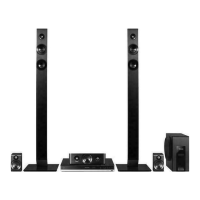
| Product color | Black |
| HDMI in | - |
| AC input voltage | 220-240 V |
| AC input frequency | 50 Hz |
| Power consumption (typical) | 78 W |
 Weight and Dimensions
| Main unit weight | 2700 g |
|---|---|
| Center speaker weight | 700 g |
| Satellite speaker weight | 500 g |
| Main unit dimensions (WxDxH) | 430 x 322 x 55 mm |
| Front speaker dimensions (WxDxH) | 270 x 270 x 1181 mm |
| Center speaker dimensions (WxDxH) | 304 x 77 x 87 mm |
| Satellite speaker dimensions (WxDxH) | 83 x 75 x 141 mm |




 To Next Page