EasyManua.ls Logo

Panasonic SC-CH55 - To find the beginning of a program (TPS: tape program sensor); To fast forward or rewind the tape

Panasonic SC-CH55
60 pages
Print Icon
To Next Page IconTo Next Page
To Previous Page IconTo Previous Page
Loading...
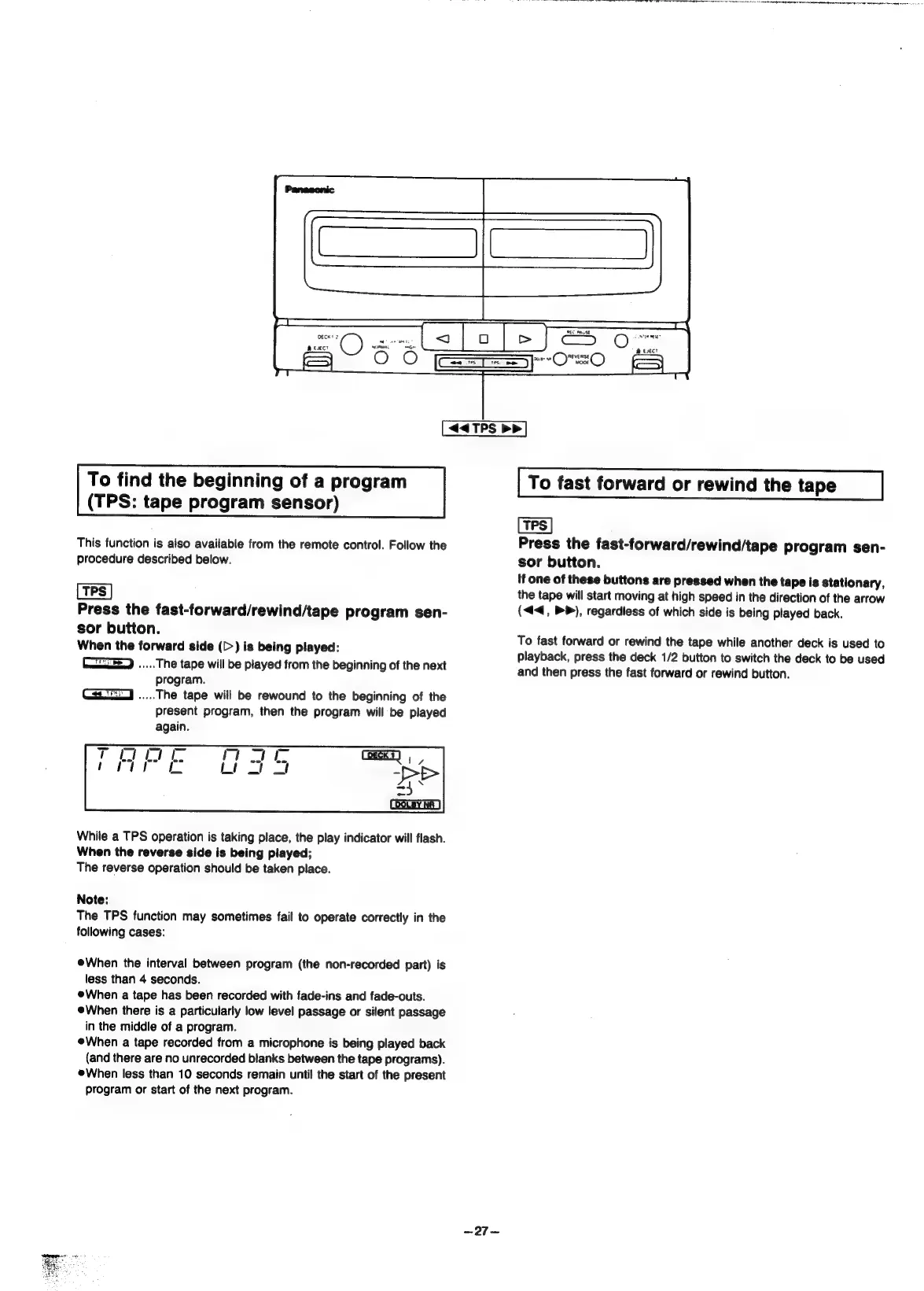
<4<4TPS
>>
To
find
the
beginning
of
a
program
(TPS:
tape
program
sensor)
This
function
is
also
available
from
the
remote
control.
Follow
the
procedure
described
below.
Press
the
fast-forward/rewind/tape
program
sen-
sor
button.
When
the
forward
side
(>)
is
being
played:
ieee
The
tape
will
be
played
from
the
beginning
of
the
next
program.
iis
The
tape
will
be
rewound
to
the
beginning
of
the
present
program,
then
the
program
will
be
played
again.
While
a
TPS
operation
is
taking
place,
the
play
indicator
will
flash.
When
the
reverse
side
is
being
played;
The
reverse
operation
should
be
taken
place.
Note:
The
TPS
function
may
sometimes
fail
to
operate
correctly
in
the
following
cases:
When
the
interval
between
program
(the
non-recorded
part)
is
less
than
4
seconds.
When
a
tape
has
been
recorded
with
fade-ins
and
fade-outs.
When
there
is
a
particularly
low
level
passage
or
silent
passage
in
the
middle
of
a
program.
When
a
tape
recorded
from
a
microphone
is
being
played
back
(and
there
are
no
unrecorded
blanks
between
the
tape
programs).
When
less
than
10
seconds
remain
until
the
start
of
the
present
program
or
start
of
the
next
program.
~27—
To
fast
forward
or
rewind
the
tape
Press
the
fast-forward/rewind/tape
program
sen-
sor
button.
If
one
of
these
buttons
are
pressed
when
the
tape
is
stationary,
the
tape
will
start
moving
at
high
speed
in
the
direction
of
the
arrow
(<4,
PP),
regardless
of
which
side
is
being
played
back.
To
fast
forward
or
rewind
the
tape
while
another
deck
is
used
to
playback,
press
the
deck
1/2
button
to
switch
the
deck
to
be
used
and
then
press
the
fast
forward
or
rewind
button.

Related product manuals