EasyManua.ls Logo

Panasonic SC-CH55 - Memory presetting; Tune in your favorite station using the jog dial.; Select the desired preset channel.

Panasonic SC-CH55
60 pages
Print Icon
To Next Page IconTo Next Page
To Previous Page IconTo Previous Page
Loading...
PLAY
TIMER
OO’
Memory
presetting
eet
Ee
ee
ES
ee
ae ng
era
er
RENIN
nner
pit
re
rei:
2
9
When
broadcast
frequencies
have
been
preset
to
the
memory,
any
of
those
broadcast
frequencies
can
thereafter
be
easily
selected
by
simply
pressing
one
of
the
preset-tuning
buttons
on
the
remote
control
or
using
the
jog
dial.
You
can
memorize
up
to
30
radio
stations
(10
in
FM;
10
in
MW:
10
in
LW),
into
the
units
preset
memory.
(When
a
new
frequency
is
memorized
in
a
channel,
the
frequency
previously
memorized
in
that
channel
wiil
be
cancelled.)
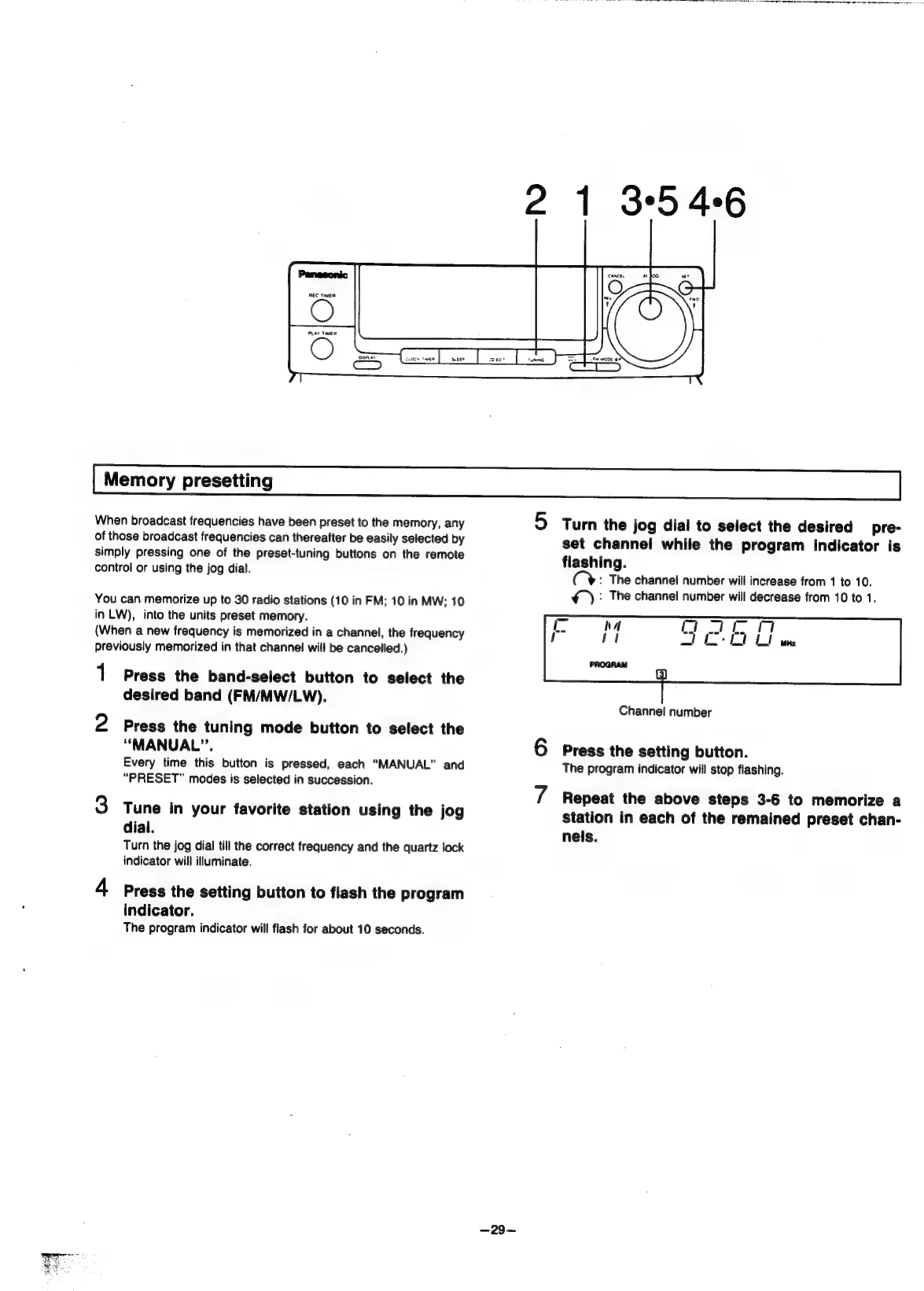
1
Press
the
band-select
button
to
select
the
desired
band
(FM/MW/LW).
2
Press
the
tuning
mode
button
to
select
the
“MANUAL”.
Every
time
this
button
is
pressed,
each
“MANUAL”
and
“PRESET”
modes
is
selected
in
succession.
3
Tune
in
your
favorite
station
using
the
jog
dial.
Turn
the
jog
dial
till
the
correct
frequency
and
the
quartz
lock
indicator
will
illuminate.
4
Press
the
setting
button
to
flash
the
program
indicator.
The
program
indicator
will
flash
for
about
10
seconds.
5
Turn
the
jog
dial
to
select
the
desired
pre-
set
channel
while
the
program
indicator
is
flashing.
(CY
:
The
channel
number
will
increase
from
1
to
10.
¢_):
The
channel
number
will
decrease
from
10
to
1.
Channel
number
6
Press
the
setting
button.
The
program
indicator
will
stop
flashing.
4
Repeat
the
above
steps
3-6
to
memorize
a
station
in
each
of
the
remained
preset
chan-
nels.

Related product manuals