EasyManua.ls Logo

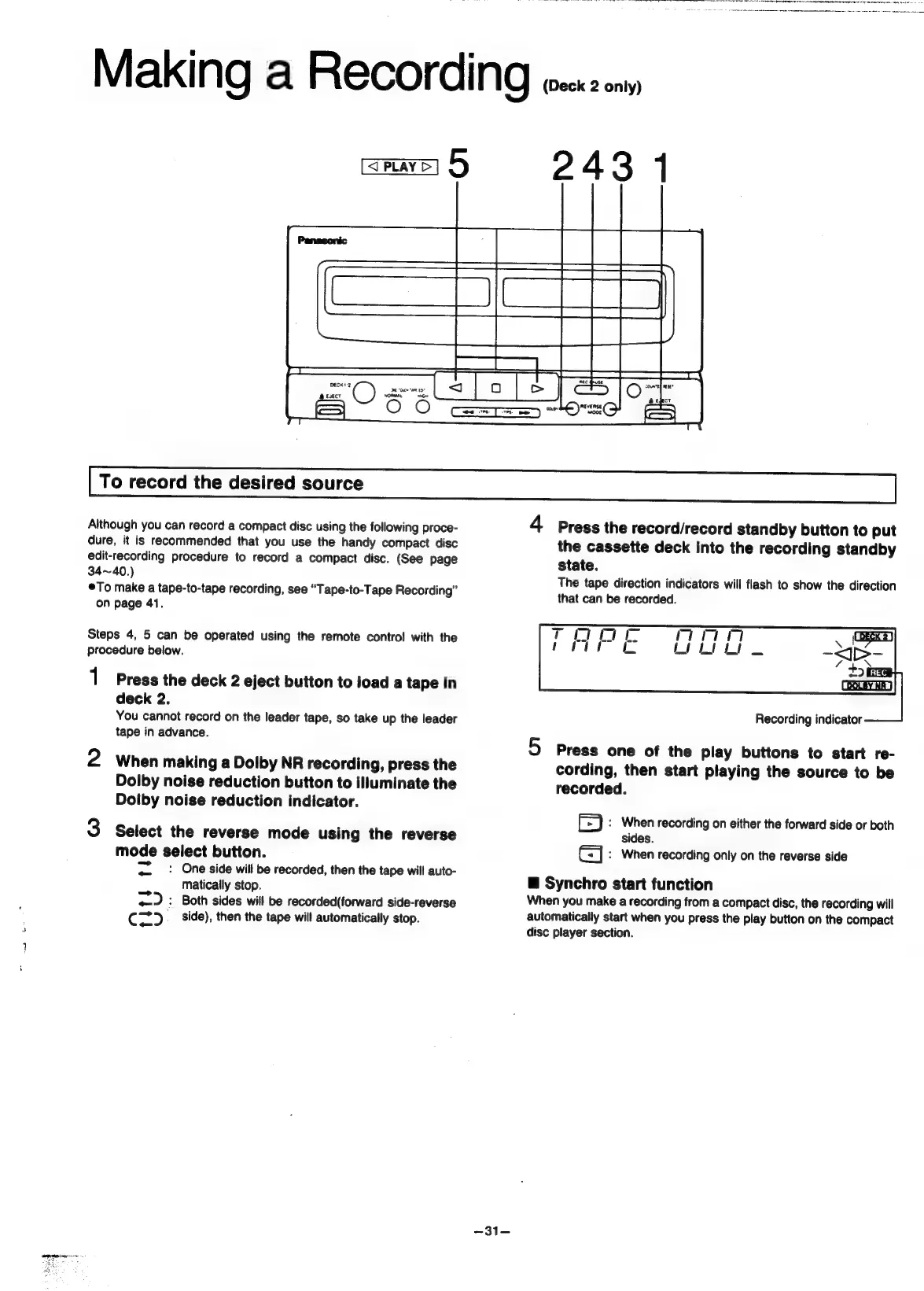
Panasonic SC-CH55 - Making a Recording (Deck 2 only); To record the desired source; Synchro start function

Panasonic SC-CH55
60 pages
Print Icon
To Next Page IconTo Next Page
To Previous Page IconTo Previous Page
Loading...
Making
a
RECOFCING
toczk2
ny
amare]
5
243
1
To
record
the
desired
source
Although
you
can
record
a
compact
disc
using
the
following
proce-
4
Press
the
record/record
standby
button
to
put
dure,
it
is
recommended
that
you
use
the
handy
compact
disc
the
cassette
deck
into
the
recording
standby
edit-recording
procedure
to
record
a
compact
disc.
(See
page
state.
34~40.)
peo.
A :
fe
4
8
Th
tion
|
how
th
©To
make
a
tape-to-tape
recording,
see
“Tape-to-Tape
Recor
ding”
e
tape
direction
indicators
will
flash
to
show
the
direction
that
can
be
recorded.
on
page
41.
Steps
4,
5
can
be
operated
using
the
remote
contro!
with
the
procedure
below.
1
Press
the
deck
2
eject
button
to
load
a
tape
in
deck
2.
You
cannot
record
on
the
leader
tape,
so
take
up
the
leader
Recording
indicator
tape
in
advance.
5
Press
one
of
the
play
buttons
to
start
re-
2
When
making
a
Dolby
NR
recording,
press
the
cording,
then
start
playing
the
source
to
be
Dolby
noise
reduction
button
to
illuminate
the
recorded.
Doiby
noise
reduction
indicator.
iz)
:
When
recording
on
either
the
forward
side
or
both
3
Select
the
reverse
mode
using
the
reverse
sides.
mode
select
button.
Gj
:
When
recording
only
on
the
reverse
side
pts
:
One
side
will
be
recorded,
then
the
tape
will
auto-
.
matically
stop.
@
Synchro
start
function
=)
:
Both
sides
will
be
recorded(forward
side-reverse
When
you
make
a
recording
from
a
compact
disc,
the
recording
will
Cz)
_
side),
then
the
tape
will
automatically
stop.
automatically
start
when
you
press
the
play
button
on
the
compact
disc
player
section.
-31-

Related product manuals