EasyManua.ls Logo

Panasonic SC-CH55 - Making a Recording (continued); To briefly interrupt recording; To stop recording; How to use the beat proof button

Panasonic SC-CH55
60 pages
Print Icon
To Next Page IconTo Next Page
To Previous Page IconTo Previous Page
Loading...
Making
a
RECOFING
conines
@
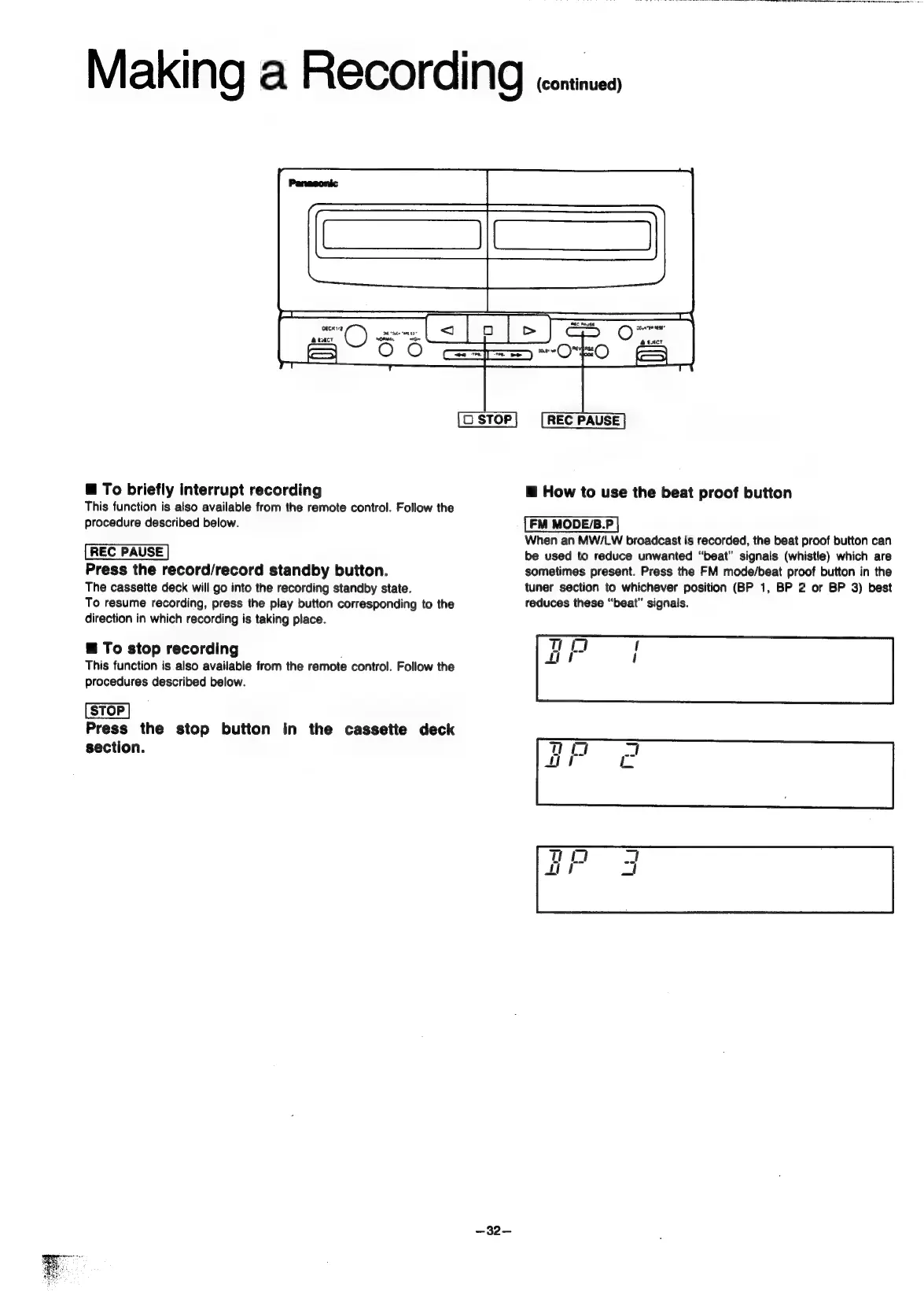
To
briefly
interrupt
recording
This
function
is
also
available
from
the
remote
control.
Follow
the
procedure
described
below.
Press
the
record/record
standby
button.
The
cassette
deck
will
go
into
the
recording
standby
state.
To
resume
recording,
press
the
play
button
corresponding
to
the
direction
in
which
recording
is
taking
place.
§
To
stop
recording
This
function
is
also
available
from
the
remote
control.
Follow
the
procedures
described
below.
Press
the
stop
button
in
the
cassette
deck
section.
—32—
@
How
to
use
the
beat
proof
button
FM
MODE/B.P
When
an
MW/LW
broadcast
is
recorded,
the
beat
proof
button
can
be
used
to
reduce
unwanted
“beat”
signals
(whistle)
which
are
sometimes
present.
Press
the
FM
mode/beat
proof
button
in
the
tuner
section
to
whichever
position
(BP
1,
BP
2
or
BP
3)
best
reduces
these
“beat”
signals.

Related product manuals