EasyManua.ls Logo

Panasonic SC-CH55 - To erase a recorded tape (Deck 2); To record with desired tone and effect

Panasonic SC-CH55
60 pages
Print Icon
To Next Page IconTo Next Page
To Previous Page IconTo Previous Page
Loading...
a
a
Ie
a
i
ll
A
a
ae
a
SN
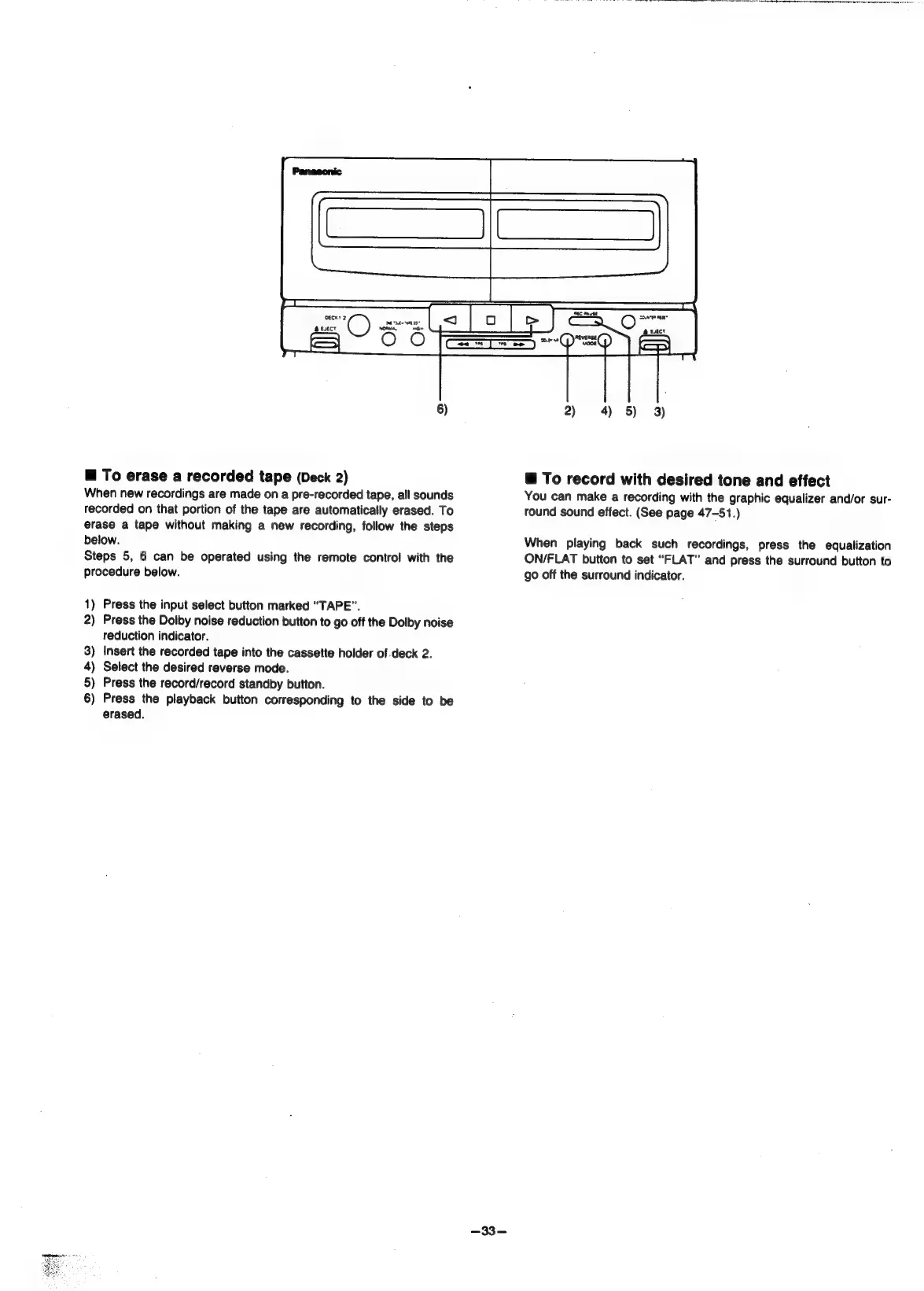
6)
m@
To
erase
a
recorded
tape
(Deck
2)
When
new
recordings
are
made
on
a
pre-recorded
tape,
all
sounds
recorded
on
that
portion
of
the
tape
are
automatically
erased.
To
erase
a
tape
without
making
a
new
recording,
follow
the
steps
below.
Steps
5,
6
can
be
operated
using
the
remote
control
with
the
procedure
below.
1)
Press
the
input
select
button
marked
“TAPE”.
2)
Press
the
Dolby
noise
reduction
button
to
go
off
the
Dolby
noise
reduction
indicator.
3)
Insert
the
recorded
tape
into
the
cassette
holder
of.deck
2.
4)
Select
the
desired
reverse
mode.
5)
Press
the
record/record
standby
button.
6)
Press
the
playback
button
corresponding
to
the
side
to
be
erased.
2)
4)
5)
3)
@
To
record
with
desired
tone
and
effect
You
can
make
a
recording
with
the
graphic
equalizer
and/or
sur-
round
sound
effect.
(See
page
47-51.)
When
playing
back
such
recordings,
press
the
equalization
ON/FLAT
button
to
set
“FLAT”
and
press
the
surround
button
to
go
off
the
surround
indicator.

Related product manuals