EasyManua.ls Logo

Panasonic SC-CH55 - Edit-Recording from Compact Discs; To cancel the album edit-recording; Confirm the time remaining on the tape.

Panasonic SC-CH55
60 pages
Print Icon
To Next Page IconTo Next Page
To Previous Page IconTo Previous Page
Loading...
Panasonic
REC
TIMER
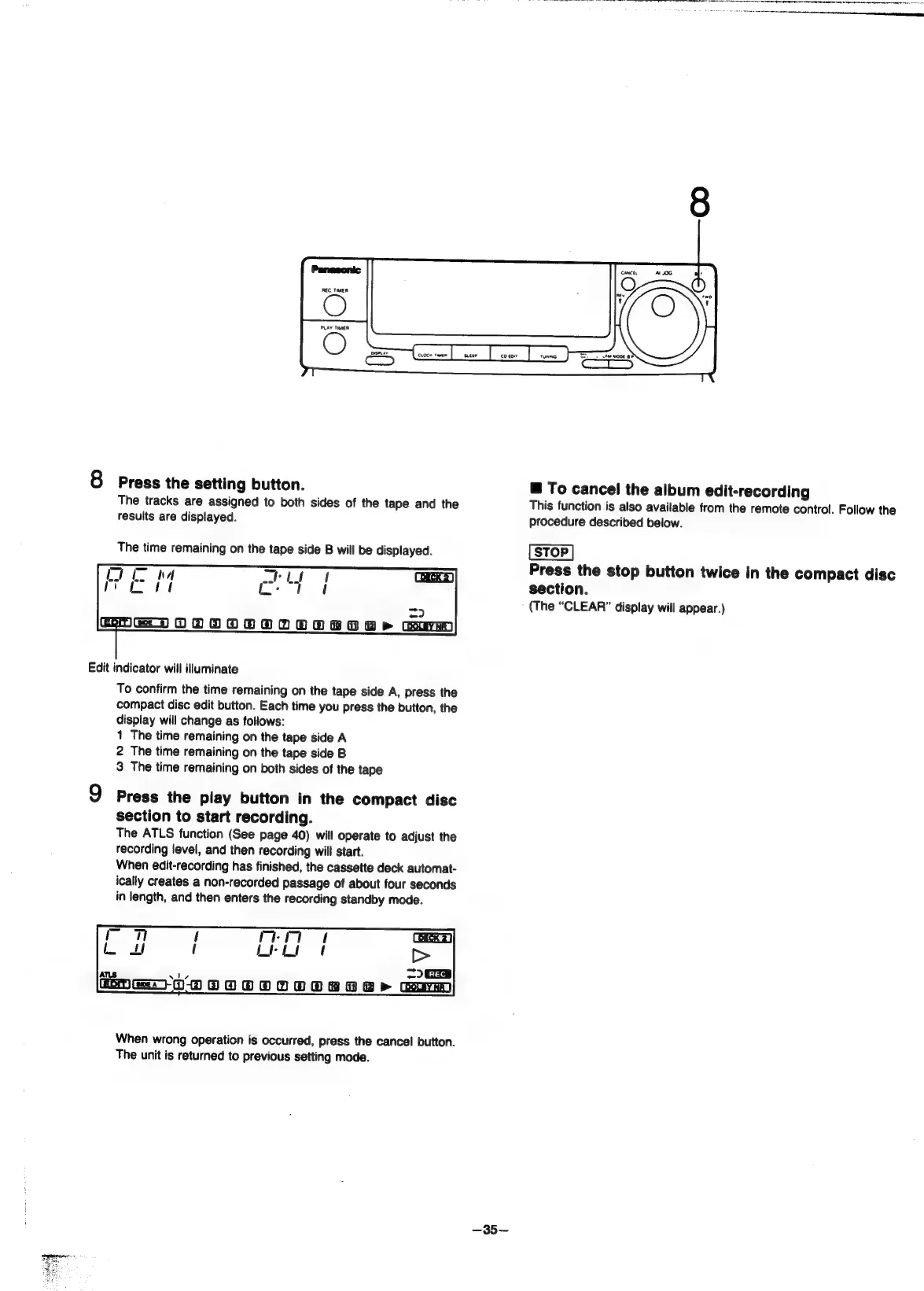
8
Press
the
setting
button.
The
tracks
are
assigned
to
both
sides
of
the
tape
and
the
results
are
displayed.
The
time
remaining
on
the
tape
side
B
will
be
displayed.
mi
~
_
a
=
OOO8O
2
>
Gur
Edit
indicator
will
illuminate
To
confirm
the
time
remaining
on
the
tape
side
A,
press
the
compact
disc
edit
button.
Each
time
you
press
the
button,
the
display
will
change
as
follows:
1
The
time
remaining
on
the
tape
side
A
2
The
time
remaining
on
the
tape
side
B
3
The
time
remaining
on
both
sides
of
the
tape
9
Press
the
play
button
in
the
compact
disc
section
to
start
recording.
The
ATLS
function
(See
page
40)
will
operate
to
adjust
the
recording
level,
and
then
recording
will
start.
When
edit-recording
has
finished,
the
cassette
deck
automat-
ically
creates
a
non-recorded
passage
of
about
four
seconds
in
length,
and
then
enters
the
recording
standby
mode.
When
wrong
operation
is
occurred,
press
the
cancel
button.
The
unit
is
returned
to
previous
setting
mode.
—35~—
@
To
cancel
the
album
edit-recording
This
function
is
also
available
from
the
remote
control.
Follow
the
procedure
described
below.
Press
the
stop
button
twice
in
the
compact
disc
section.
(The
“CLEAR”
display
will
appear.)

Related product manuals