EasyManua.ls Logo

Panasonic SC-CH55 - To cancel the programmed tracks; To cancel the program edit-recording; To confirm the play sequence

Panasonic SC-CH55
60 pages
Print Icon
To Next Page IconTo Next Page
To Previous Page IconTo Previous Page
Loading...
Kd
/<4<4
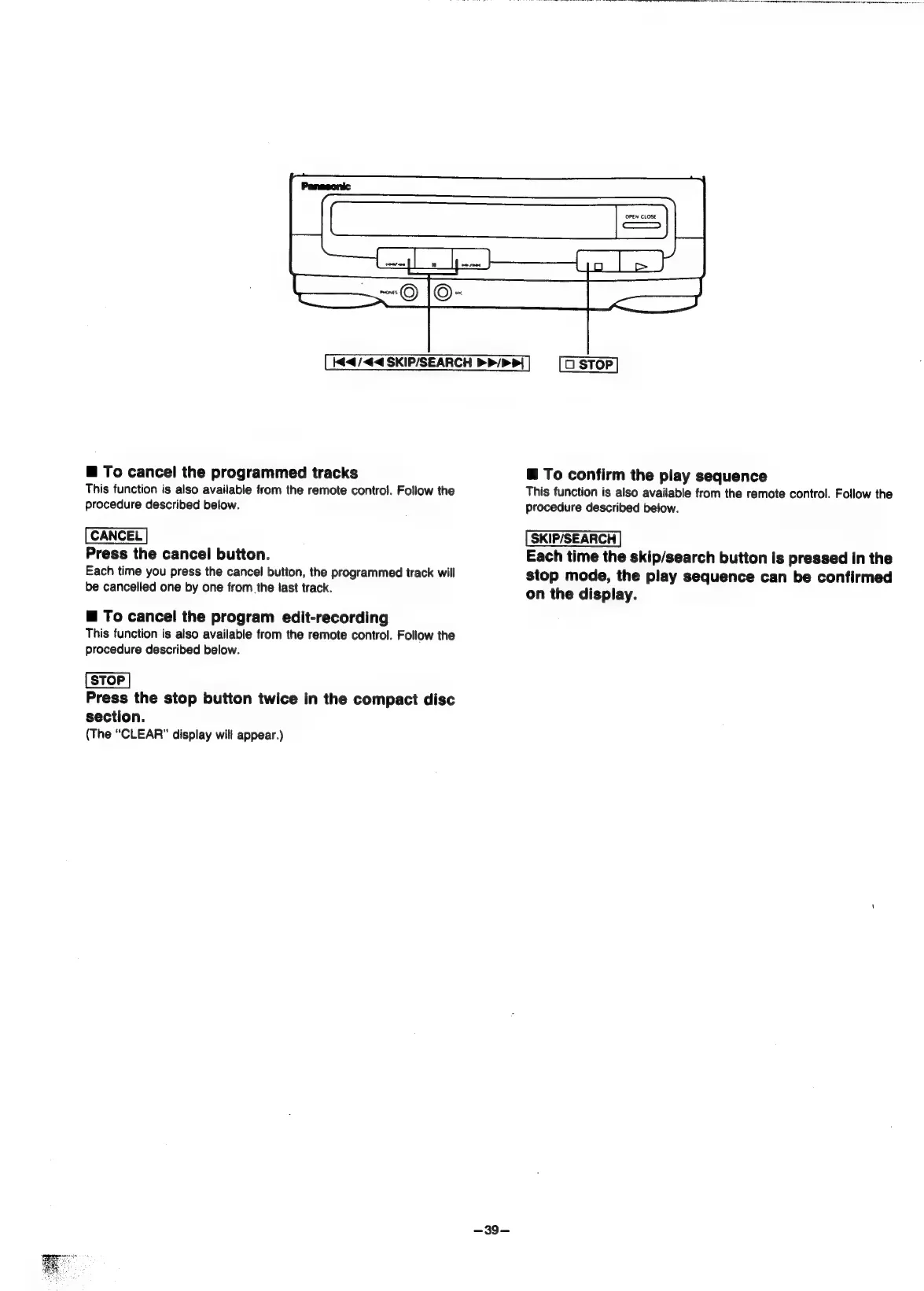
SKIP/SEARCH
PP/P
>}
@
To
cancel
the
programmed
tracks
This
function
is
also
available
from
the
remote
control.
Follow
the
procedure
described
below.
Press
the
cancel
button.
Each
time
you
press
the
cancel
button,
the
programmed
track
will
be
cancelled
one
by
one
from
the
tast
track.
@
To
cancel
the
program
edit-recording
This
function
is
also
available
from
the
remote
control.
Follow
the
procedure
described
below.
Press
the
stop
button
twice
in
the
compact
disc
section.
(The
“CLEAR”
display
will
appear.)
-~39-
OPEN
CLOSE
@
To
confirm
the
play
sequence
This
function
is
also
available
from
the
remote
control.
Follow
the
procedure
described
below.
Each
time
the
skip/search
button
is
pressed
in
the
stop
mode,
the
play
sequence
can
be
confirmed
on
the
display.

Related product manuals