EasyManua.ls Logo

Panasonic SC-CH55 - Changing the Tone Quality; To retrieve equalization curves pre-programmed to this unit; To bypass the graphic equalizer

Panasonic SC-CH55
60 pages
Print Icon
To Next Page IconTo Next Page
To Previous Page IconTo Previous Page
Loading...
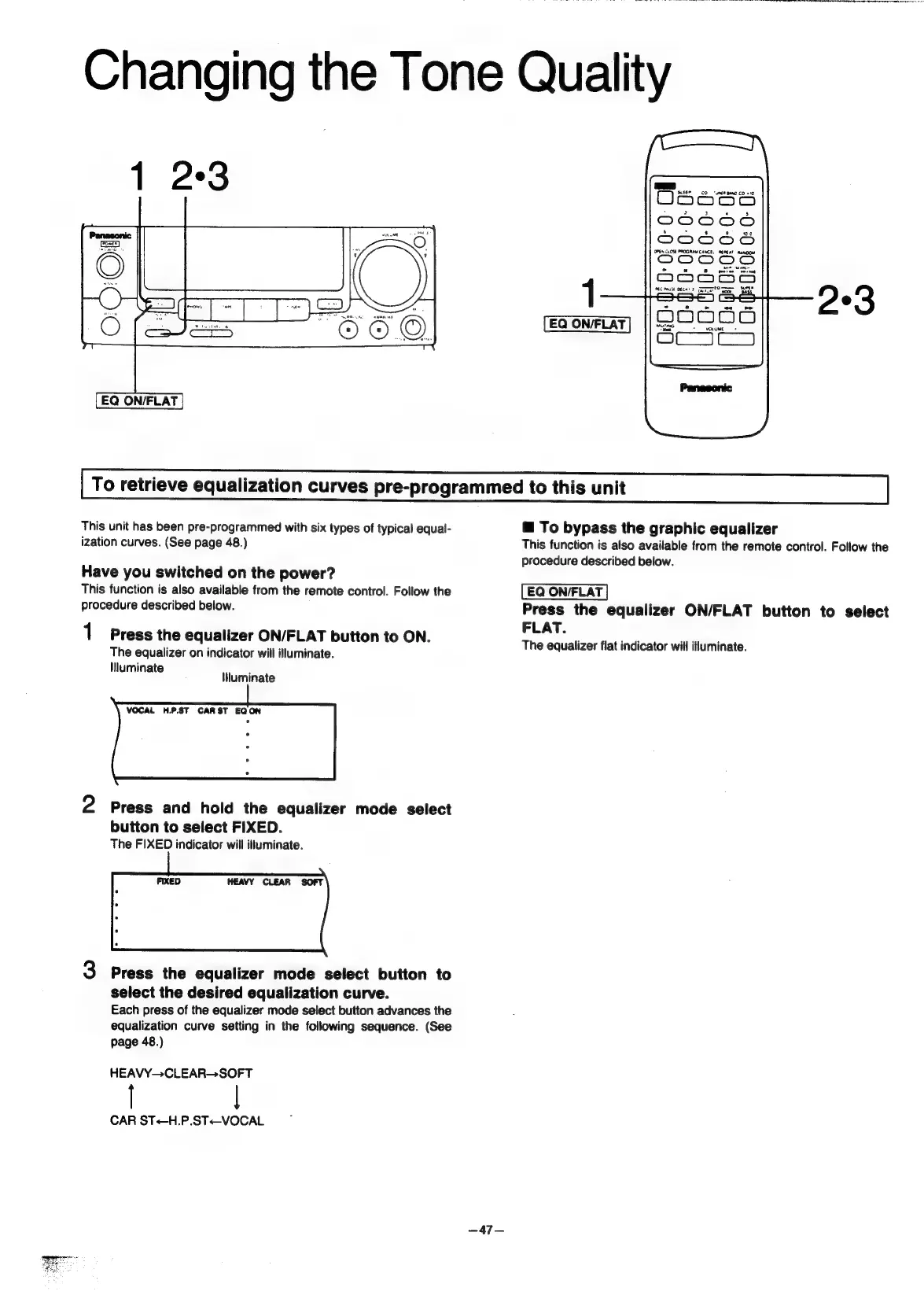
EQ
ON/FLAT
7...
CO“
uNEM
BAND
CO
+10
Od6eos6
DO0C0OO
2000S
ee
ame
ert
1
EQ
ON/FLAT
293
To
retrieve
equalization
curves
pre-programmed
to
this
unit
This
unit
has
been
pre-programmed
with
six
types
of
typical
equal-
ization
curves.
(See
page
48.)
Have
you
switched
on
the
power?
This
function
is
also
available
from
the
remote
control.
Follow
the
procedure
described
below.
1
Press
the
equalizer
ON/FLAT
button
to
ON.
The
equalizer
on
indicator
will
illuminate.
Mluminate
liluminate
VOCAL
H.P.ST
CARST
EQON
2
Press
and
hold
the
equalizer
mode
select
button
to
select
FIXED.
The
FIXED
indicator
will
illuminate.
3
Press
the
equalizer
mode
select
button
to
select
the
desired
equalization
curve.
Each
press
of
the
equalizer
mode
select
button
advances
the
equalization
curve
setting
in
the
following
sequence.
(See
page
48.)
HEAVY—CLEAR-—SOFT
CAR
ST<-H.P.ST<-VOCAL
™@
To
bypass
the
graphic
equalizer
This
function
is
also
available
from
the
remote
control.
Follow
the
procedure
described
below.
Press
the
equalizer
ON/FLAT
button
to
select
FLAT.
The
equalizer
flat
indicator
will
illuminate.

Related product manuals