EasyManua.ls Logo

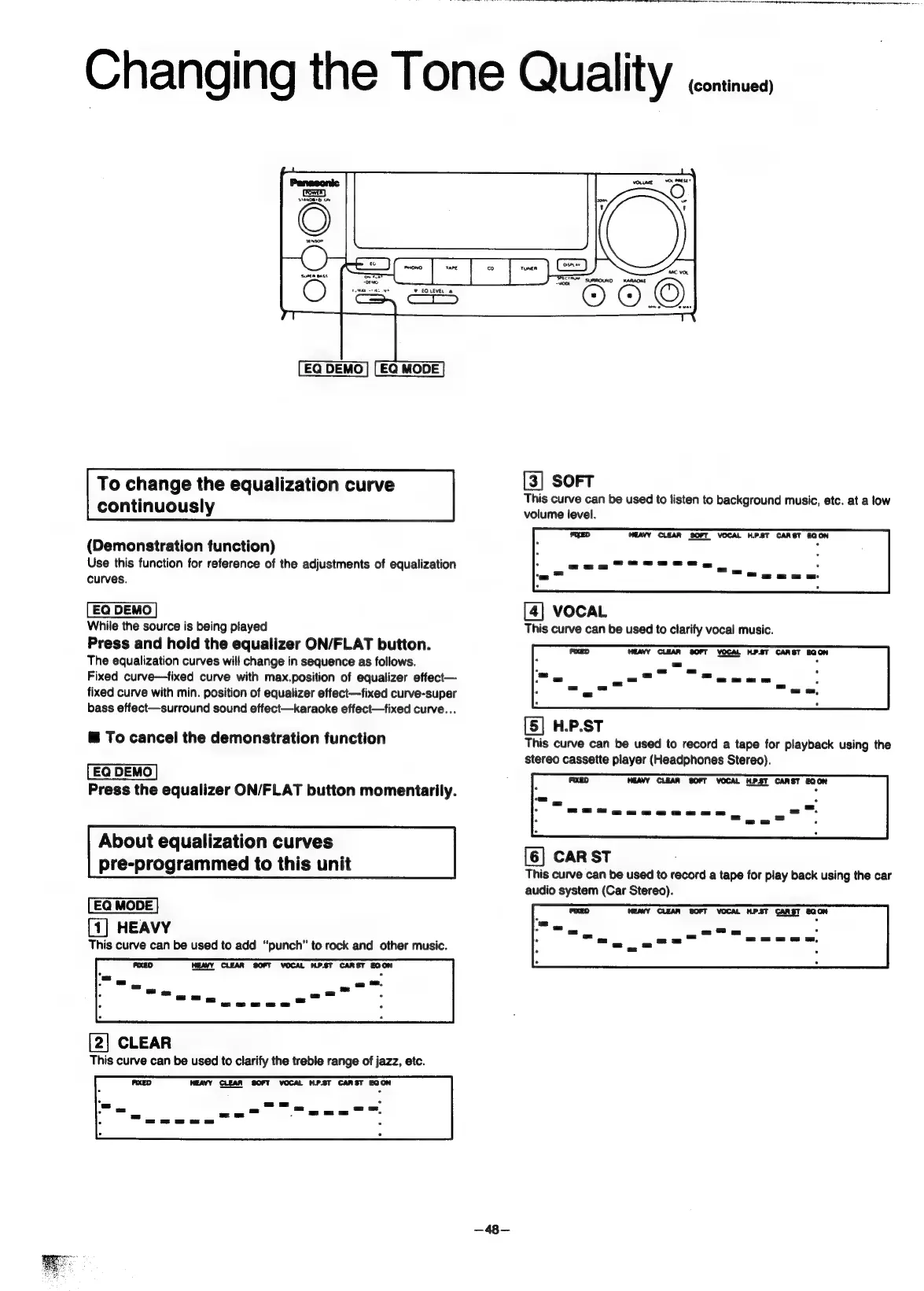
Panasonic SC-CH55 - Changing the Tone Quality (continued); To change the equalization curve continuously; About equalization curves pre-programmed to this unit

Panasonic SC-CH55
60 pages
Print Icon
To Next Page IconTo Next Page
To Previous Page IconTo Previous Page
Loading...
MIC
VOL
icine
ener
SURROUND
KARAOKE
©)
©
S
wn
fons
To
change
the
equalization
curve
[3]
SOFT
ae
eo
ee
ete
ene
ae
.
IS
Curve
can
De
used
to
listen
to
bac!
ground
music,
etc.
at
a
low
continuously
volume
level.
HEAVY CLEAR
SOFT
VOCAL
H.P.8T
CARST
EQON
.
(Demonstration
function)
Use
this
function
for
reference
of
the
adjustments
of
equalization
:
Sees
Se
.
*
=e
2
se
curves.
f
[4]
VOCAL
While
the
source
is
being
played
This
curve
can
be
used
to
clarify
vocal
music.
Press
and
hold
the
equalizer
ON/FLAT
button.
The
equalization
curves
will
change
in
sequence
as
follows.
Fixed
curve—fixed
curve
with
max.position
of
equalizer
effect—
fixed
curve
with
min.
position
of
equalizer
effect—fixed
curve-super
bass
effect—surround
sound
effect—karaoke
effect—fixed
curve...
[5]
H.P.ST
This
curve
can
be
used
to
record
a
tape
for
playback
using
the
stereo
cassette
player
(Headphones
Stereo).
@
To
cancel
the
demonstration
function
Press
the
equalizer
ON/FLAT
button
momentarily.
About
equalization
curves
pre-programmed
to
this
unit
[1]
HEAVY
This
curve
can
be
used
to
add
“punch”
to
rock
and
other
music.
HEAVY
CLEAR
SOFT
VOCAL
HPST
CARST
EQON
WEAVY CLEAR
SOFT
VOCAL
HP.ST
CARST
EQON
[6]
CAR
ST
This
curve
can
be
used
to
record
a
tape
for
play
back
using
the
car
audio
system
(Car
Stereo).
HEAVY
CLEAR
SOFT
VOCAL
H.PST
CARST
EQON
[2]
CLEAR
This
curve
can
be
used
to
clarify
the
treble
range
of
jazz,
etc.
—48—

Related product manuals