I Screen for disc information I
Remarks Changing method
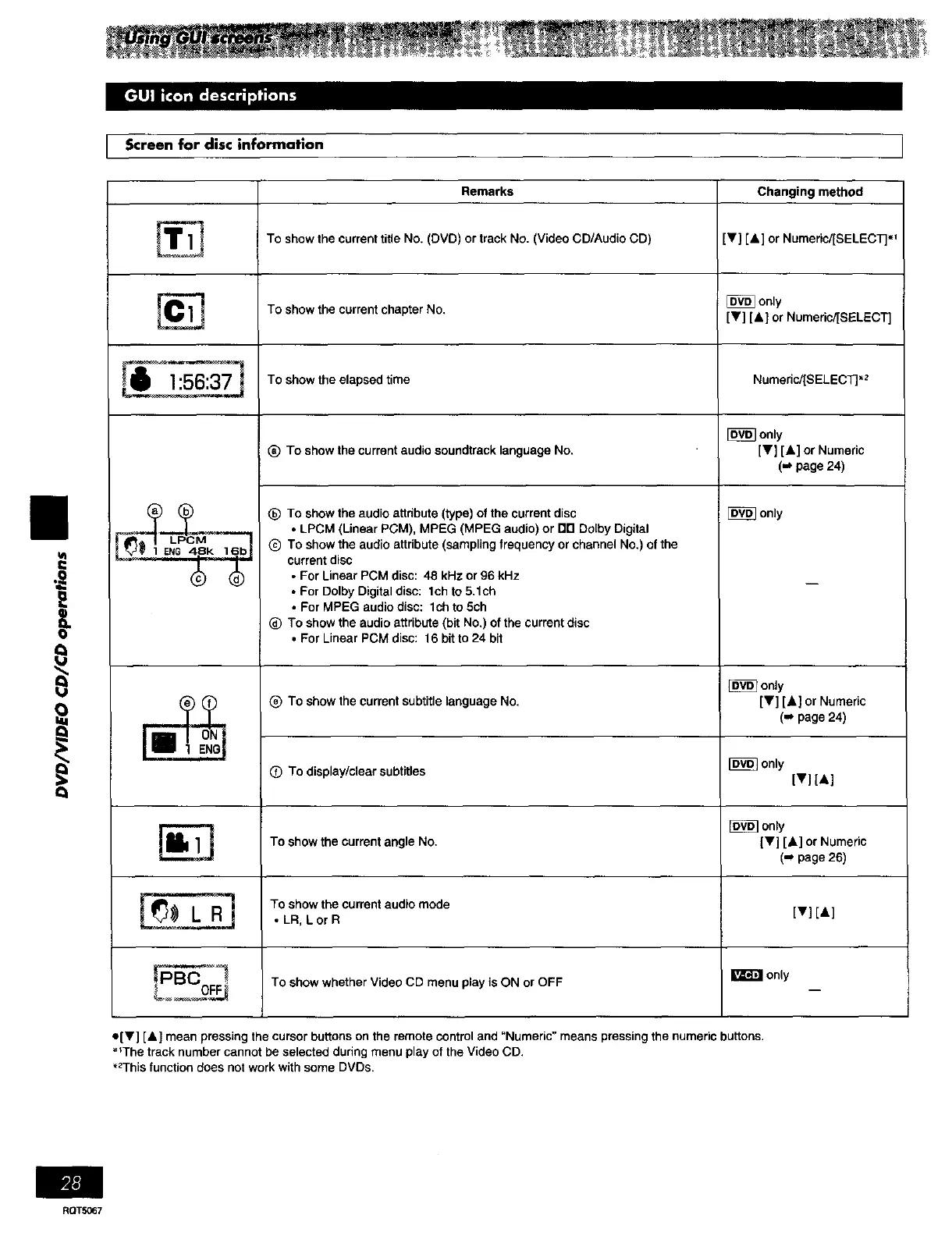
To show the current title No. (DVD) or track No. (Video CD/Audio CD) [y] [A] or Numeric/[SELECT]',_
I_ only
To show the current chapter No. [Y] [A] or Numeric/[SELECT]
To show the elapsed time Numeric/[SELECT] "2
[_ only
_) To show the currant audio soundtrack language No. [V] [A] or Numedc
(_ page 24)
[_ only
II
i
e
Q
_) To show the audio attribute (type) of the current disc
• LPCM (Linear PCM), MPEG (MPEG audio) or orl Do[by Digital
Q To show the audio atthbute (sampling frequency or channel No.) of the
current disc
• For Linear PCM disc: 48 kHz or 96 kHz
• For Dolby Digital disc: leh to 5.1ch
• For MPEG audio disc: lch to 5ch
(_ To show the audio attribute (bit No.) of the current disc
• For Linear PCM disc: 16 bit to 24 bit
only
_) To show the current subtitle language No. [V] [A] or Numeric
(m page 24)
O To display/clear subtitles _ only
[v][,]
only
To show the current angle No. IV] [A] or Numeric
(-_ page 26)
_ To show the current audio mode
L R • LR, Lor R [y] [A]
To show whether Video CD menu play is ON or OFF I_ only
o[y] [A} mean pressing the cursor buttons on the remote control and "Numeric" means pressing the numeric buttons.
• _The track number cannot be selected during menu play of the Video CD.
"2This function does not work with some DVDs.
RQTS067















 To Next Page