|
RQTSO67 • •
Recording
Types of tapes which can record correctly 1
The unit automatically identifies the type of tape.
NORMAL POSITION/TYPE I ©
HIGH POSITION/TYPE II ©
METAL POSITION/TYPE IV ×
This system cannot make a recording, or erase correctly, if metal
position tapes are used.
[ TOrecord from the beginning of the tape [] ]
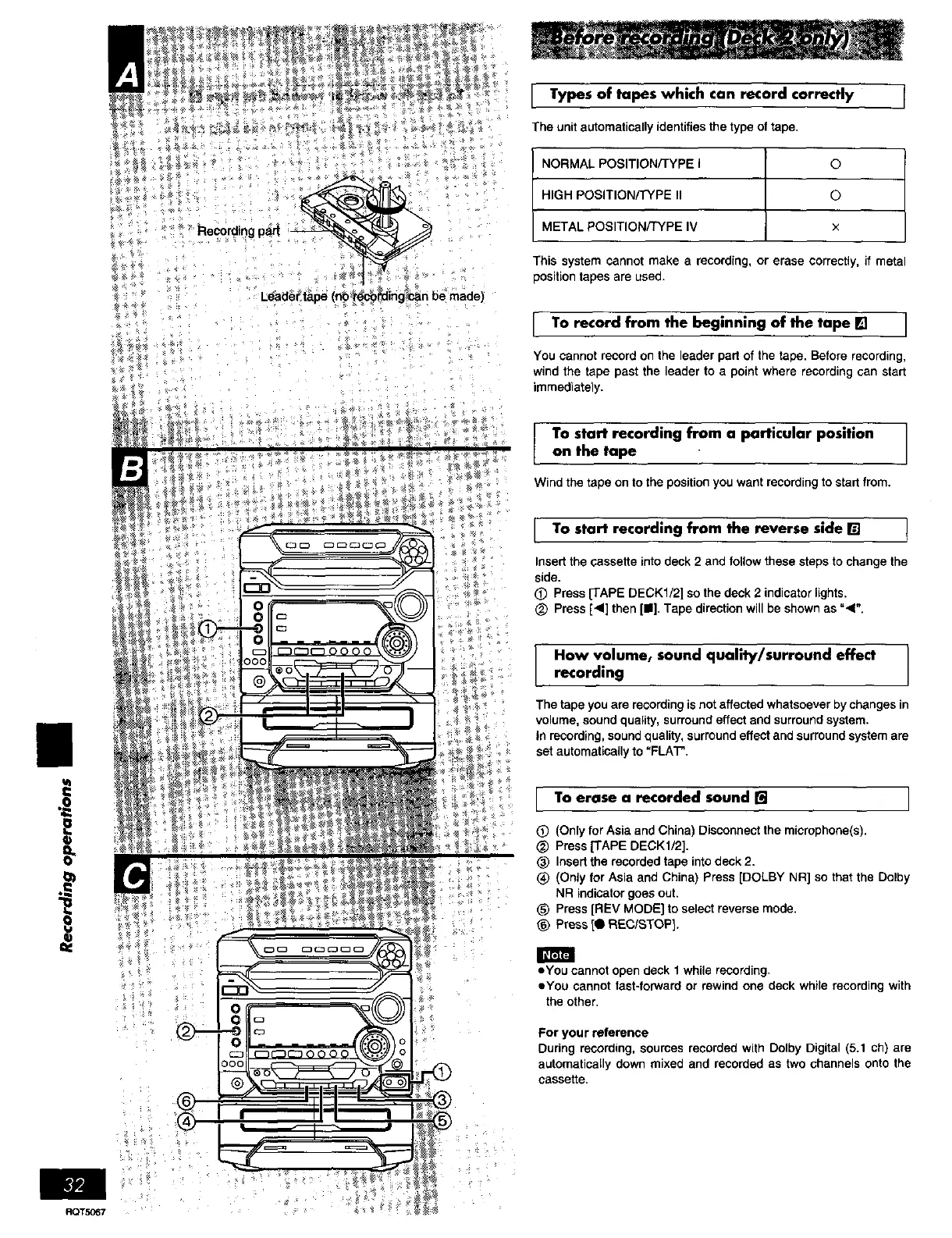
You cannot record on the leader part of the tape• Before recording,
wind the tape past the leader to a point where recording can start
immediately.
To start recording from a particular position
on the tape
Wind the tape on to the position you want recording to start from.
I TO start recording from the reverse side [] t
Insert the cassette into deck 2 and follow these steps to change the
side.
O Press [TAPE DECK1/2] so the deck 2 indicator lights.
_) Press [_1] then [I]. Tape direction will be shown as "_".
How volumet sound quality/surround effect
recording
The tape you are recording is not affected whatsoever by changes in
volume, sound quality, surround effect and surround system•
In recording, sound quality, surround effect and surround system are
set automatically to "FLAT".
r To erase a recorded sound [] I
L
I
(_) (Only for Asia and China) Disconnect the microphone(s).
_) Press [TAPE DECK1/2].
(_ Insert the recorded tape into deck 2.
(_ (Only for Asia and China) Press [DOLBY NR] so that the Dolby
NR indicator goes out.
_) Press [REV MODE] to select reverse mode•
_) Press [0 REC/STOP].
• You cannot open deck 1 while recording.
eYou cannot fast-forward or rewind one deck while recording with
the other.
For your reference
During recording, sources recorded with Dolby Digital (5.1 ch) are
automatically down mixed and recorded as two channels onto the
cassette.















 To Next Page