... ................... ....*.*** ..........
LIS]" ................... a e i; :tion
Insert the tape to be recorded on into deck 2.
Tape direction is automatically set to "1=-".
Change the tape direction if you want to start recording from the re-
verse side. (-_ page 32)
For your reference
Frequency displays are different according to the area.
Select a radio station.
("_ page 15, steps =11-1_1)
] • ± , *a• i i.
II
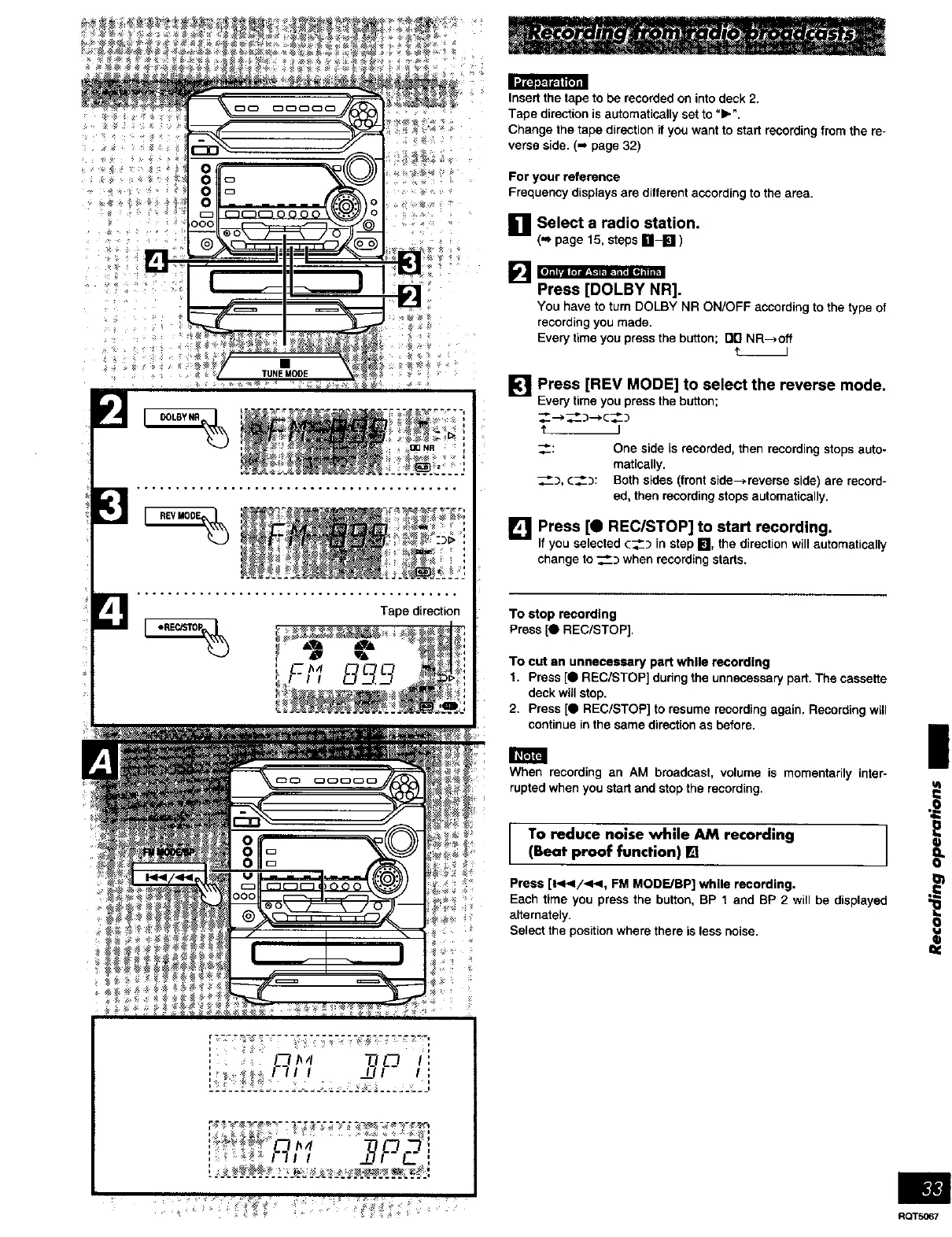
Press [DOLBY NR].
You have to turn DOLBY NR ON/OFF according to the type of
recording you made,
Every time you press the button; rid NR--_off
[] Press [REV MODE] to select the reverse mode.
Everytime youpressthebutton;
_-->__:)-->¢__)
'_ J
<-,
__), c_):
One side is recorded, then recording stops auto-
matically.
Both sides (front side->reverse side) are record-
ed, then recording stops automatically.
L!_'lJPress [0 REC/STOP] to start recording.
Ifyou selected(_) in step El, the directionwillautomatically
change to_) when recordingstarts.
To stop recording
Press [e REC/STOP].
To cut an unnecessary part while recording
1. Press [0 REC/STOP] during the unnecessary part. The cassette
deck will stop.
2, Press [O REC/STOP] to resume recording again. Recording will
continue in the same direction as before,
When recording an AM broadcast, volume is momentarily inter-
rupted when you start and stop the recording.
To reduce noise while AM recording /
(Beat proof function) []
]
Press [_v</-<<, FM MODE./BP] while recording.
Each time you press the button, BP 1 and BP 2 will be displayed
alternately.
Select the position where there is less noise.
=€
• i















 To Next Page