Ib
0
"1=
I=
0
i_z'z_r
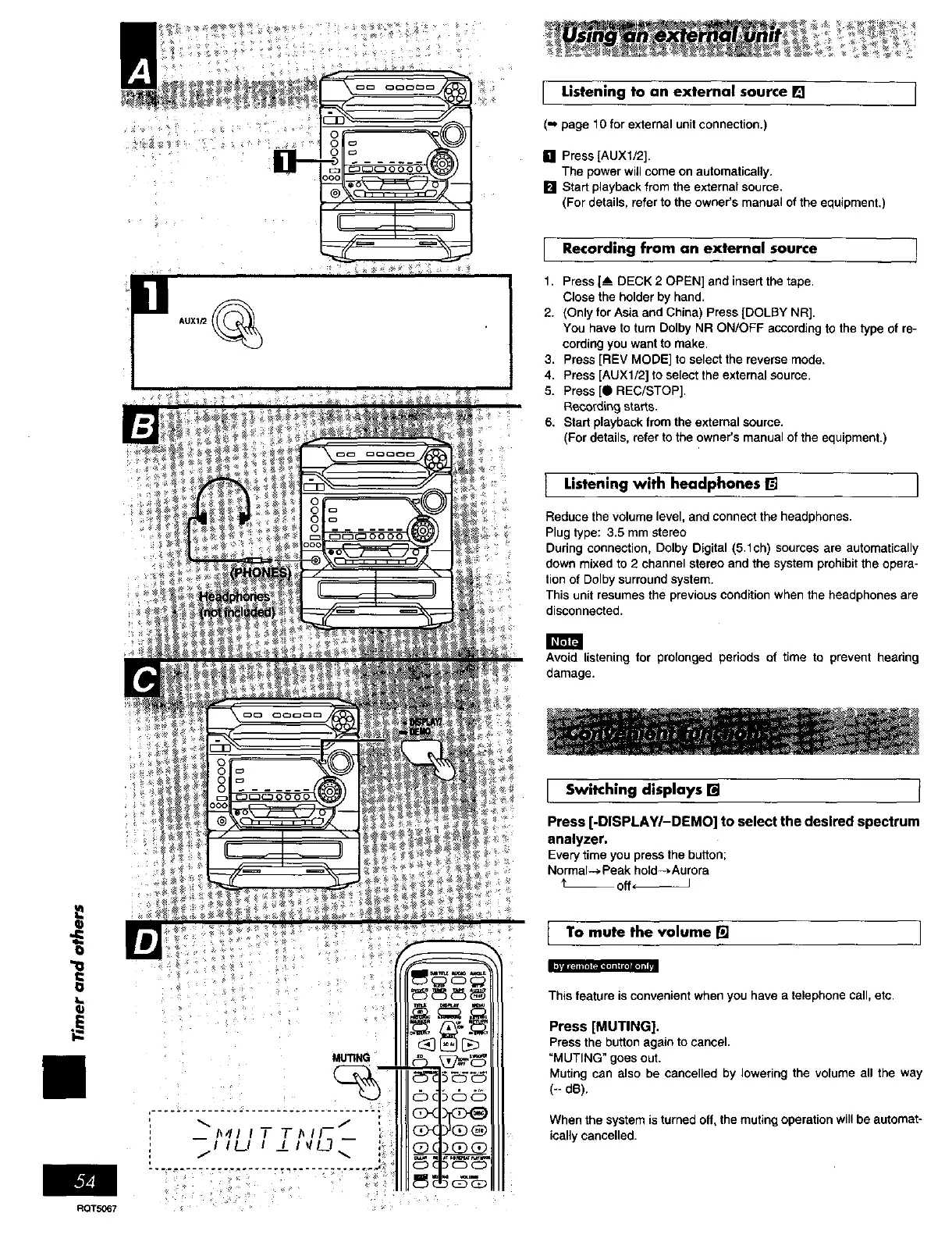
I Listening to an external source []
(- page 10for external unit connection.)
[] Press [AUXl/2].
The power will come on automatically.
[] Start playback from the external source.
(For details, refer to the owner's manual of the equipment.)
Recording from an external source
1. Press [_ DECK 2 OPEN] end insert the tape,
Close the holder by hand,
2. (Only for Asia and China) Press [DOLBY NR].
You have to turn Delby NR ON/OFF according to the type of re-
cording you want to make,
3, Press [REV MODE] to select the reverse mode.
4, Press [AUXl/2] to select the external source,
5. Press [0 REC/STOP],
Reco_'d{r_gstarts.
6. Start playback from the external source.
(For details, refer to the owner's manual of the equipment.)
Listening with headphones [] }
Reduce the volume level, and connect the headphones.
Plug type: 3.5 mm stereo
During connection, Dolby Digital (5.1ch) sources are automatically
down mixed to 2 channel stereo and the system prohibit the opera-
tion of Dolby surround system.
This unit resumes the previous condition when the headphones are
disconnected.
Avoid listening for prolonged periods o{ time to prevent headng
damage.
I Switching displays [] ]
Press [-DISPLAY/-DEMO] to select the desired spectrum
analyzer,
Every time you press the button;
Normal--) Peak holds.Aurora
't__ off ÷--J
{ To mute the volume [] I
This feature is convenient when you have a telephone call, etc.
Press [MUTING].
Pressthe buttonagainto cancel.
"MUTING"goesout.
Mutingcan also be cancelledby loweringthe volumeall the way
(-- d_).
When the system is turned off, the muting operation will be automat-
ically cancelled.
RQT5067















 To Next Page