This timer turns power to your system OFF at the set time (Max.
2 hours, settable at 30 minute intervals). It lets you fall asleep listen-
ing to music.
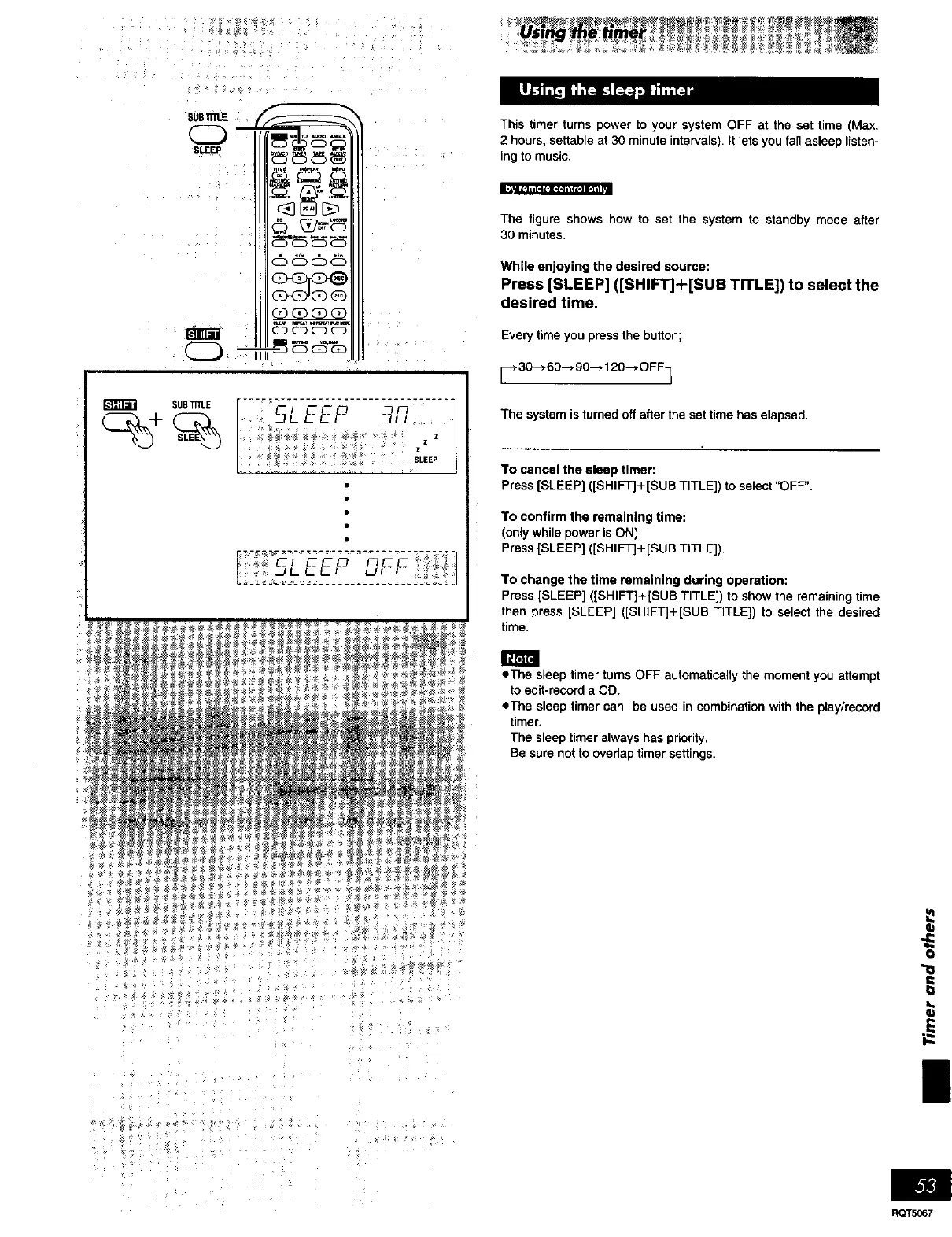
The figure shows how to set the system to standby mode after
30 minutes.
While enjoying the desired source:
Press [SLEEP] ([SHIFT]+[SUB TITLE]) to select the
desired time.
Every time you press the button;
[_ 30--_ 60---_90---* 120--* OFF_
The system is turned off after the set time has elapsed.
To cancel the sleep timer:
Press [SLEEP] ([SHIFT]+[SUB TITLE]) to select "OFF".
To confirm the remaining time:
(only while power isON)
Press [SLEEP] ([SHIFT]+[SUB TITLE]),
To change the time remaining during operation:
Press [SLEEP] ([SHIFT]+[SUB TITLE]) to show the remaining time
then press [SLEEP] ([SHIFT]+[SUB TITLE]) to select the desired
time,
• The sleep timer turns OFF automatically the moment you attempt
to edit-record a CO.
eThe sleep timer can be used in combination with the play/record
timer.
The sleep timer always has priority.
Be sure not to ovedap timer settings.
!
RQT5067















 To Next Page