I If the surfaces are dirty I
To clean this unit, wipe with a soft, dry cloth.
If the surfaces are extremely dirty, use a soft cloth dipped in s soap-
and-water solution or a weak detergent solution.
• Never use alcohol, paint thinner or benzine to clean this unit.
eBsfore using chemically treated cloth, read the instructions that
came with the cloth carefully.
J For a cleaner crisper sound I
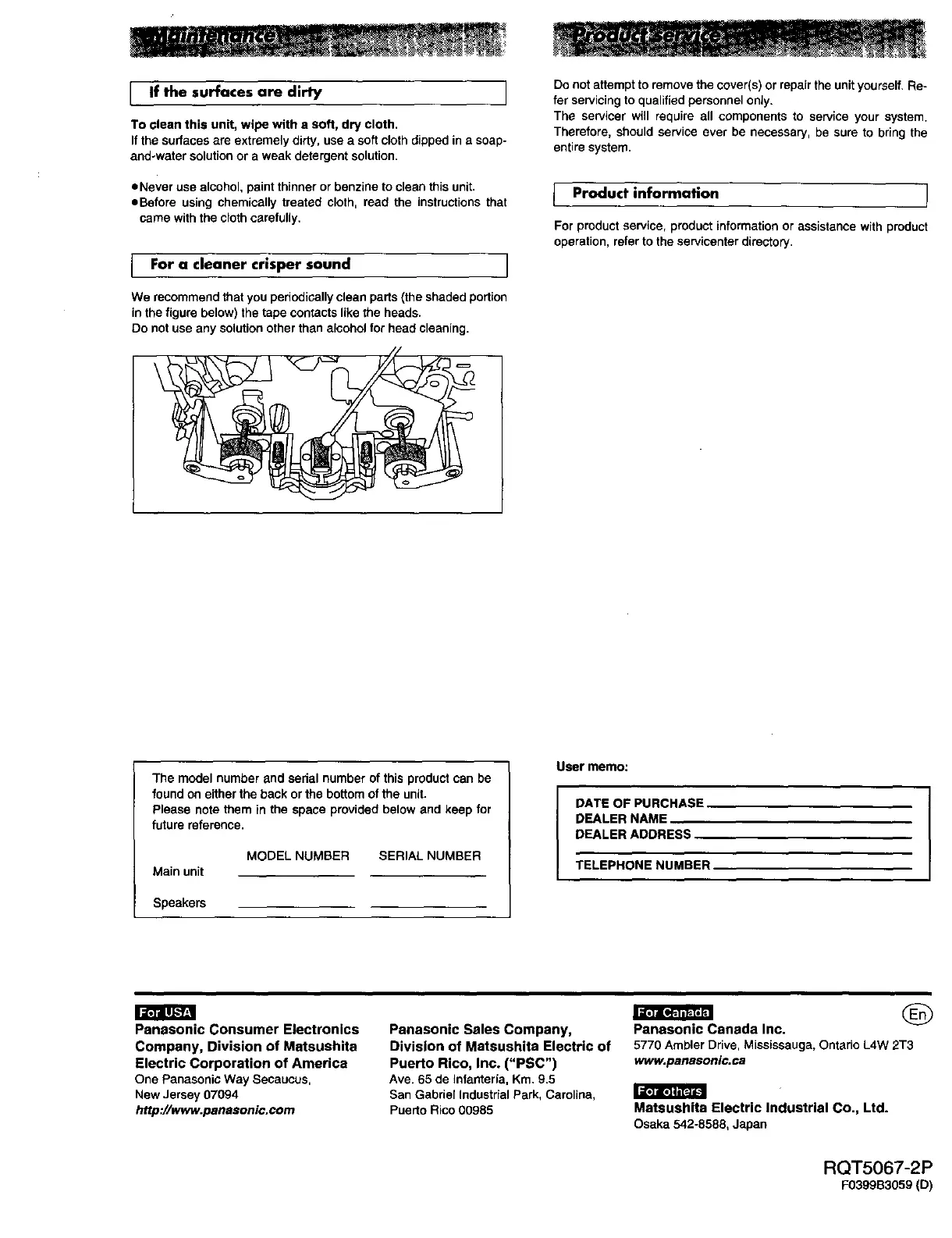
We recommend that you periodically clean parts (the shaded portion
in the figure below) the tape contacts like the heads.
Do not use any solution other than alcohol for head cleaning.
Do not attempt to remove the cover(s) or repair the unityourself. Re-
fer servicing to qualified personnel only.
The servicer will require all components to service your system.
Therefore, should service ever be necessary, be sure to bring the
entire system.
Product information ]
For product service, product information or assistance with product
operation, refer to the servicenter directory.
The model number and sedal number of this product can be
found on either the back or the bottom of the unit.
Please note them in the space provided below and keep for
future reference.
Main unit
MODELNUMBER SERIAL NUMBER
Speakem
User memo:
DATE OF PURCHASE
DEALER NAME
DEALER ADDRESS
TELEPHONENUMBER
!_rdV_7_l
Panasonic Consumer Electronics
Company, Division of Matsushita
Electric Corporation of America
One PanasonieWay Secaucus,
New Jersey07094
http://www.panasonic.com
Panasonic Sales Company,
Division of Matsushita Electric of
Puerto Rico, Inc. ("PSC")
Ave.65 de Infanteria, Km.9.5
San Gabde[ Industrial Park,Carolina,
Puerto Rico 00985
G
Panasonic Canada Inc.
5770 Ambler Drive, Mississauga, Ontario L4W 2T3
www.panasonic.ca
Matsushita Electric Industrial Co., Ltd.
Osaka542-8588, Japan
RQT5067-2P
E0399S3059 (D)















 To Previous Page