EasyManua.ls Logo

Panasonic SC-HT330 - User Manual

Panasonic SC-HT330
32 pages
Print Icon
To Next Page IconTo Next Page
Loading...
RQT8103-B
GCSEB GN GCT GC GS
Operating Instructions
DVD Home Theater Sound System
Model No. SC-HT330
Region number
The player plays DVD-Video marked with labels containing the region
number or “ALL”.
Example: [The\United\Kingdom\
Region Number
The United Kingdom, the Middle East,
South Africa, Saudi Arabia and Kuwait
2
Southeast Asia and Thailand 3
Australia and N.Z. 4
2 ALL
3
5
2
Before connecting, operating or adjusting this product,
please read the instructions completely.
Please keep this manual for future reference.
[Note[
“EB” on the packaging indicates the United Kingdom.
Advanced
progressive scan
Provides a smoother and sharper image.
page
6
Compatible with a variety
of media formats
DVD-RAM, DVD-Audio, DVD-Video and more.
page
9
High performance
sound effects
Sound field control (SFC), Dolby Pro Logic
II
and more.
page
22
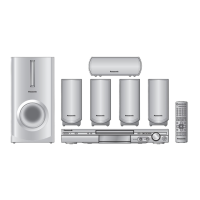
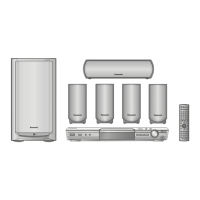
The illustration shows the model for the United Kingdom.
HT330 En.book Page 1 Friday, April 29, 2005 9:39 AM

Questions and Answers

  • R
    Rachel JacksonAug 17, 2025
    Why can't I access the Setup menu on my Panasonic SC-HT330 Home Theater System?
    • A
      Alexandra GarnerAug 17, 2025
      If you cannot access the Setup menu on your Panasonic Home Theater System, ensure that 'DVD/CD' is selected as the source. Also, cancel all group, program, and random play settings.
  • A
    Alejandro ChavezAug 28, 2025
    How to fix humming sound during play on Panasonic Home Theater System?
    • K
      Kimberly RamirezAug 28, 2025
      If you hear humming during playback on your Panasonic Home Theater System, it might be due to an AC mains lead or fluorescent light being near the cables. Try to keep other appliances and cords away from the unit's cables.
  • B
    Brandon HarrisAug 30, 2025
    How to fix noise or distorted sound on Panasonic Home Theater System?
    • R
      rwashingtonAug 30, 2025
      If you are experiencing noise or distorted sound with your Panasonic Home Theater System, and 'ST' flickers or doesn't light, or you hear a beat sound or low hum during AM broadcasts, try these steps: Adjust the position of the FM or AM antenna, or use an outdoor antenna. You can also try turning off the television or moving it away from the unit. Ensure the antenna is separated from other cables.
  • D
    Devon HortonSep 3, 2025
    What to do if my Panasonic SC-HT330 Home Theater System has no power?
    • M
      margaret94Sep 3, 2025
      If your Panasonic Home Theater System has no power and automatically switches to standby mode, ensure the AC mains lead is securely inserted. Also, check if the Sleep timer was working and reached its set time limit.
  • B
    blakerobertSep 5, 2025
    How do I fix ghosting or interlaced pictures on my Panasonic Home Theater System?
    • C
      churchdawnSep 5, 2025
      If you notice ghosting when progressive output is on, or if pictures are not in progressive output on your Panasonic Home Theater System, it could be due to the DVD-Video's editing method or material. Try changing 'Video Output Mode' in the Picture Menu to '625i (or 576i)' or '525i (or 480i)'. You can also press [SHIFT]i[PROGRESSIVE] so 'PRG' is displayed, or select '625p (or 576p)' or '525p (or 480p)' in 'Video Output Mode' in Picture Menu. Note that if the unit is connected to the television through VIDEO OUT, S-VIDEO OUT or SCART (AV) terminal, output will be interlace even if “PRG” is displayed.
  • M
    Mark GreeneSep 8, 2025
    How to adjust subtitle position on Panasonic SC-HT330 Home Theater System?
    • B
      Brandon ParksSep 8, 2025
      If the subtitle position is wrong or there are no subtitles on your Panasonic Home Theater System, adjust the position using the 'Subtitle Position' setting in the Display Menu.
  • L
    laura09Sep 12, 2025
    Why is Point B automatically set on my Panasonic SC-HT330 Home Theater System?
    • T
      Tracy RichSep 12, 2025
      On your Panasonic Home Theater System, Point B is automatically set when the end of an item is reached. Additionally, A-B Repeat is canceled when you press [QUICK REPLAY].
  • J
    Jessica JacksonSep 13, 2025
    Why can't I add markers on my Panasonic Home Theater System?
    • K
      Kevin WhiteSep 13, 2025
      You cannot add markers on [RAM] [DVD-RW[‹VR›] with your Panasonic Home Theater System if the disc’s elapsed play time doesn’t appear on the unit’s display.
  • N
    normanpatriciaNov 19, 2025
    Why is there no picture or sound on my Panasonic SC-HT330?
    • H
      hensonashleyNov 19, 2025
      If your Panasonic Home Theater System shows no picture or sound, there might be several reasons. Ensure the unit is playing compatible discs as listed in the operating instructions. Lightning, static electricity, or external factors could cause malfunction; try turning the unit off and on. Check the video or audio connections and the power or input settings of connected equipment. Also, verify that the disc has recorded content. If these steps don't work, turn the unit off, disconnect the AC mains lead, and reconnect it. Condensation may have formed; wait 1 to 2 hours for it to evaporate. Check that the batteries are installed correctly or replace depleted batteries in the remote. Aim the remote at the display. As a last resort, while stopped and with “DVD/CD” as the source, press and hold...
  • J
    Jennifer SimsNov 22, 2025
    What to do if my Panasonic SC-HT330 display is dark and shows 'NO PLAY', 'NO DISC', 'F61', 'DVD U11', 'ERROR', or 'DVD H??'?
    • D
      diane45Nov 22, 2025
      If your Panasonic Home Theater System displays a dark screen with error messages like 'NO PLAY,' 'NO DISC,' 'F61,' 'DVD U11,' 'ERROR,' or 'DVD H??,' try the following: First, in the 'Others' tab, select 'Bright' in 'FL Dimmer'. Ensure you've inserted a compatible disc correctly. If a disc is already inserted, it might be dirty; wipe it clean. If the error persists, turn the unit off and back on. Alternatively, disconnect the AC mains lead, then reconnect it. Check the speaker cord connections; if the problem continues, it may indicate a power supply issue, and you should consult a dealer. If service numbers appear and don't clear, note them and contact a qualified service person. If you have performed an incorrect operation, read the instructions and try again. If you inserted a blank disc...

Summary

Operating Instructions

Safety Precautions and Warnings

General Safety Guidelines

Provides essential safety advice to prevent fire, electric shock, and product damage.

Laser Product Safety

Warns about laser radiation hazards and prohibits unauthorized repairs.

Installation and Ventilation Requirements

Advises on proper unit placement, ventilation, and avoiding heat sources.

AC Mains Lead Safety and Wiring

Fuse Replacement and Plug Safety

Details safe procedures for replacing the fuse and handling the mains plug.

Mains Lead Wiring Color Code

Explains the color coding of wires for correct mains lead connection.

Simple Setup and Speaker Placement

Speaker Positioning Guidelines

Provides advice on optimal placement of speakers for enhanced sound field.

Speaker Cable Connections

Connecting Speaker Wires

Illustrates the correct procedure for connecting speaker wires to terminals.

Video Connection Options

Connecting to VIDEO IN Terminals

Details connection to televisions using standard VIDEO IN terminals.

Connecting to S-VIDEO IN Terminals

Explains S-Video connection for improved picture clarity.

Connecting to SCART Terminals

Covers SCART connection and signal output options.

Connecting to COMPONENT VIDEO IN

Describes component video connection for high-fidelity color reproduction.

Antenna and Power Connection

AC Mains Lead Installation

Details the correct and safe connection of the AC mains lead.

Remote Control Setup and Operation

Installing Remote Control Batteries

Guides on inserting batteries into the remote control unit.

Initial Unit Setup Procedure

Quick Setup Guide

Steps to configure basic settings using the on-screen interface.

Control Reference Overview

Remote Control Button Functions

Explains the purpose of various buttons on the remote control.

Disc Information and Handling

Supported Disc Formats

Lists all types of discs the unit can play, including DVD and CD formats.

Disc Cleaning and Care

Provides instructions on how to clean discs and handle them to prevent damage.

Basic Disc Playback

Playing Discs via Main Unit Controls

Step-by-step guide to playing discs using the main unit's buttons.

Remote Control Playback Functions

Player Settings and Configuration

Customizing Player Settings

Sound Field and Quality Features

Audio Level and Speaker Adjustments

Connecting and Operating Other Equipment

System Specifications Overview

Detailed Speaker Specifications

Troubleshooting Common Problems

Troubleshooting Menu and Display Errors

Picture Display Issues

Addresses problems with distorted pictures, aspect ratio, and color fading.

Playback and System Error Resolution

Covers troubleshooting playback errors, menu issues, and system warnings.

Panasonic SC-HT330 Specifications

General IconGeneral
TypeHome Theater System
Number of Speakers5
DVD PlayerYes
Dolby Digital DecoderYes
DTS DecoderYes
Progressive ScanYes
Video UpconversionNo
Component Video OutputYes
Composite Video OutputYes
Radio TunerFM/AM
USB PlaybackNo
BluetoothNo
Speaker Configuration5.1
Remote ControlYes
Supported MediaDVD, CD, MP3
Audio InputYes
InputsAudio

Related product manuals