EasyManua.ls Logo

Panasonic SC-HT743 - User Manual

Panasonic SC-HT743
40 pages
Print Icon
To Next Page IconTo Next Page
Loading...
RQT8582-4P
P PC PX
Operating Instructions
DVD Home Theater Sound System
Model No. SC-HT740/SC-HT940/
SC-HT743
Region number
The player plays DVD-Video marked with labels containing the region
number1” or “ALL”.
Example:
§
For Canada only: The word “Participant” is used in place of the word
“Partner”.
Before connecting, operating or adjusting this product,
please read the instructions completely.
Please keep this manual for future reference.
If you have any questions contact
In the U.S.A.: 1-800-211-PANA (7262)
In Canada: 1-800-561-5505
1 ALL
2
4
1
As an ENERGY STAR Partner,
Panasonic has determined that
this product meets the ENERGY STAR
guidelines for energy efficiency.
®
®
[U.S.A.[and[Canada[
High-quality
picture
HDMI capability, Advanced
progressive scan and more.
page
8
Wireless-ready
surround sound
Optional wireless surround
speaker connection.
U.S.A. and Canada
page
8
High-performance
sound effects
Sound quality enhancement,
Bass enhancement and more.
page
28
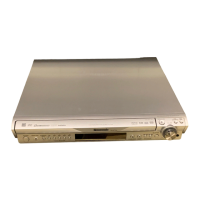
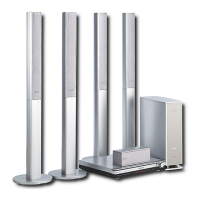
The illustration shows SC-HT740.
HT740 & 940En.b ook Page 1 Thursday, April 27, 2006 4:19 PM

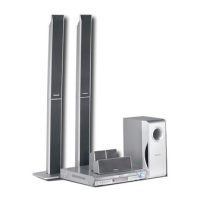
Table of Contents

Questions and Answers

  • D
    Dennis DodsonAug 5, 2025
    What to do if Panasonic SC-HT743 remote cannot operate the TV?
    • M
      maryvegaAug 5, 2025
      If you are unable to operate the television using your Panasonic Home Theater System's remote control, check the remote control code for the television manufacturer.
  • B
    Bradley SanfordAug 17, 2025
    What to do if subtitles are not displaying correctly on my Panasonic SC-HT743 Home Theater System?
    • B
      bruce45Aug 17, 2025
      If you're having trouble with subtitles on your Panasonic Home Theater System, such as incorrect positioning, missing subtitles, or overlap with closed captions, here are a few things you can try: * Adjust the subtitle position using the 'Subtitle Position' setting in the Display Menu. * Ensure subtitles are enabled by selecting 'Subtitle' in the Main menu. * If subtitles are overlapping, try clearing the subtitles.
  • S
    stephenaveryAug 23, 2025
    Why does my Panasonic SC-HT743 Home Theater System have no power?
    • K
      Kevin JohnsonAug 23, 2025
      If your Panasonic Home Theater System has no power or automatically switches to standby mode, it could be due to the following reasons: * The AC power supply cord may not be securely inserted. Ensure it is properly connected. * The Sleep timer may have reached its set time limit.
  • D
    Dr. Howard SanchezOct 29, 2025
    What to do if my Panasonic SC-HT743 Home Theater System is not responding to any buttons?
    • S
      Sierra Simon DDSOct 29, 2025
      If your Panasonic Home Theater System is unresponsive, with no buttons working, DVDs not playing, or no picture/sound, there are several possible causes and solutions: * The disc may not be compatible with the unit. This unit cannot play discs other than the ones listed in these operating instructions. * The unit may have malfunctioned due to external factors like lightning or static electricity. Try turning the unit off and then back on. * Condensation may have formed inside the unit. Wait 1 to 2 hours for it to evaporate. * The batteries in the remote control may be depleted or not installed correctly. Check the batteries and replace them with new ones if necessary. * The remote control may not be aimed correctly. Aim the remote control at the display and operate. * CD Mode ...
  • K
    Krystal HendricksNov 10, 2025
    How to fix a picture that is not displayed correctly on my Panasonic SC-HT743 Home Theater System?
    • J
      Jennifer MeyersNov 10, 2025
      If the picture on your television is not displaying correctly with your Panasonic Home Theater System, try the following: * Ensure the unit is connected directly to the television and not through a video cassette recorder. * Mobile telephone chargers can cause some disturbance. * If using an indoor antenna, switch to an outdoor antenna or move the television antenna wire away from the unit. * If you have multiple devices connected with HDMI, reduce the number to less than 4. * If using HDMI output, ensure your TV supports progressive video. If not, use other video connections. * If the picture is distorted via HDMI, press and hold [CANCEL] until it displays correctly. * Adjust 'TV Aspect' in the 'Video' tab or use the television's aspect ratio settings. * If your televisio...

Summary

Important Safety Instructions

General Safety Cautions

Covers laser safety, general warnings, and installation space requirements.

U.S.A. and Canada Electrical Safety

Provides electrical safety warnings and precautions for US and Canadian users.

Simple Setup

Assembling Front Speakers (Step 1)

Covers preparation and step-by-step assembly instructions for the front speakers.

Assembling Front Speakers (HT940)

Details specific assembly for the HT940 model and fall prevention measures.

Speaker Installation Options

Instructions for wall mounting speakers and fitting speaker stands.

Positioning the Speakers (Step 2)

Guidance on speaker placement for optimal sound and usage notes.

Speaker Connections (Step 3)

Instructions on how to correctly connect the speaker cables to the main unit.

Audio and Video Connections

Details basic audio, other video, and recorder connections.

Radio and AC Cord Connections (Step 5)

Connecting AM/FM antennas and the AC power supply cord.

Performing Quick Setup (Step 7)

Guides users through the initial system configuration process.

Audio and Video Connections (Step 4)

Overview of audio and video connection types, including HDMI.

Control Reference Guide

An overview of the remote control's functions and buttons.

Disc Information

Basic Play

Powering On and Disc Loading

Steps to power on the unit and load discs for playback.

Using the Remote Control

Detailed explanation of remote control functions for disc playback.

Convenient Functions

Playing Data Discs

Using On-Screen Menus

Other Settings

Changing Player Settings

Adjusting Speaker Delay Times

Optimizes surround sound by adjusting speaker distance settings.

Using the Radio

Using Sound Effects

Speaker Level Adjustments

Balances the volume levels for each surround speaker.

Operating Other Equipment

Using Other Useful Functions

Troubleshooting Guide

Power and Operational Issues

Addresses problems related to power, unit responsiveness, and button functions.

Specific Operation and Picture Issues

Resolves issues with menus, progressive video, and picture distortions.

Unit Display Errors

Interprets unit display messages like NOPLAY, NODISC, and error codes.

Disc Playback and Picture;Sound Issues

Troubleshooting disc errors, no picture, no sound, and password loss.

Panasonic SC-HT743 Specifications

General IconGeneral
TypeHome Theater System
Speaker Configuration5.1 Channel
Total Power Output1000 W
DVD PlayerYes
BluetoothNo
USB PortYes
Audio Formats SupportedDolby Digital, DTS
Total Output Power1000 W
Progressive ScanYes
Dolby DigitalYes
DTS DecoderYes
HDMI OutputYes
Digital Audio InputYes
Surround SoundYes
Playable File TypesMP3
InputsHDMI
OutputsHDMI

Related product manuals