Recording operations
20
RQT5243
1
2
3
4
5
REV MODE
2
REC/REC PAUSE
¥/¥;
FWD
FWD
5
1
4
3
OPEN/CLOSE
∫
OPEN
FWD
1
5
9
13
6
10
14
7
11
15
8
12
2 3 4
REC
FWD
1
5
9
13
6
10
14
7
11
15
8
12
2 3 4
Tape direction
Recording CDs
Normal recording
³Tracks are recorded in the order in which they are found on the CD.
³Tracks are cut in the middle when the end of the tape is reached.
³You can record from any point on the tape.
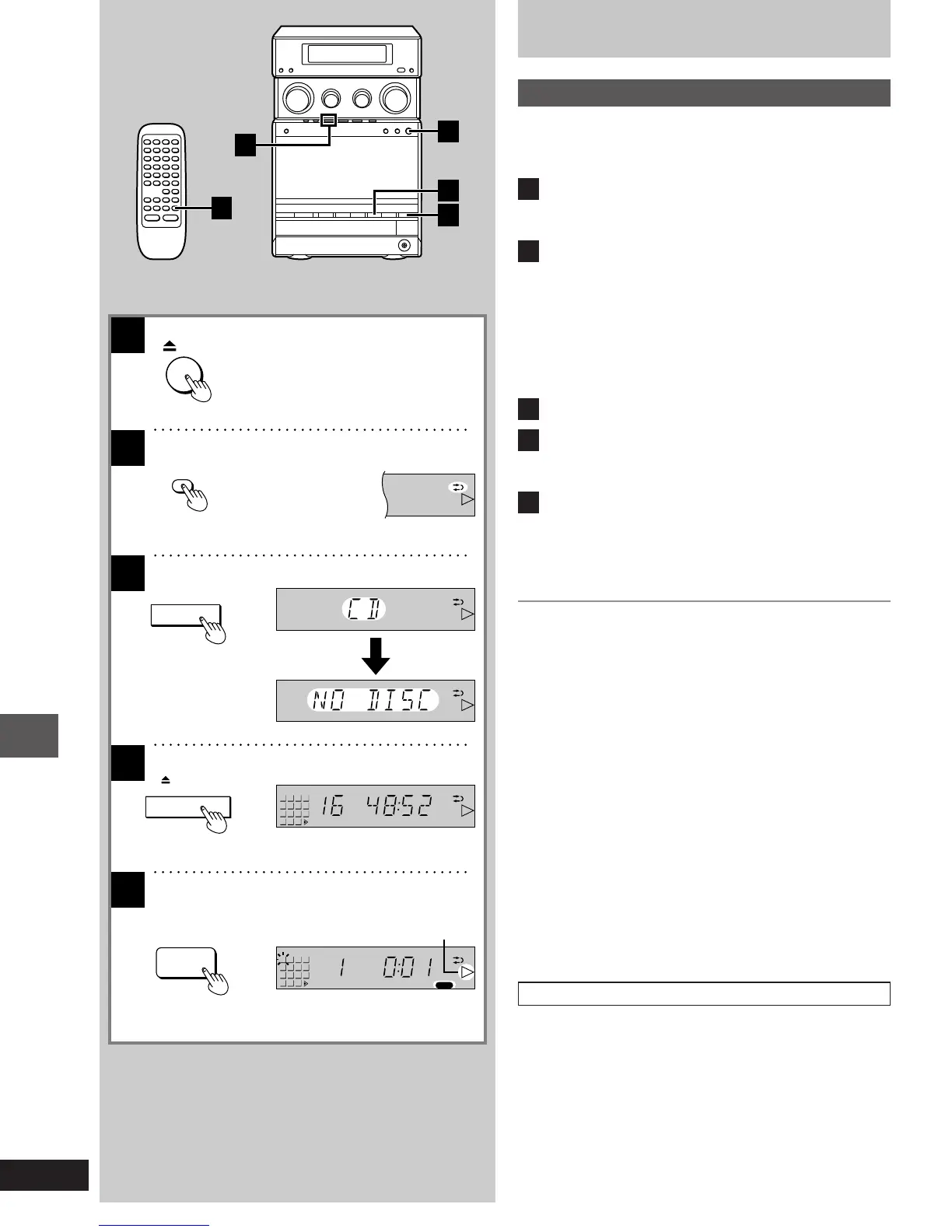
1
Press [< OPEN] and insert the tape.
Close the holder by hand.
Tape direction is automatically set to “I”.
2
Press [REV MODE] on the remote control to
select the reverse mode.
Each time you press the button;
b>d>f
^-------------------------}
b: One side is recorded, then recording stops auto-
matically.
d, f: Both sides (front side>reverse side) are recorded,
then recording stops automatically.
3
Press [º] to select the CD mode.
4
Press [< OPEN/CLOSE] to open the CD tray.
Insert the CD with label facing upward.
Press [< OPEN/CLOSE] to close the CD tray.
5
Press [´/´ ; REC/REC PAUSE] to start
recording.
³If you selected “f” in step [2], the direction will automatically
change to “d” when recording starts.
³The recording will start from the first track.
To stop recording
³To add a 4 second silent interval before stopping
Press [º] on the CD control section.
The CD will stop and the cassette deck will go into the recording
standby mode.
To cancel the recording standby mode, press [º] on the cassette
deck control section.
³To stop recording without a silent interval
Press [º] on the cassette deck control section.
The recording will stop and the CD will go on.
To stop recording temporarily
Press [´/´ ; REC/REC PAUSE].
To resume recording, press [´/´ ; REC/REC PAUSE].
To record on reverse side
Before recording, press [2 1] twice and immediately thereafter [º].
The tape direction will be shown as “J”.
To record from a specific point on a tape
Before recording, advance the tape to the point from where you want
to start recording.
To record programmed tracks
1. After step [4], program the track(s) you want (á steps [2]–[4] on
page 15).
2. Press [´/´ ; REC/REC PAUSE] to start recording.
1-23e.p65 11/9/99, 4:35 PM20














 To Next Page