Recording operations
22
RQT5243
1
2
3
2
1
3
REC/REC PAUSE
¥/¥;
CD EDIT
: 9
1-REC
5
FWD
1-REC
1
5
9
13
6
10
14
7
11
15
8
12
2 3 4
FWD
1-REC
1
5
9
13
6
10
14
7
11
15
8
12
2 3 4
FWD
1-REC
5
9
13
6
10
14
7
11
15
8
12
REC
FWD
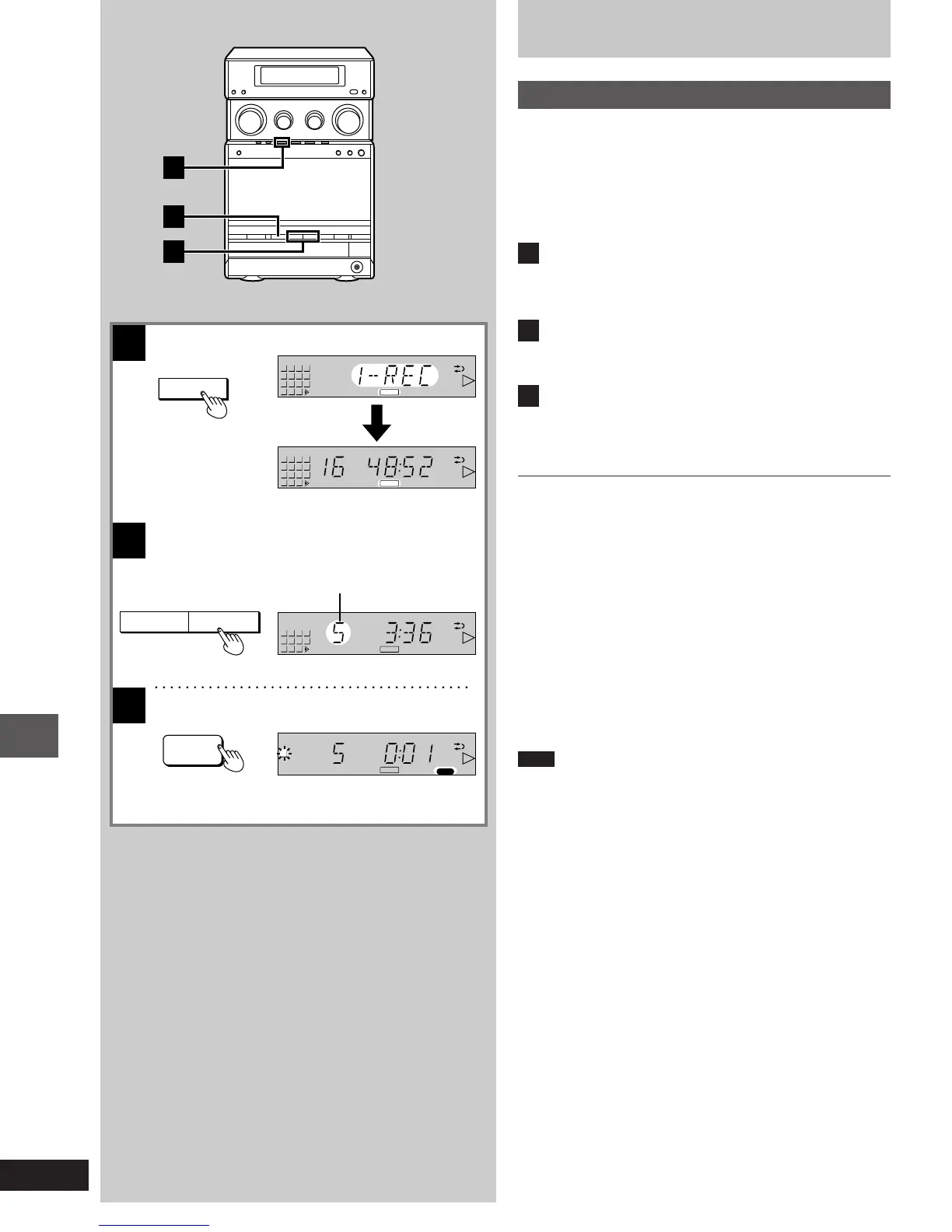
Specified track number
Recording CDs
One track edit recording (1-REC)
³You can select one of your favorite tracks from a CD to record.
³Tracks are cut in the middle when the end of the tape is reached,
but recording is resumed on side B.
³Recording can begin from any place on the tape.
[Before\recording]
Perform steps [1], [3] and [4] on page 20.
1
Press [CD EDIT] to select “1-REC”.
Each time you press the button;
AUTO>1-REC>OFF
^-----------------------------------}
2
Press [:] or [9] to select the track to be
recorded.
You can omit this step when recording the first track on the CD.
3
Press [´/´ ; REC/REC PAUSE].
CD play and recording begin simultaneously.
Records only one track and stops.
Reverse mode is displayed as “d”.
To continue recording with another CD
Press [< OPEN/CLOSE] to open the CD tray, insert a CD and follow
steps [2] and [3] above.
To stop recording
Press [º] on the cassette deck control section.
Both the tape and the CD stop.
To cancel the one track edit recording mode
Press [CD EDIT] to select “OFF”.
For your reference
³If you select one track edit recording when in program mode, the
first programmed track will be recorded.
³If you select one track edit recording when in random mode, the first
randomly selected track will be recorded.
Note
If one track edit recording is started when setting-up the sleep timer
or when the timer is activated, this will automatically cancel the sleep
timer.
1-23e.p65 11/9/99, 4:35 PM22














 To Next Page