RQTV0122
13
Sound adjustment
Selecting sound effects
You can change the sound effect by selecting Preset EQ or
adjusting the bass or treble effect.
Preset EQ
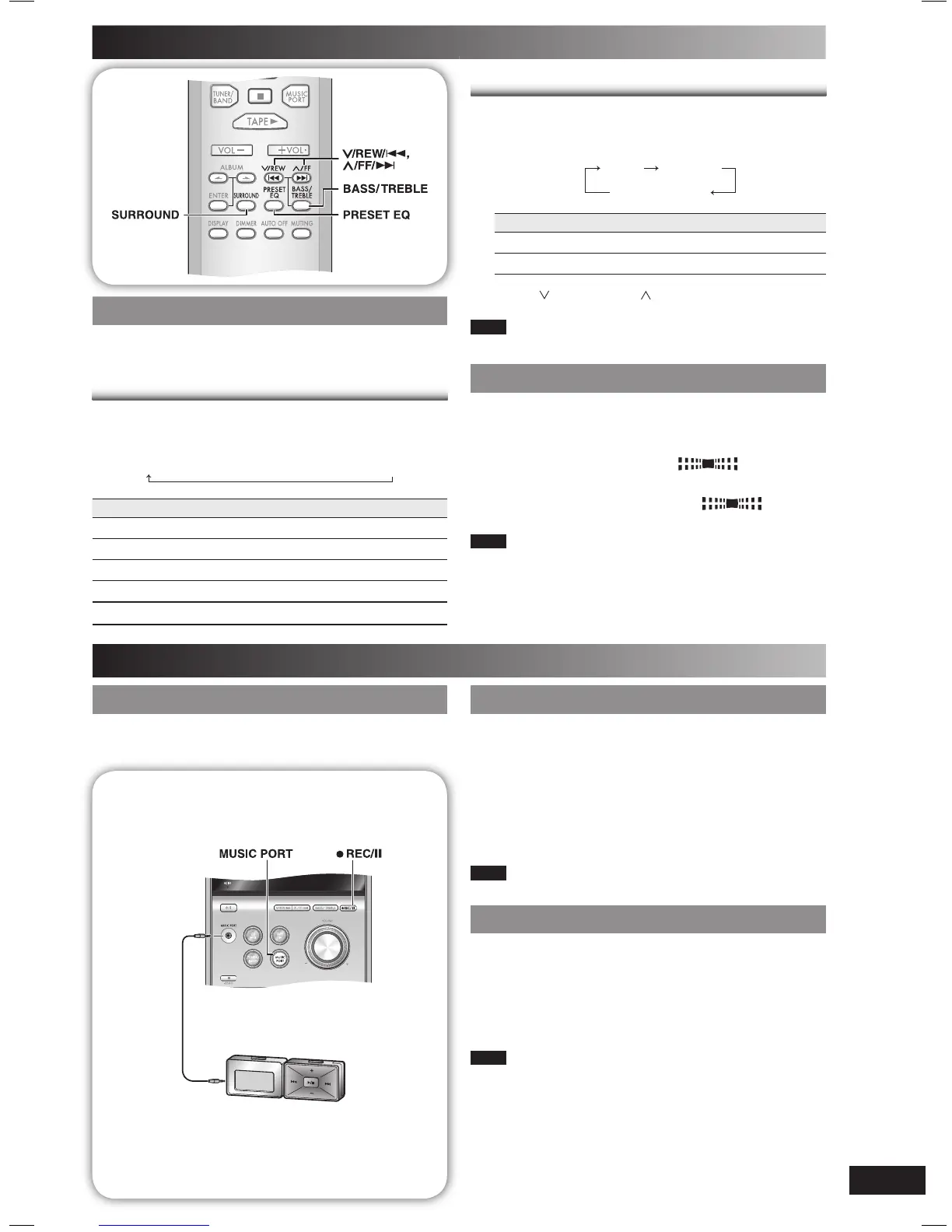
Press [PRESET EQ] repeatedly to select your desired
setting.
HEAVY
→
CLEAR
→
SOFT
→
VOCAL
→
EQ-OFF
Setting Effect
HEAVY Adds punch to rock
CLEAR Clarifi es higher frequencies
SOFT For background music
VOCAL Adds gloss to vocal
EQ-OFF No effect
Bass or treble
Enable you to enjoy the lower or higher pitch sound.
1
Press [BASS/TREBLE] repeatedly to select your
desired setting.
BASS TREBLE
original display
Setting Effect
BASS For lower pitch sound
TREBLE For higher pitch sound
2
Press [ /REW/4] or [ /FF/¢] to adjust the level.
Note
The tone level can be varied within -4 to +4.
Enjoying surround sound
Enable you to add natural width and depth to the stereo
sound.
To activate
Press [SURROUND] to display “
” indicator.
To cancel
Press [SURROUND] again to clear “
”
indicator.
Note
• Surround sound is less discernible when listening through
headphones.
• If interference in FM stereo reception increases, cancel the
surround sound effect.
External unit
Playing from portable audio
Playing from portable audio
quipment
Switch off the equalizer function (if there is any) of the
portable audio equipment before you plug into the MUSIC
PORT jack. Otherwise, sound from the speaker may be
distorted.
1
Plug the audio cord into the MUSIC PORT jack and
press [MUSIC PORT].
2
Play the portable audio equipment. (See the
portable audio equipment’s instruction manual.)
Note
All peripheral components and cables are sold separately.
Recording from portable audio
Recording from portable audio
quipment
1
Insert the cassette to be recorded.
2
Press [MUSIC PORT].
3
Play the portable audio equipment.
4
Press [¶ REC/
8
] to start recording.
Note
For other recording operations, refer to page 9, “Other basic
operations”.
Connecting to a portable audio
Connecting to a portable audio
t
This feature enables you to enjoy music from portable audio
equipment.
Audio cord (not included)
Portable audio equipment
(not included)
PM33_EB-En.indd 13PM33_EB-En.indd 13 2/22/06 1:09:49 PM2/22/06 1:09:49 PM















 To Next Page