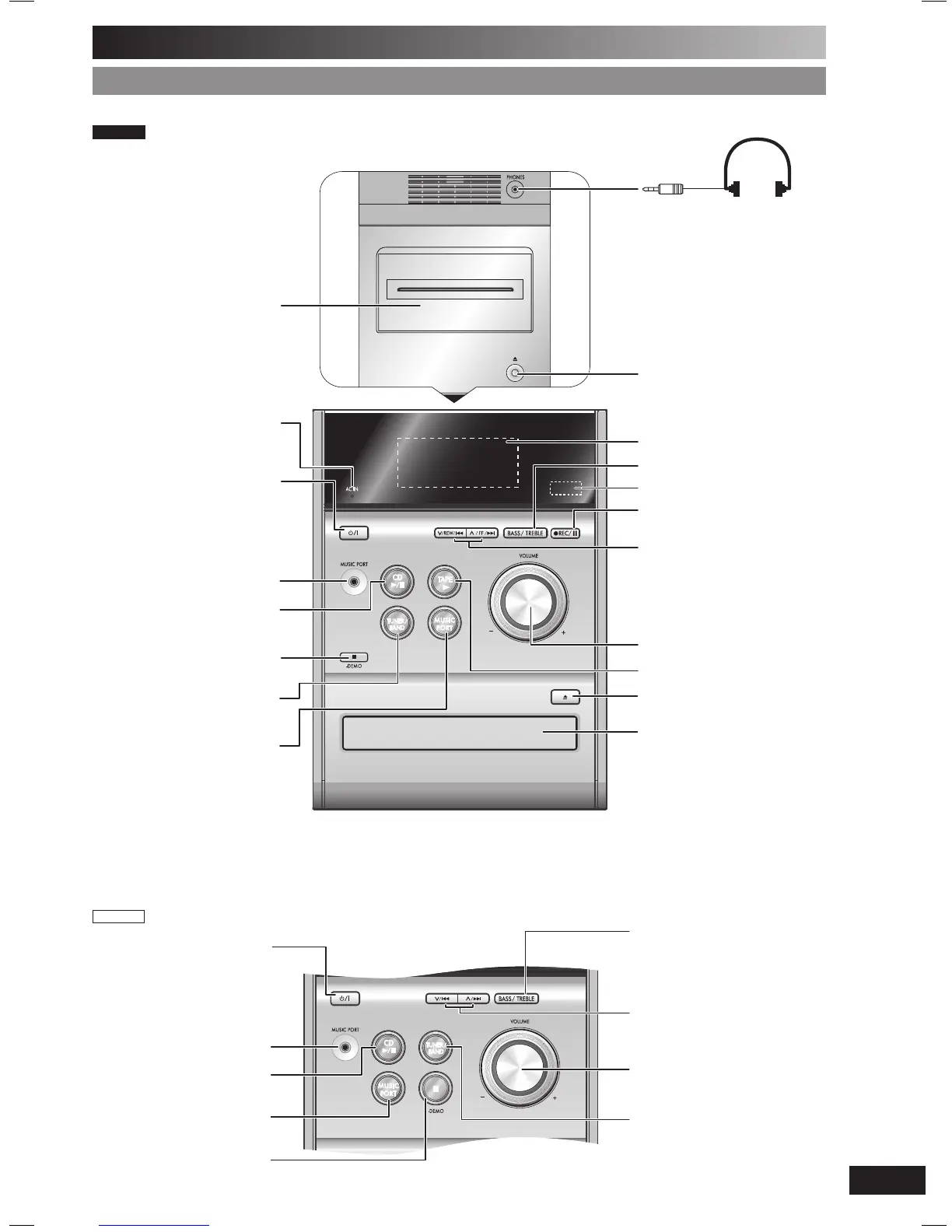
Main unit
Refer to the numbers in parentheses for page reference.
Top of unit
3 Tuner/Band/DAB selection
(12, 14)
Cassette lid
1 Standby/on switch (y/l)
(9, 18)
Press to switch the unit from on
to standby mode or vice versa.
In standby mode, the unit is still
consuming a small amount of
power.
Disc tray
Headphone jack
(PHONES)
Avoid listening for prolonged
periods of time to prevent
hearing damage.
Plug type: 3.5
mm stereo
(not included)
Cassette lid open (11)
5 Bass/Treble selection (19)
7 Volume control
Recording start/pause (11, 20)
2 Disc play/pause (9, 10, 11)
8 Tape play (11)
Disc tray open/close (9, 11)
6 Disc skip/search, tape
fast-forward/rewind, tune/
preset channel selection,
time adjustment, bass/treble
adjustment (9, 10, 11, 12, 14,
15, 17, 18, 19)
Remote control sensor
Stop/Demo (6, 9, 10, 11)
AC supply indicator (AC IN)
This indicator lights when the unit
is connected to the AC mains
supply.
Music port jack (20)
Display panel
4 Music port selection (20)
PM33DB
1
Standby/on switch (y/l)
(9, 18)
Press to switch the unit from on
to standby mode or vice versa.
In standby mode, the unit is still
consuming a small amount of
power.
Music port jack (20)
2
Disc play/pause
(9, 10)
4 Music port selection (20)
Stop/Demo (6, 9, 10)
5 Bass/Treble selection (19)
6 Disc skip/search, tune/
preset channel selection,
time adjustment, bass/treble
adjustment (9, 10, 12, 14, 15,
17, 18, 19)
7 Volume control
3 Tuner/Band/DAB selection
(12, 14)
PM32DB
PM32-33DB_EB_En.indd 7PM32-33DB_EB_En.indd 7 3/1/06 12:12:04 PM3/1/06 12:12:04 PM















 To Next Page