EasyManua.ls Logo

Panasonic sc-pt460 - User Manual

Panasonic sc-pt460
44 pages
Print Icon
To Next Page IconTo Next Page
Loading...
P6–13
QUICK START GUIDE
QUICK START GUIDE
QUICK START GUIDE
[EB]
RQTX0089-3B
Operating Instructions
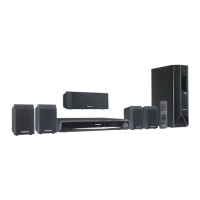
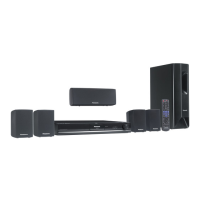
DVD Home Theater Sound System
Model No. SC-PT460
SC-PT467
Before connecting, operating or adjusting this
product, please read the instructions completely.
Please keep this manual for future reference.
[Note[
“EB” on the packaging indicates the United Kingdom.
Region number
The player plays DVD-Video marked with labels
containing the region number “2” or “ALL”.
Example:
2 ALL
3
5
2
VIERA Link compatible
Enjoy high-quality picture and linked
operations with your VIERA TV.
28
Sound enhancement
options
Surround Enhancer, Dolby Pro
Logic II, and more.
31
iPod connectivity
Enjoy iPod music through the
speakers, view iPod photos or
videos on the TV.
34
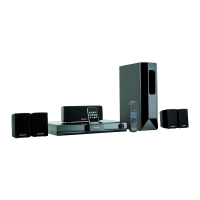
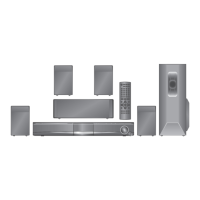
The illustration shows SC-PT460.
SC-PT460-467_Cover_Eng.fm Page 1 Monday, January 28, 2008 5:52 PM

Table of Contents

Questions and Answers

  • R
    ryanroseSep 8, 2025
    What to do if I forgot the ratings password on my Panasonic sc-pt460 Home Theater System?
    • T
      Taylor NguyenSep 8, 2025
      If you have forgotten your ratings password on your Panasonic Home Theater System, while stopped and with “DVD/CD” as the source, press and hold [?] (Stop) on the unit and [S10] on the remote control until “INITIALIZED” disappears from the TV. Then, turn the unit off and on again. Note that all settings will return to the default values.
  • B
    Briana BryantSep 7, 2025
    Why can't I charge or operate my iPod with my Panasonic sc-pt460?
    • K
      Kirk BurnsSep 7, 2025
      If you cannot charge or operate your iPod with your Panasonic Home Theater System, first check that the iPod is connected firmly. If it is, the battery of the iPod may be depleted; charge the iPod, and then try operating it again.
  • T
    terri24Aug 22, 2025
    Why is there no picture or sound on my Panasonic Home Theater System?
    • R
      ramirezkatrinaAug 22, 2025
      If you're experiencing no picture or sound on your Panasonic Home Theater System, check the video or speaker connections. Also, verify the power or input settings of both the connected equipment and the unit itself. Finally, ensure that the disc being played has recorded content on it.
  • D
    Diane HillSep 4, 2025
    What to do if Panasonic sc-pt460 buttons are not responding?
    • D
      Dennis MolinaSep 4, 2025
      If there is no response when any buttons are pressed on your Panasonic Home Theater System, it could be due to a few reasons. First, confirm that the unit can play the type of disc you are using, as it may not support all disc formats. If that's not the issue, the unit may not be operating properly due to external factors such as lightning or static electricity; try turning the unit off and then back on. Finally, condensation may have formed inside the unit; wait 1 to 2 hours for it to evaporate.
  • W
    wagneralanSep 3, 2025
    What does “DVD U11” mean on a Panasonic Home Theater System?
    • M
      Michael JonesSep 3, 2025
      If your Panasonic Home Theater System displays “DVD U11”, the disc may be dirty. Wipe it clean.
  • S
    Scott WilsonSep 1, 2025
    Why does my Panasonic Home Theater System automatically switch to standby mode?
    • H
      Heather AndersonSep 2, 2025
      If your Panasonic Home Theater System automatically switches to standby mode, it is likely that the Sleep timer was active and reached the set time limit.
  • T
    Teresa HillAug 31, 2025
    How to fix “OVER CURRENT ERROR” on Panasonic sc-pt460?
    • M
      marcus60Aug 31, 2025
      If your Panasonic Home Theater System displays “OVER CURRENT ERROR”, it indicates that the USB device is drawing too much power. To resolve this, switch to DVD/CD mode, remove the USB device, and then turn the unit off.
  • S
    Stacy MartinezAug 30, 2025
    Why can't I access the Setup menu on my Panasonic sc-pt460 Home Theater System?
    • S
      Sarah JohnsonAug 30, 2025
      If the Setup menu cannot be accessed on your Panasonic Home Theater System, ensure that “DVD/CD” is selected as the source. Also, cancel Program and Random play.
  • K
    Keith RodriguezAug 28, 2025
    How to stop my Panasonic sc-pt460 remote from controlling other devices?
    • D
      Dr. Kevin GonzalesAug 29, 2025
      If other products are responding to your Panasonic Home Theater System remote control, try changing the remote control operating mode.
  • W
    wilsonmichaelAug 27, 2025
    Why does my Panasonic Home Theater System say “NO PLAY”?
    • J
      Jennifer BradshawAug 27, 2025
      If your Panasonic Home Theater System displays “NO PLAY”, it could be due to several reasons: you may have inserted a disc that the unit cannot play, you may have inserted a blank disc, or you may have inserted a disc that has not been finalized. Try inserting a disc that is compatible with the unit.

Summary

Quick Start Guide

Positioning

Guides speaker placement for optimal sound field and bass response.

Digital Transmitter Connection

Instructions for connecting the PT467 digital transmitter to the unit.

Cable Connections

Step-by-step guide for connecting speakers, antennas, and audio/video cables.

AC Mains Lead Connection

Instructions for safely connecting the AC mains lead.

Remote Control Preparation

Guide on inserting batteries and preparing the remote control.

Performing Quick Setup

Step-by-step process for initial system setup via on-screen menu.

Presetting Radio Stations

Instructions for tuning and saving FM radio stations.

Using Sound Effects

Real Center Focus

Adjusts center speaker sound to appear from the TV for enhanced realism.

Surround Enhancer

Enhances the surround sound effect for 5.1 channel audio.

Dolby Pro Logic II

Converts stereo sources into 5-channel surround sound.

Whisper-mode Surround

Improves surround effect at low listening volumes.

Equalizer Settings

Selects sound quality profiles: Heavy, Clear, Soft, or Flat.

Operating Other Equipment

USB Device Playback

Connect and play media files from USB storage devices.

Enjoying TV Audio

Route TV audio through the home theater system via SCART/AUX.

Enjoying Digital Audio

Connect digital audio sources via the OPTICAL IN terminal.

Troubleshooting Guide

Power and Display Troubleshooting

Solutions for power, standby mode, and unit display issues.

Disc Playback Troubleshooting

Addresses "NO PLAY", "NO DISC", and "OVER CURRENT ERROR".

Connection and System Troubleshooting

Resolving F61, F76, U70 errors, and wireless system issues.

Sound and Picture Troubleshooting

Solutions for distorted sound, no sound, and picture display problems.

Panasonic sc-pt460 Specifications

General IconGeneral
TypeHome Theater System
Number of speakers5.1
Total Power Output1000W
DVD PlayerYes
HDMIYes
Progressive ScanYes
Speaker TypeSatellite
SubwooferYes
BluetoothNo
USB PortYes
Playable file formatsMP3, WMA

Related product manuals