EasyManua.ls Logo

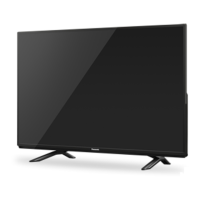
Panasonic TH-40CX600S - User Manual

Panasonic TH-40CX600S
126 pages
Print Icon
To Next Page IconTo Next Page
Loading...
© Panasonic Corporation 2015.
ORDER NO. MTV1505402CE
LED TV
Model No. TH-40CX600S
TH-50CX600S
Chassis: LA59
Destination: SINGAPORE
TABLE OF CONTENTS
PAGE PAGE
1 Safety Precautions----------------------------------------------- 3
1.1. General Guidelines---------------------------------------- 3
1.1.1. Leakage Current Cold Check---------------------- 3
1.1.2. Leakage Current Hot Check (See Figure
1.) --------------------------------------------------------- 3
2 Warning-------------------------------------------------------------- 4
2.1. Prevention of Electrostatic Discharge (ESD)
to Electrostatically Sensitive (ES) Devices---------- 4
2.2. About lead free solder (PbF)---------------------------- 5
3 Service Navigation ----------------------------------------------- 6
3.1. Service Hint ------------------------------------------------- 6
4 Specifications ----------------------------------------------------- 7
5 CS Maintenance Menu ------------------------------------------ 9
5.1. How to enter into CS Maintenance Menu ----------- 9
5.1.1. Purpose ------------------------------------------------- 9
5.1.2. Key command ----------------------------------------- 9
5.1.3. How to exit---------------------------------------------- 9
5.2. Repack ------------------------------------------------------- 9
5.3. EDID Clock-------------------------------------------------10
5.4. USB HDD Drive Check----------------------------------10
5.5. System Information-------------------------------------- 11
5.5.1. How to access --------------------------------------- 11
5.5.2. How to exit -------------------------------------------- 11
5.6. Hotel mode ------------------------------------------------ 12
5.6.1. Purpose------------------------------------------------ 12
5.6.2. Access command to the Hotel mode setup
menu --------------------------------------------------- 12
5.6.3. To exit the Hotel mode setup menu------------- 12
5.6.4. Explain the Hotel mode setup menu ----------- 12
5.7. Data Copy by USB Memory--------------------------- 13
5.7.1. Purpose------------------------------------------------ 13
5.7.2. Preparation-------------------------------------------- 13
5.7.3. Data copy from TV set to USB Memory ------- 14
5.7.4. Data copy from USB Memory to TV set ------- 15
6 Troubleshooting Guide --------------------------------------- 16
6.1. Check of the IIC bus lines------------------------------ 16
6.1.1. How to access --------------------------------------- 16
6.1.2. Self-check indication only ------------------------- 16
6.1.3. Self-check indication and forced to factory
shipment setting ------------------------------------- 16


Table of Contents

Question and Answer IconNeed help?

Do you have a question about the Panasonic TH-40CX600S and is the answer not in the manual?

Overview

This document provides a comprehensive service manual for the Panasonic LED TV models TH-40CX600S and TH-50CX600S, designed for the Singapore market. It covers essential information for servicing, maintenance, and troubleshooting.

The primary function of these devices is to serve as LED televisions, offering a display resolution of 3840 (W) x 2160 (H) pixels, indicating 4K Ultra HD capability. The display technology is LED backlight Liquid Crystal Display. Audio output is rated at 20 W (10 W + 10 W).

Important Technical Specifications:

  • Model Numbers: TH-40CX600S, TH-50CX600S
  • Chassis: LA59
  • Destination: Singapore
  • Dimensions (W x H x D):
    • TH-40CX600S (40-inch model): 904 mm × 567 mm × 235 mm (With Pedestal); 904 mm × 518 mm × 63 mm (TV only)
    • TH-50CX600S (50-inch model): 1126 mm × 701 mm × 235 mm (With Pedestal); 1126 mm × 652 mm × 63 mm (TV only)
  • Mass:
    • TH-40CX600S: 14.0 kg Net (With Pedestal); 12.0 kg Net (TV only)
    • TH-50CX600S: 19.0 kg Net (With Pedestal); 17.0 kg Net (TV only)
  • Power Source: AC 220-240 V, 50 / 60 Hz
  • Rated Power Consumption:
    • TH-40CX600S: 110 W
    • TH-50CX600S: 149 W
  • Standby Power Consumption: 0.50 W
  • Visible Screen Size (diagonal):
    • TH-40CX600S: 100 cm
    • TH-50CX600S: 126 cm
  • Display Resolution: 3840 (W) × 2160 (H)
  • Panel: LED backlight Liquid Crystal Display
  • Speaker Output: 20 W (10 W + 10 W)
  • Connection Terminals:
    • AV IN (COMPONENT / VIDEO): VIDEO (RCA PIN Type × 1, 1.0 V[p-p] (75 Ω)), AUDIO L - R (RCA PIN Type × 2, 0.5 V[rms]), Y (1.0 V[p-p] (including synchronization)), PB/CB, PR/CR (±0.35 V[p-p])
    • HDMI 1 / 2 / 3 Input: TYPE A Connectors. HDMI1 / 3: 4K, Content Type, Deep Colour, x.v.Colour™. HDMI2: 4K, Content Type, Audio Return Channel, Deep Colour, x.v.Colour™. Supports 'HDAVI Control 5' function.
    • ETHERNET: 10BASE-T / 100BASE-TX
    • USB 1 / 2 / 3: USB1 / 2: DC 5 V, Max. 500 mA [Hi-Speed USB (USB 2.0)]. USB3: DC 5 V, Max. 900 mA [SuperSpeed USB (USB 3.0)].
    • DIGITAL AUDIO OUT: PCM / Dolby Digital / DTS, Fibre optic
  • Receiving Systems / Band Name (17 SYSTEMS): Includes PAL B, G, H, I, D, K; SECAM B, G, D, K, K1; NTSC M (NTSC 3.58 / 4.5 MHz), 4.43 / 5.5 MHz, 4.43 / 6.0 MHz, 4.43 / 6.5 MHz; NTSC 3.58 / 5.5 MHz, 3.58 / 6.0 MHz, 3.58 / 6.5 MHz; PAL 60 Hz / 5.5 MHz, 6.0 MHz, 6.5 MHz. Digital TV supports 7 MHz VHF / 8 MHz UHF free-to-air TV broadcast reception.
  • Receiving Channels (Analogue TV): VHF BAND (2-12 PAL/SECAM B, K1; 0-12 PAL B AUST.; 1-9 PAL B N.Z.; 1-12 PAL/SECAM D; 1-12 NTSC M Japan; 2-13 NTSC M USA). UHF BAND (21-69 PAL G, H, I/SECAM G, K, K1; 28-69 PAL B AUST.; 13-57 PAL D, K; 13-62 NTSC M Japan; 14-69 NTSC M USA). CATV (S1-S20 OSCAR; 1-125 USA CATV; C13-C49 JAPAN; S21-S41 HYPER; Z1-Z37 CHINA; 5A, 9A AUST.).
  • Aerial Input: VHF / UHF
  • Operating Conditions: Temperature 0°C - 40°C; Humidity 20 % - 80 % RH (non-condensing)
  • Built-in Wireless LAN: Standard compliance and Frequency range (IEEE802.11a/n: 5.15 GHz -5.35 GHz, 5.47 GHz -5.85 GHz; IEEE802.11b/g/n: 2.400 GHz - 2.4835 GHz). Security: WPA2-PSK (TKIP/AES), WPA-PSK (TKIP/AES), WEP (64 bit/128 bit).

Usage Features:

The manual details several user-accessible and service-specific features:

  • CS Maintenance Menu: This menu allows for checking and adjusting various settings after parts exchange. It can be accessed by pressing the [VOLUME ( - )] button on the main unit and the [RED] button on the remote control three times within 2 seconds. Note that it cannot be entered with a 3D signal input. Functions include:
    • Repack: For selecting options within the maintenance menu.
    • EDID Clock: For checking HDMI clock speed and number.
    • USB HDD Drive Check: For verifying USB HDD functionality and history.
    • System Information: Provides detailed information about the TV's software version, model IDs, LSI package/release, model data version, NAND Flash bad block count, reboot/crash/SOS counters, power-on period/timer, SOS history, and EEPROM/ROMCOR versions. Accessible via [MENU] -> [? Help] -> [System Information].
  • Hotel Mode: This feature restricts certain functions, useful for hotel environments. It can be accessed by pressing [Vol. Down] on the TV and [AV] three times on the remote control within 2 seconds. Settings include:
    • Hotel Mode On/Off: Enables or disables hotel mode.
    • Initial INPUT: Sets the default input when the TV is powered on (Off, Analogue, DVB-C, DVB-T, AV1, AV2, HDMI1, HDMI2, HDMI3). "Off" prioritizes the last memory.
    • Initial POS: Sets the initial program number (Off/0 to 99). "Off" prioritizes the last memory.
    • Initial VOL Level: Adjusts the volume when the TV is switched on (Off/0 to 100). "Off" prioritizes the last memory.
    • Maximum VOL Level: Sets the maximum adjustable volume (0 to 100).
    • Button Lock: Selects local key conditions (Off/SETUP/MENU). "Off" means all buttons are valid. "SETUP" invalidates F-key (tuning guide/menu cannot be selected). "MENU" invalidates F-key (only Volume/Mute can be selected).
    • Remote Lock: Selects remote control key conditions (Off/SETUP/MENU). "Off" means all buttons are valid. "SETUP" invalidates only the Setup menu. "MENU" invalidates Picture/Sound/Setup menus. "VOD" invalidates NETFLIX service.
    • Private Information: Determines whether VIERA Cast private information is kept or reset when Hotel mode is "On" and the TV powers on.
  • Data Copy by USB Memory: This feature allows copying data between TV sets or for board replacement.
    • Purpose: Facilitates data transfer from an original A-board to a new A-board during replacement, or copying master TV settings to multiple TVs in a hotel/facility.
    • Preparation: Requires creating a specific ".pwd" file (boardreplace.pwd for board replacement or hotel.pwd for hotel settings) on an empty USB memory stick.
    • Copy from TV to USB Memory: Involves turning on the TV, inserting the USB memory with the startup file, and inputting a password (2770 for board replacement, 4850 for hotel). Data copying takes 2-6 minutes.
    • Copy from USB Memory to TV: Involves turning on the TV, inserting the USB memory with the data folder, and inputting a password (2771 for board replacement, 4851 for hotel). Data is deleted from USB after board replacement copy (limited one copy), but not for hotel copies.

Maintenance Features:

The manual emphasizes several safety and troubleshooting procedures:

  • Safety Precautions:
    • General Guidelines: Includes observing original lead dress, proper installation of protective devices, avoiding equipment modification, replacing entire wiring units if damaged, and plugging Faston connectors straight in/out.
    • Leakage Current Cold Check: Measures resistance between the jumpered AC plug and exposed metallic parts to ensure safety (8.5Mohm to 13Mohm, or infinite if no return path).
    • Leakage Current Hot Check: Measures potential across a resistor connected between exposed metallic parts and earth ground while the AC cord is plugged in. Potential should not exceed 0.75 volts RMS (leakage current not exceeding 1/2 milliamp).
  • Warning (Electrostatic Discharge - ESD): Provides detailed instructions to prevent ESD damage to Electrostatically Sensitive (ES) Devices (semiconductors, ICs, field-effect transistors). This includes grounding oneself, placing assemblies on conductive surfaces, using grounded soldering irons and anti-static removal devices, avoiding freon-propelled chemicals, and minimizing bodily motions when handling unpackaged ES devices.
  • About Lead-Free Solder (PbF): Explains that the TV uses PbF solder (Sn+Ag+Cu) for environmental reasons. Advises using high-temperature soldering irons (700 ± 20 °F / 370 ± 10 °C) as PbF solder has a higher melting point. Warns against splashing when overheated and recommends completely removing PbF solder before applying Pb solder.
  • Troubleshooting Guide:
    • Check of the IIC bus lines: Accessed via the self-check function.
    • Power LED Blinking Timing Chart: Helps identify defective blocks by the number of blinks of the Power LED on the front panel (e.g., 1 blink for BL SOS, 7 for SUB 3.3V/1.0V, 9 for SOUND SOS, 10 for NVT SOS, 13 for EMERGENCY SOS).
    • Method of Detecting SOS: Explains the detection triggers for BL_SOS (after one second from 'BL_ON'=ON), TV_SOS (after one second from 'AMP_SHUTDOWN'=ON), and SOUND_SOS (after one second from 'AMP_SHUTDOWN'=ON).
    • LCD Panel Test Mode: Helps identify whether abnormal picture display is due to the LCD Panel or A-board. Accessed by pressing [VOLUME ( - )] on the main unit and [OPTION] on the remote control three times within 2 seconds. Abnormal picture in test mode indicates LCD Panel issue; normal picture indicates A-board issue.
    • No Power: Initial checks for no power include verifying if the power LED is off or blinking red (refer to 6.2 for blinking codes).
  • Disassembly and Assembly Instructions: Provides detailed steps for fixing and assembling speakers, fan bags, and back covers, including screw torque specifications (e.g., 06 ± 1 Kgf.cm).
  • Wiring Connection Diagram: Illustrates proper wire dressing and LVDS wire routing to the PCB, including specific caution points for wire overlap and insertion of hooks.
  • Measurements and Adjustments: Includes voltage charts for the A-board and P-board, specifying test points, expected voltage ranges, and target board suffixes.
  • Schematic Diagram: Detailed circuit diagrams for the A-Board, K-Board, LDP-Board, and P-Board.
  • Printed Circuit Board: Layouts of the A-Board, K-Board, LDP-Board, and P-Board (top and bottom component sides) with component locations.
  • Exploded View and Replacement Parts List: Provides diagrams and lists of parts for the TV, including cabinet, LED panel, speakers, various PCBs (A-PCB, P-PCB, LDP-PCB), WiFi module, stand, and packing materials.

The manual also includes a comprehensive parts list with reference numbers, part names, descriptions, and quantities for various components like capacitors, diodes, integrated circuits, coils, transistors, resistors, transformers, and other miscellaneous parts. Specific parts are noted for compatibility with either the TH-40CX600S or TH-50CX600S models.

Panasonic TH-40CX600S Specifications

General IconGeneral
BrandPanasonic
ModelTH-40CX600S
CategoryLED TV
LanguageEnglish

Related product manuals