Identifyi
Co
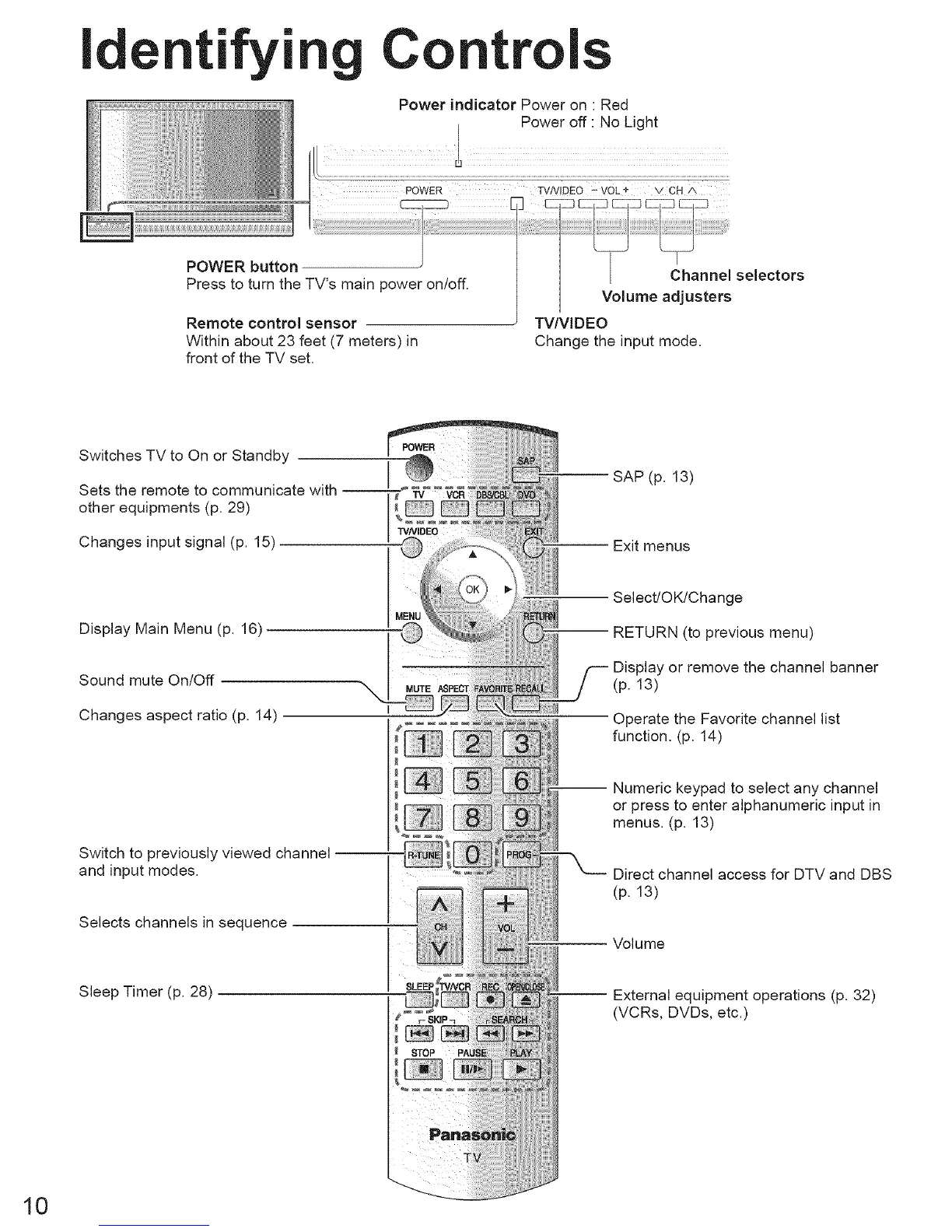
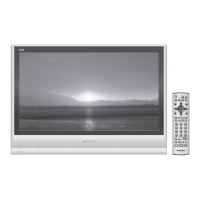
POWER button
Press to turn the TV's main power on/off.
Power indicator Power on • Red
I Power off : No Light
]
//1
Channel selectors
Volume adjusters
Remote control sensor
Within about 23 feet (7 meters) in
front of the TV set,
TV/VIDEO
Change the input mode.
Switches TV to On or Standby
Sets the remote to communicate with
other equipments (p, 29)
Changes input signal (p. 15)
SAP (p. 13)
-- Exit menus
Display Main Menu (p, 16)
Sound mute On/Off
Changes aspect ratio (p, 14)
Select/OK!Change
i RETURN (to previous menu)
Display or remove the channel banner
(p. 13)
Operate the Favorite channel list
function, (p, 14)
Switch to previously viewed channel --
and input modes,
Selects channels in sequence
I Numeric keypad to select any channel
or press to enter alphanumeric input in
menus, (p, 13)
Direct channel access for DTV and DBS
(p. 13)
Volume
Sleep Timer (p, 28)
-- External equipment operations (p. 32)
(VCRs, DVDs, etc.)
10






 To Next Page