First Ti
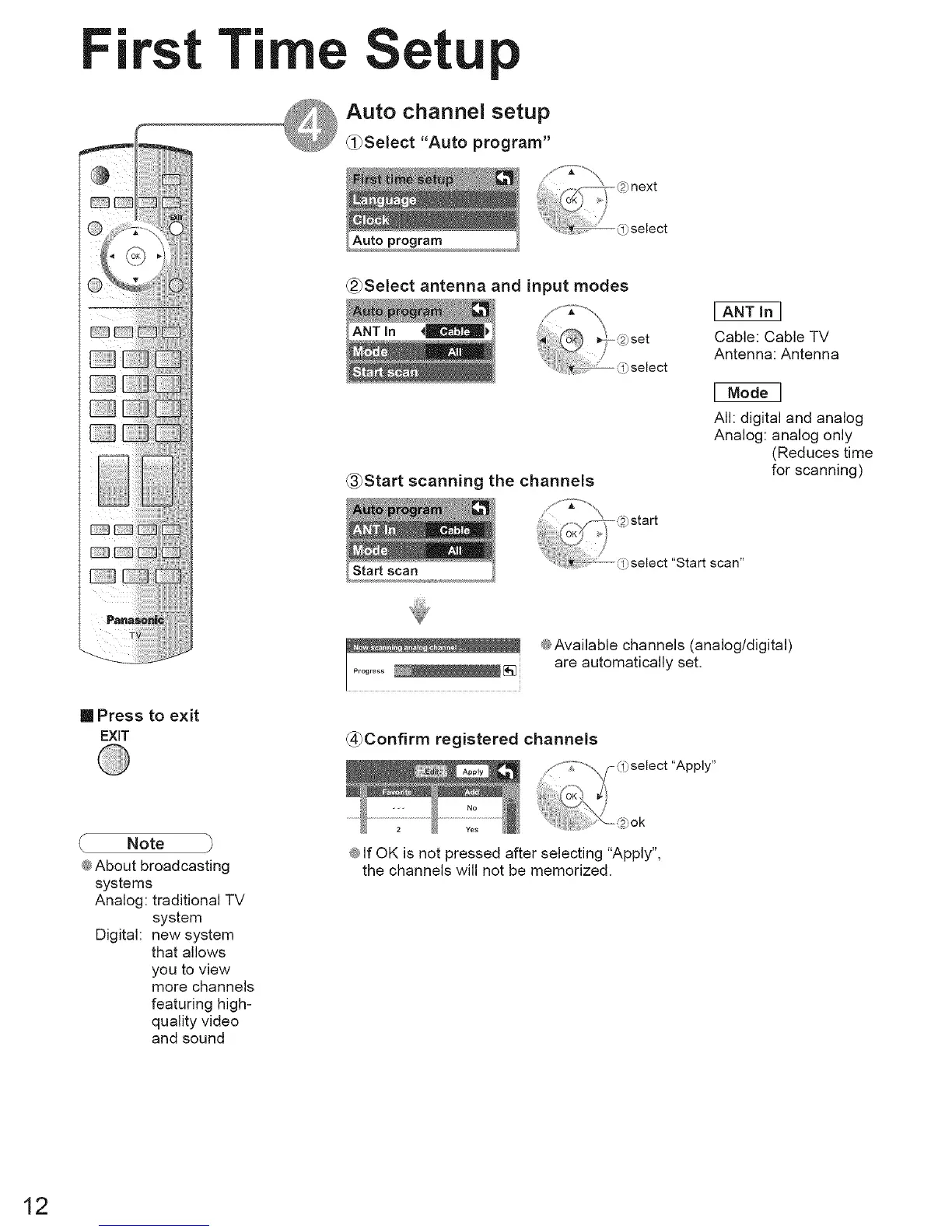
Auto channel setup
_0Select "Auto program"
(_Select antenna and input modes
_Start scanning the channels
I ANT in I
Cable: Cable TV
Antenna: Antenna
I Model
All: digital and analog
Analog: analog only
(Reduces time
for scanning)
"Start scan"
[] Press to exit
EXiT
@Available channels (analog/digital)
are automatically set.
(_Confirm registered channels
_,select "Apply"
Note
@About broadcasting
systems
Analog: traditional TV
system
Digital: new system
that allows
you to view
more channels
featuring high-
quality video
and sound
:_,ok
@If OK is not pressed after selecting "Apply",
the channels will not be memorized.
12





 To Next Page