Accesso "es/Opti
Setting=up
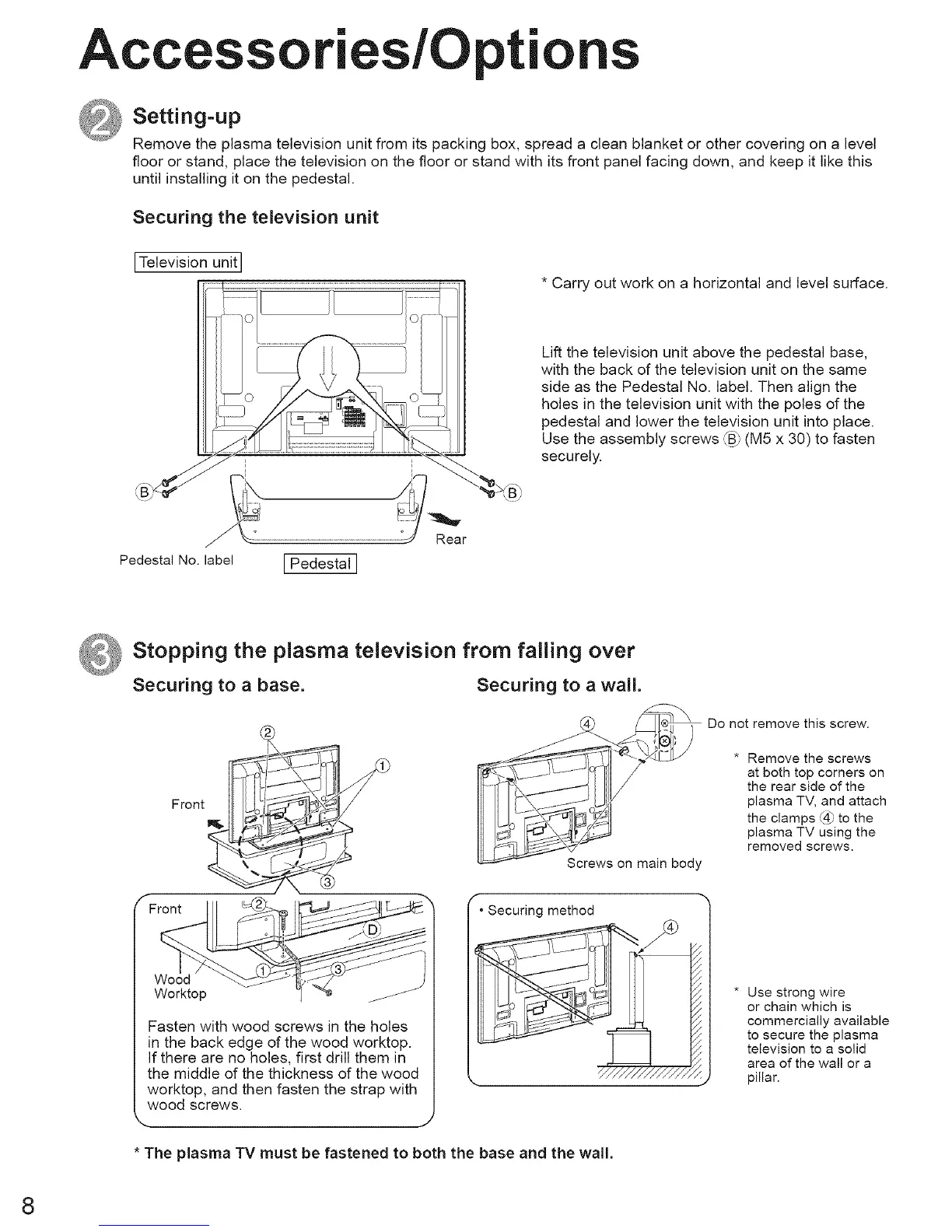
Remove the plasma television unit from its packing box, spread a clean blanket or other covering on a level
floor or stand, place the television on the floor or stand with its front panel facing down, and keep it like this
until installing it on the pedestal.
Securing the television unit
ITelevision unit
I I
i i
i i
......................................
Pedestal No. label I Pedestal I
I I
* Carry out work on a horizontal and level surface.
Lift the television unit above the pedestal base,
with the back of the television unit on the same
side as the Pedestal No. label. Then align the
holes in the television unit with the poles of the
pedestal and lower the television unit into place.
Use the assembly screws _B_;(M5 x 30) to fasten
securely.
_ Stopping the plasma television from falling over
Securing to a base. Securing to a wall.
Front P_-_ __q__
F,oot,
Worktop -/ "_
Fasten with wood screws in the holes
in the back edge of the wood worktop.
If there are no holes, first drill them in
the middle of the thickness of the wood
worktop, and then fasten the strap with
wood screws.
.. J
Screws on main body
• Securing method
* The plasma TV must be fastened to both the base and the wall.
Do not remove this screw.
* Remove the screws
at both top corners on
the rear side of the
plasma TV, and attach
the clamps @ to the
plasma TV using the
removed screws.
* Use strong wire
or chain which is
commercially available
to secure the plasma
television to a solid
area of the wall or a
pillar.
8





 To Next Page