EasyManua.ls Logo

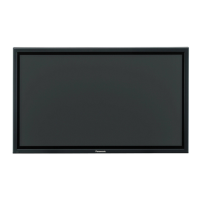
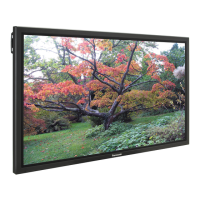
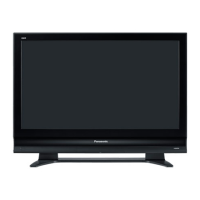
Panasonic TH-42PF20E - User Manual

Panasonic TH-42PF20E
24 pages
Print Icon
To Next Page IconTo Next Page
Loading...
Model No.
TH-42PF20E
TH-50PF20E
Please read these instructions before operating your set
and retain them for future reference.
English
Contents
Operating Instructions
High De nition Plasma Display
For more detailed instructions, refer to the Operating
Instructions on the CD-ROM.
To view the Operating Instructions on the CD-ROM, you
need a computer equipped with a CD-ROM drive, and
Adobe
®
Reader
®
(Version 7.0 or later is recommended)
installed on your computer.
Depending on the operating system or settings on your computer,
the Operating Instructions may not start automatically.
In this case, open the PDF le under the "MANUAL" folder manually
to view the instructions.
Important Safety Notice .......................................... 2
Safety Precautions .................................................. 3
Accessories ............................................................ 6
Connections ............................................................ 7
Power On / Off ...................................................... 12
Selecting the input signal ...................................... 14
Basic Controls ....................................................... 15
On-Screen Menu Displays .................................... 17
Using Network Function ........................................ 19
Speci cations ........................................................ 20

Questions and Answers

  • Z
    zsmithAug 10, 2025
    What to do if my Panasonic Monitor has no picture?
    • J
      Jessica MannAug 11, 2025
      If your Panasonic Monitor shows no picture, ensure it is properly plugged into the AC outlet and switched on. Check by pressing the power switch or the stand-by button on the remote control. You should also check the Picture and Brightness/Volume settings.
  • E
    egutierrezAug 15, 2025
    What to do if my Panasonic TH-42PF20E Monitor picture is cut off when using zoom function?
    • L
      Lauren RobertsAug 15, 2025
      If the picture on your Panasonic Monitor is cut off when using the zoom function, adjust the position of the picture on the screen.
  • L
    Lisa DouglasAug 21, 2025
    Why does my Panasonic TH-42PF20E have missing image areas when using zoom function?
    • J
      Joseph WilliamsAug 21, 2025
      When using a video software program with a screen wider than one in the 16:9 mode, blank areas separate from the images are formed at the top and bottom of the screen on your Panasonic Monitor.
  • M
    Michael BrockAug 26, 2025
    Why does my Panasonic TH-42PF20E Monitor remote control not work?
    • Y
      ylinAug 26, 2025
      The remote control might not be working because the batteries are completely discharged or not inserted correctly. Also, check if the remote control sensor is exposed to outdoor light or strong fluorescent light. Ensure that you are using the remote control specifically designed for use with this unit.
  • J
    Jason LamAug 31, 2025
    Why does my Panasonic Monitor power off automatically?
    • A
      Alec SmithAug 31, 2025
      If your Panasonic Monitor unexpectedly turns off, check the settings of “PC Power management”, “DVI-D Power management” and “Auto power off” in the Setup menu.
  • P
    pbarberSep 4, 2025
    Why is my Panasonic TH-42PF20E making a cracking sound?
    • H
      Heather BrownSep 5, 2025
      If your Panasonic Monitor is making a cracking sound, and there is nothing wrong with the picture or sound, this is the sound of the cabinet undergoing very slight contractions in response to changes in the room temperature.

Panasonic TH-42PF20E Specifications

General IconGeneral
Screen Size42 inches
Panel TypePlasma
Resolution1920 x 1080 pixels
Aspect Ratio16:9
Response Time0.001 ms
Input PortsDVI-D, Component, Composite

Related product manuals