EasyManua.ls Logo

Panasonic TH-42PH10EK - User Manual

Panasonic TH-42PH10EK
56 pages
Print Icon
To Next Page IconTo Next Page
Loading...
T
H
-
4
2
P
S
9
TH-42PS9
Please read these instructions before operating your set
and retain them for future reference.
Model No.
Operating Instructions
Progressive Wide Plasma Display
English
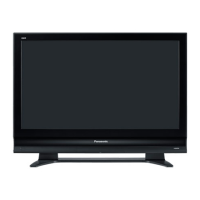
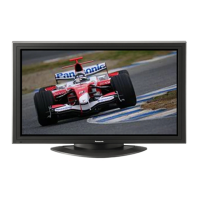
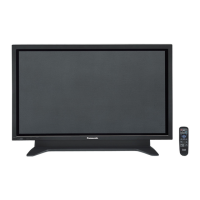
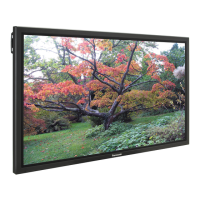
The illustration shown is an image.
TH-42PS10EK
TH-42PS10ES
Model No.
High Defi nition Plasma Display
TH-42PH10EK
TH-42PH10ES
TH-50PH10EK
TH-50PH10ES
TH-58PH10EK

Table of Contents

Other manuals for Panasonic TH-42PH10EK

Questions and Answers

  • M
    Michael StewartSep 12, 2025
    Why does brightness change on the sides of images in 4:3 mode on my Panasonic TH-42PH10EK?
    • V
      Vanessa HowardSep 12, 2025
      The brightness on both sides of images in the 4:3 mode on your Panasonic Monitor changes depending on the kind of program shown. This is normal.
  • K
    Kenneth MontgomerySep 13, 2025
    Why is there a time lag between image and audio on my Panasonic Monitor?
    • A
      Aaron GregorySep 13, 2025
      Your Panasonic Monitor uses special image processing that may cause a slight time lag between image and audio. This is not a malfunction.
  • J
    Jamie PayneSep 15, 2025
    Why some parts of the screen do not light up on my Panasonic TH-42PH10EK?
    • J
      james22Sep 15, 2025
      If some parts of the screen on your Panasonic Monitor do not light up, it may be because some parts of the screen may be missing picture elements or have luminous spots. This is not a malfunction.

Summary

Important Safety Notice

General Warnings

Provides critical safety warnings related to fire, shock, and proper grounding.

Safety Precautions

Setup and Accessories

Lists required optional accessories and safety warnings related to their use and setup.

Connections

AC Cord Connection

Instructions for securely connecting the AC power cord to the display and wall outlet.

PC Input Terminals Connection

Details how to connect a computer to the display via the PC input terminals.

SERIAL Terminals Connection

Explains how to connect the display to a computer for control via the serial terminal.

AV Connection

Illustrates how to connect AV sources like VCRs and camcorders to the display.

Power On; Off

Basic Controls

On-Screen Menu Displays

ASPECT Controls

Picture Adjustments

Advanced Settings

Enables fine-tuning of picture parameters for a professional-level adjustment.

Advanced Settings (TH-42 PS10 EK;S)

Specific advanced picture adjustment options for the TH-42PS10EK/S model.

Advanced Settings (TH-42 PH10 EK;S, TH-50 PH10 EK;S, TH-58 PH10 EK)

Advanced picture adjustments for specific TH-PH10EK/S series models.

Sound Adjustment

Screensaver (For preventing image retention)

Setup for MULTI DISPLAY

Setup for Input Signals

Options Adjustments

Troubleshooting

Specifications

Panasonic TH-42PH10EK Specifications

General IconGeneral
Screen Size42 inches
Panel TypePlasma
Brightness1100 cd/m²
Viewing Angle160°
Weight30 kg
Aspect Ratio16:9
Input TerminalsS-Video

Related product manuals