English
36
■ When the Unit is turned on for the first time
Following screen will be displayed.
1
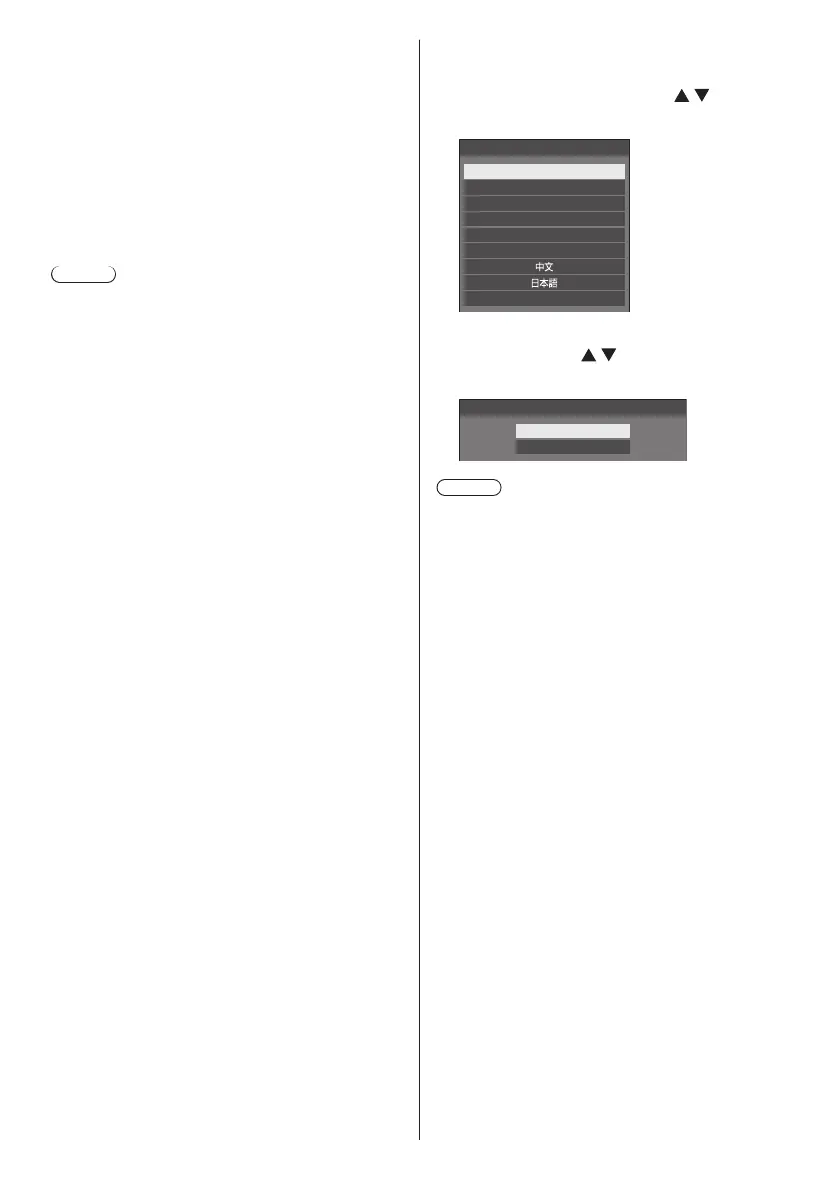
Select the language with and
press <ENTER>.
English (UK)
Deutsch
Français
Italiano
Español
ENGLISH (US)
Русский
OSD language
2
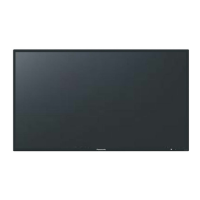
For vertical installation, select
[Portrait] with and press
<ENTER>.
Display orientation
Landscape
Portrait
Note
●
Once the items are set, the screens won’t be
displayed when switching on the unit next time.
After the setting, the items can be changed in the
following menus.
[OSD language] (see page 83)
[Display orientation] (see page 87)
●
When [Display orientation] is set to [Portrait],
a confirmation message to restart OpenPort
PLATFORM is displayed.
●
When the power of the unit is ON (Standby/Sleep:
Power indicator in orange):
Pressing the <Main Power On / Off button> will
turn the power indicator off for a moment, and then
illuminate it in orange. When it goes off, the display
unit turns off.
While the indicator is illuminating in orange, the
remote control operation is ignored.
●
When the power of the unit is ON (Standby: Power
indicator in red):
Pressing the <Main Power On / Off button> will turn
the power indicator off and the display unit turns off.
Note
●
During operation of the “Power management” function
(see page 81), the power indicator turns orange in the
power off (sleep) state.




 To Next Page